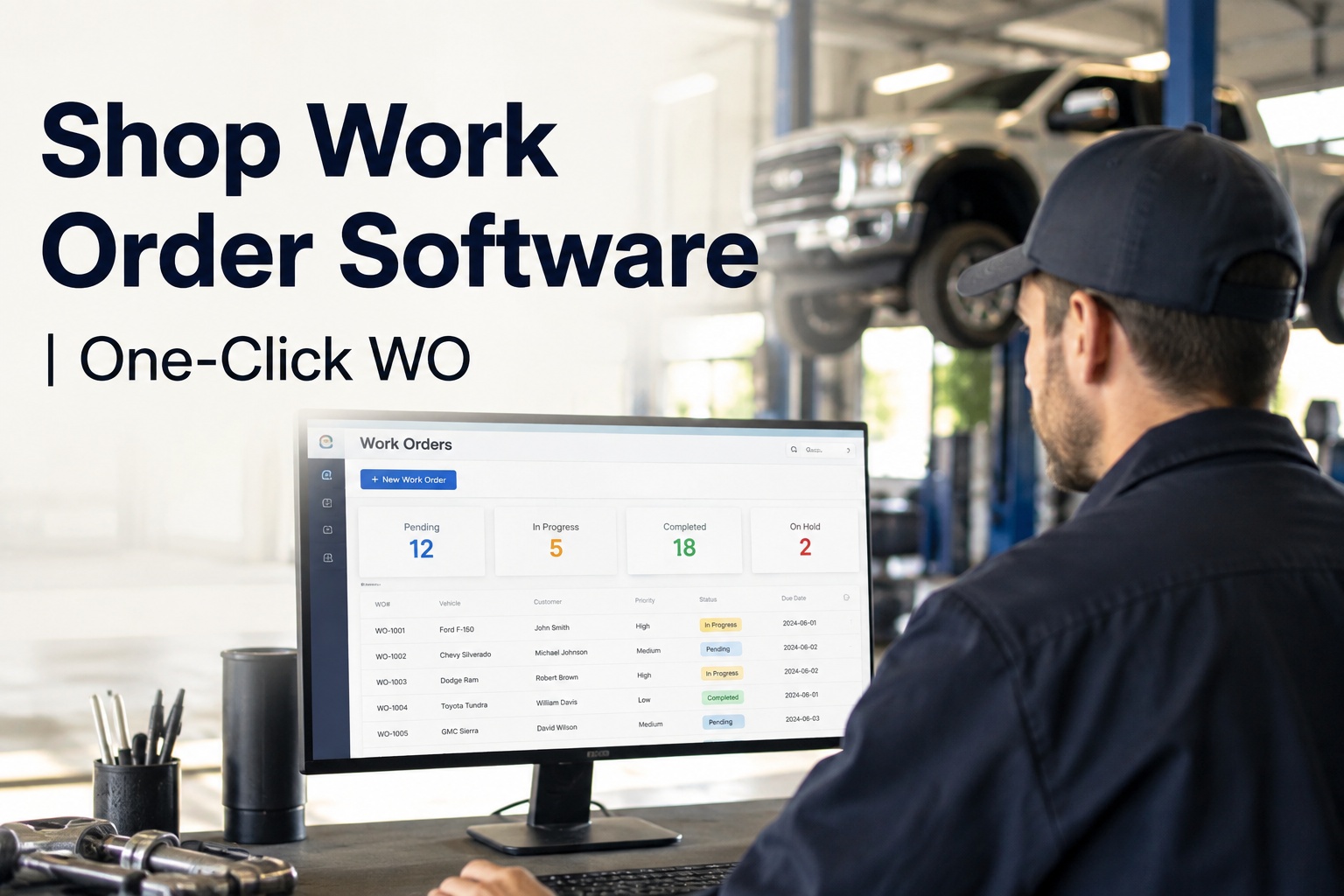
You know the feeling at 7pm on a Friday: the last truck is out the gate, the shop floor is quiet, and you're standing at the counter with a stack of paper work orders trying to answer one question — did this week actually make money? That is exactly the gap shop owner software should close, and most tools don't. They give your technicians screens to fill in, but they never give you, the owner, the one view that matters: bays productive, hours billed, margins real. HVI was built so that view exists without anyone compiling it. Every inspection, work order, part and labour hour across every location rolls up into a single owner dashboard, and a weekly profitability report lands in your inbox automatically. If you want to see that owner view on your own numbers before you commit to anything, you can book a 30-minute walkthrough of the owner dashboard and bring your toughest questions.
For owners, not just operators
Run the shop from one dashboard — not from the counter at 7pm
HVI turns inspections, work orders, parts and labour into live margin numbers: every bay, every tech, every job, every location. No spreadsheets, no end-of-month surprises, no per-user fees.
What the numbers say
Shop owner KPIs that decide whether the week was worth it
Most owners track revenue. The owners who grow track these four numbers weekly — because each one points straight at a leak you can actually fix.
Billable-hour capture
Every hour a tech is clocked in should land on a work order. Shops running paper typically lose 30–45 minutes per tech per day to unbilled time — that is real payroll walking out the door.
Margin visibility
Revenue per job means nothing if parts and labour eat it. Margin per job tells you which work to chase, which to reprice, and which customers cost you money.
Profit reports, zero compiling
If your profitability picture arrives a month late from the accountant, you are steering by the rear-view mirror. A weekly report means you correct pricing and scheduling this week, not next quarter.
Bay productivity at a glance
An empty bay is fixed cost with no revenue against it. Live bay status shows which jobs are stalled, which are waiting on parts, and where PM work could fill the gap.
Where the money goes
The four leaks that quietly eat a repair shop's margin
A worked example: a 6-bay truck shop billing $125/hour. None of these leaks look dramatic on their own — together they can erase six figures a year.
Unbilled labour hours
Techs do the work but the time never makes it onto the ticket — a quick road-call fix, a warranty recheck, a "while you're in there" favour. Lose just 45 minutes per tech per day across 6 techs and you are giving away roughly $85,000 a year at $125/hour. HVI captures labour at the work order, on the phone in the tech's hand, so the hour is logged when the work happens.
Parts that leave the shelf untracked
A filter here, a slack adjuster there — pulled for a job but never billed, or billed at last year's cost. Shops commonly find 2–5% of parts spend evaporating this way. On $400,000 of annual parts, that is up to $20,000 gone. When parts issue straight to the work order in one system, every item has a job number attached.
Empty bays with no PM pipeline
Reactive work is lumpy: feast one week, silence the next. Preventive maintenance scheduled by date, mileage or engine hours is repeat business that fills the quiet days. A single bay sitting idle one day a week costs you around $50,000 a year in unrealised labour. PM due-and-overdue alerts turn that idle bay into booked work.
Pricing blind spots
If you cannot see margin by job type, you are probably undercharging for the hardest work — the after-hours breakdowns and the diag-heavy electrical jobs that burn skilled hours. Owners who review job-type margins weekly typically find at least one service line that needs repricing within the first month.
How HVI helps
Shop owner software that reports from the work, not from guesswork
Because inspections, work orders, parts and labour all live in one system, the numbers you run the business on are created by the job itself — nobody re-types anything into a spreadsheet.
Owner dashboard, live
Every bay, technician and job across every location with live status. You see what is on hold, what is waiting on parts and what is ready to invoice — from your phone, without calling the shop.
Weekly margin reports
Profitability by job, by tech and by job type lands in your inbox every week, automatically. Margin per job and billable-hour capture per tech, with nobody staying late to compile it.
Labour capture at the ticket
Techs log time against the work order on any phone or tablet, in the bay or on the roadside. Unbilled hours stop leaking, and you finally see true labour cost per job type.
PM that fills empty bays
Preventive maintenance scheduled by date, mileage or engine hours, with due and overdue alerts. PM becomes a booked pipeline of repeat work instead of a whiteboard nobody reads.
The economics
What shop owner software costs — and how it pays back in under 90 days
The pricing model matters as much as the features. Per-user fees punish you for growing; implementation charges delay payback by months. Here is the honest comparison.
| Cost or payback factor | Typical legacy / per-seat tools | HVI owner model |
|---|---|---|
| Subscription structure | Per-user fees that rise with every tech you hire | Subscription pricing with no per-user fees — add the whole shop |
| Implementation & setup | Implementation charges plus weeks of configuration | No implementation charges; shop onboarding included |
| Training burden | Formal sessions for drivers, techs and admins | Minimal training — works on any phone or tablet your crew already carries |
| Where payback comes from | Hard to isolate; value diffuses across modules | Captured labour hours, controlled parts spend, PM filling empty bays |
| Time to payback | Often 6–12 months after fees and rollout | Under 90 days on average |
Run the arithmetic on your own shop: recovering one billable hour per tech per day at $125/hour across six techs is about $16,000 a month — many times the subscription. If you want help building that model with your real rates, book a demo and we will walk the payback maths with you.
A week in the owner view
How a repair shop owner actually uses the dashboard, Monday to Friday
This is not another screen to babysit. It is a five-minute habit that replaces the Friday-night paper sort.
Open the week with the bay board
Two minutes over coffee: every bay's status across locations, jobs carried over from last week, and PM units due this week that can fill any gaps before they happen.
Midweek labour check
Billable-hour capture per tech at a glance. If a tech is at 70% by Wednesday, you fix it this week — a stalled approval, a missing part — instead of discovering it on the month-end report.
Margin report lands, decisions get made
The weekly profitability report arrives automatically: margin per job, per tech, per job type. You spot the underpriced service line and reprice it Monday — while your competitors wait for their accountant.
Answer "where is my truck?" in seconds
Customer calls, you open the job on your phone: status, photos, parts fitted, hours logged. No ringing the shop, no chasing the foreman off the floor. Owners who start a free trial with their own shop usually say this alone changes their week.
See your own shop on the owner dashboard
Bring your bay count, your labour rate and your roughest week — we will show you what the numbers look like when they come straight from the work.
Before and after
Repair shop management, owner edition: paper stack vs one dashboard
The work does not change. What changes is when — and whether — you find out what it earned.
Running on paper and gut feel
- Profitability arrives a month late, from the accountant, after nothing can be changed
- Labour hours reconstructed from memory and text messages
- Parts billed at whatever price someone last remembered
- Empty bays discovered by walking the floor
- "Where is my truck?" means interrupting the foreman
- Multi-location shops run on phone calls and hope
Running on the HVI owner view
- Weekly margin report lands automatically — job, tech and job-type level
- Hours captured at the work order, on the tech's phone, as work happens
- Parts issued to the job with live cost, so margin per job is real
- Live bay status plus PM due lists that fill gaps with repeat work
- Job status, photos and hours on your phone in seconds
- Every location rolls up into the same dashboard and the same report
If the left column feels familiar, the fastest way to pressure-test the right column is to see the owner view running on a live shop in a demo — or sign up free and load a handful of real jobs this week.
Key takeaways
The bottom line for owners evaluating shop owner software
Buy the owner view, not more screens
Technician tools are table stakes. The reason to invest is the dashboard that shows every bay, tech and job live, and the weekly margin report that arrives without anyone compiling it.
Payback should be measured in weeks
With no per-user fees, no implementation charges and onboarding included, payback under 90 days is realistic — driven by captured labour hours, controlled parts and PM filling empty bays.
Numbers must come from the work
When inspections, work orders, parts and labour live in one system, margin per job and billable-hour capture are facts, not estimates. That is what shop owner software should deliver — and it is exactly what HVI was built to put in your hand.
"I used to find out how the month went around the 15th of the next one. Now my habit is the Wednesday labour check — if billable capture is under 85% by midweek, I know there's a stalled approval or a parts hold somewhere, and I fix it that day. Last quarter we repriced two job types off the margin report alone. That's money I simply could not see before."
Daniel Reeves — Owner & General Manager, mixed-fleet repair group, three shops
Questions owners ask
Shop owner software FAQ
What should shop owner software show me that my current reports don't?
How does shop owner software pay for itself in under 90 days?
Do I pay per technician, and what does implementation cost?
My techs hate new software. How much training does this take?
Can I see multiple shops or locations in one owner dashboard?
Know your margins this week — not next month
One dashboard for every bay, tech and job. Weekly margin reports that compile themselves. Payback in under 90 days, with no per-user fees and no implementation charges.
Free to start — Works on any phone — No card needed