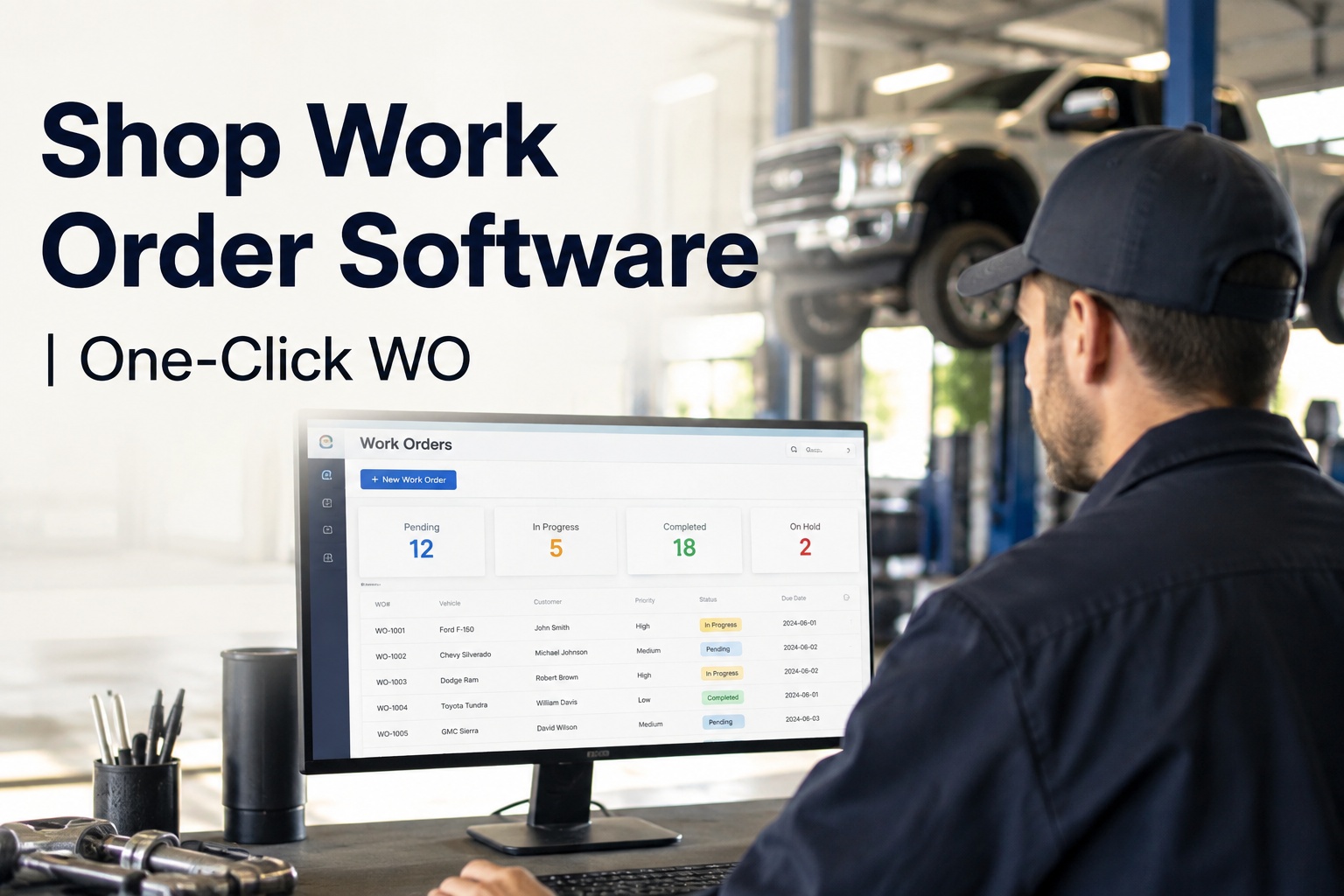
The brake pads were flagged at intake on Tuesday morning. By Friday, the truck was back on the road with the same worn pads — the job card never made it past the whiteboard, the parts were never pulled, and the two hours a tech eventually spent on it were never logged. That gap between finding a problem and billing the repair is exactly where shops bleed money, and it is the gap shop work order software exists to close. HVI turns any inspection finding into a complete work order in one tap: technician assigned, parts reserved from stock, labour tracking from the first minute. If you want to see that flow on your own units, book a 30-minute walkthrough and watch a finding become a billable job.
SHOP WORK ORDER SOFTWARE
From defect found to work order raised — in one click, not one week
A technician taps the finding, HVI builds the work order: tech assigned, parts pulled, labour clocking, intake photo attached. No lost job cards, no unbilled hours, no margin guesswork.
WHAT THE GAP COSTS YOU
The numbers behind lost job cards and unbilled labour
INSPECTION TO WORK ORDER
How a one-click work order actually moves through your shop
Six steps, zero handwriting. Each one happens in HVI the moment the last one finishes, so nothing waits on a clipboard moving across the yard.
Tech flags the finding
During intake or a DVIR, the technician marks worn brake pads, adds a photo and a 20-second voice note. The defect is timestamped and tied to the unit instantly.
One tap creates the work order
The finding converts to a digital work order with the unit, defect, photo and voice note already attached. Nothing is retyped, nothing is lost in translation.
Assign the technician
You pick the tech, they get an app notification with the full job detail — including the intake photo — so they arrive at the bay knowing exactly what they are walking into. First-time fix, not diagnose-again.
Parts pull from stock
Brake pads, hardware and lubricant are reserved against the job. When they are consumed, inventory auto-deducts and the cost lands on the work order — no parts-room round trip with a sticky note.
Labour clocks against the job
The tech starts and stops the clock on each repair step from their phone. Every hour is captured against the work order, so billing and costing are complete by default.
Close with full margin visibility
Print the work order if a customer or auditor wants paper, close it digitally, and see parts, labour and total cost per job — and per unit — without chasing anyone.
COST-LEAK BREAKDOWN
Where repair shops lose money between the defect and the invoice
A 12-bay shop running paper job cards typically leaks value at four points. Here is what each one looks like in a real week — and what a digital work order management flow does to it.
The whiteboard finding
A defect gets scribbled on the intake board and rubbed off by Thursday. The unit rolls out unfixed and comes back on a hook two weeks later at roadside rates.
HVI fix: every finding lives on the unit record until it becomes a work order or is signed off. Nothing gets erased.
The job card that never reached parts
The tech starts the job, walks to the parts room, finds the pads were never reserved, and the unit sits on the lift for a day waiting on a $60 part.
HVI fix: parts are reserved the moment the work order is created, and low stock flags before the bay is blocked.
The hours nobody logged
A tech spends 90 minutes chasing a wiring fault and writes "1 hr" on the card from memory. Multiply that across six techs and you are giving away a full head of labour.
HVI fix: labour clocks per repair step on the phone in the tech's pocket, not on a card filled in at 4:45pm.
The invoice built from guesswork
At month end, someone reconstructs jobs from memory and parts-room chits. Margin per job is a feeling, not a number, and under-billing goes unnoticed.
HVI fix: every part and every hour is already on the job. Close the work order and the cost record is done.
WORKED EXAMPLE
What one-click work orders are worth to a 40-truck carrier
Take a mixed fleet running its own two-bay shop. The maths below uses conservative, round numbers — plug in your own rates and the picture rarely gets prettier for paper.
That is over $8,500 a month leaking out of a small shop — before you count parts that left the shelf without landing on an invoice. Shops that move to digital work orders typically recover the labour leak in the first month simply because the clock runs while the work happens. If you want to run these numbers against your own fleet, walk through it on a live demo with your units and bring your real rates.
PAPER JOB CARDS VS DIGITAL WORK ORDERS
Work order management: the shop whiteboard against HVI
| Shop moment | Paper job card & whiteboard | HVI one-click work order |
|---|---|---|
| Defect found at intake | Written on a card or board, waits for someone to act | Converts to a work order in one tap, timestamped with photo |
| Assigning the job | Shout across the shop or a text that gets buried | App notification with full job detail, photo and voice note |
| Parts for the job | Tech walks to parts room, hopes stock is there | Reserved at creation, auto-deducted when consumed |
| Labour tracking | Reconstructed from memory at end of shift | Clocked per repair step as the work happens |
| Job cost & margin | Guessed at month end from chits and memory | Complete the moment the work order closes |
| Audit or warranty claim | Dig through filing cabinets, hope the card survived | Pull the full photo-backed record in seconds |
The difference is not cosmetic. Every row in the right-hand column is a place where money, hours or evidence used to escape. You can start a free trial and raise your first digital work order today — the intake-to-invoice flow works on any phone your techs already carry.
HOW HVI HELPS
Shop work order software built for fleets, not office desks
Defect-to-work-order in one tap
Any inspection or DVIR finding becomes a work order instantly. Outcome: no defect ever dies on a whiteboard, and breakdowns from known issues stop happening.
Labour captured per repair step
Techs clock each step from the phone in their pocket. Outcome: every billable hour lands on the job, and tech productivity is measured on fact, not memory.
Parts & inventory tied to the job
Stock across multiple shops deducts automatically as parts are consumed. Outcome: parts leakage ends, and cost per unit is always a real number.
Audit-ready job records
Every work order carries photos, timestamps, tech and cost history. Outcome: DOT, client, insurance and warranty audits take minutes, not days of digging.
Watch a finding become a billable job — on your own fleet
Book a 30-minute demo and we will raise a real work order from a real inspection finding, assign it, pull parts and close it with full cost — live, with your questions driving.
WHO USES IT
One work order app, every role in the shop
Repair order software only works if the whole shop lives in it. HVI gives each role the view they actually need, on the device they already carry — and there are no per-user fees to stop you adding everyone.
Shop Foreman
Sees every open work order, who is on it, and what is blocked on parts. Reassigns jobs with a drag, not a walk across the yard.
Technician
Gets the job, the photo, the voice note and the parts list on their phone. Clocks labour per step and closes the job from the bay.
Parts & Inventory Manager
Watches stock deduct in real time as parts hit jobs, gets low-stock alerts before a bay is blocked, and sees parts cost per unit.
Maintenance Manager
Tracks cost per asset, open vs closed work orders and overdue jobs across every site — and proves it all in an audit in seconds.
Safety & Compliance Manager
Confirms every safety defect from a DVIR became a work order and was closed before the unit rolled. Nothing slips, everything is evidenced.
Owner-Operator
Runs the whole shop from a phone: raise the job, do the work, close it with costs. Professional records without office staff.
KEY TAKEAWAYS
The short version: close the gap between found and fixed
- The leak is real: between unbilled labour, blocked bays and unfixed findings, a small shop can lose $8,000+ a month without noticing.
- One click is the fix: shop work order software that converts findings to jobs instantly removes the whiteboard from the equation entirely.
- Everything lands on the job: parts, labour, photos and timestamps build a complete cost record automatically — margin stops being a guess.
- It works where your techs work: any phone or tablet, in the bay, the yard or at a remote site, with minimal training and no per-user fees.
You do not need to rebuild your shop to prove it. See the one-click work order flow in a demo, or sign up free and run your next intake through it — the first finding you convert will tell you everything.
I used to find out about unbilled hours at month end, when there was nothing I could do about it. Now I check one number every morning — open work orders with no labour logged. It is almost always zero, and when it is not, I fix it before lunch. That one habit paid for the system many times over.
Daniel Reeves — Maintenance Manager, regional construction & aggregates fleet
FREQUENTLY ASKED QUESTIONS
Shop work order software: what fleet shops ask before switching
What is shop work order software, and how is it different from a full CMMS?
Shop work order software manages the life of a repair job — creation, assignment, parts, labour and closure. HVI is a full fleet maintenance CMMS where work orders connect directly to inspections, DVIRs, preventive maintenance schedules and parts inventory, so a defect found at intake flows into a job without re-entry.
How does the one-click inspection-to-work-order conversion work?
When a technician flags a defect during a digital inspection or DVIR, a single tap converts it into a work order that already carries the unit, defect description, photo and voice note. You assign a tech, reserve parts and start labour tracking immediately — nothing is retyped or rewritten.
Will my technicians actually use a work order app in the bay?
Yes — it runs on any phone or tablet they already carry, with big tap targets and minimal typing: photos, voice notes and clock buttons do most of the work. Most shops are fully live within days, and onboarding is included. Book a demo and we will show you the technician view first.
Can I still print a work order for customers or auditors who want paper?
Yes. Any work order can be printed with full job detail, parts, labour and costs. The digital record stays the master copy — timestamped, photo-backed and searchable — so audits, warranty claims and customer disputes are answered in seconds instead of a filing-cabinet dig.
What does HVI cost, and are there per-user fees?
There are no per-user fees, so your foreman, techs, parts staff and managers can all be on the system without the bill growing per head. Onboarding is included, and you can start free to run real work orders through your own shop before committing.
Stop losing job cards. Start billing every hour.
Raise your first one-click work order today, or let us show you the full intake-to-invoice flow on your own units in 30 minutes.
Free to start — Works on any phone — No card needed