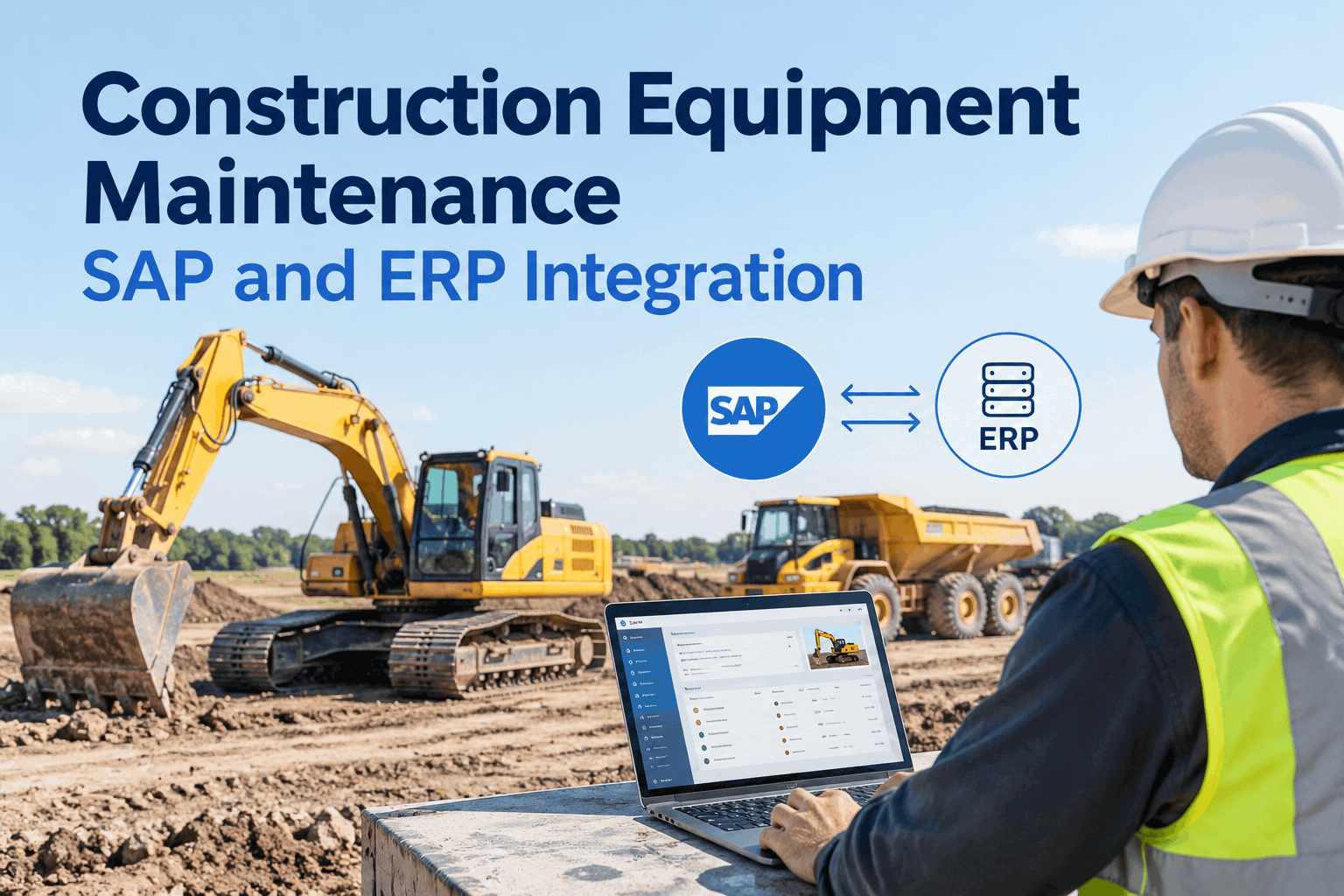
On a mid-size construction fleet, the same excavator exists in four systems that don't talk: the inspection form, the maintenance tracker, the parts ledger, and SAP. Every service gets keyed in more than once, the equipment master and the field never quite agree, and costs land in finance days late. SAP and ERP integration for construction equipment maintenance is about closing that gap — capturing clean maintenance data once, in the field, and letting it flow to the system of record without re-typing. This page walks through what connects, which direction it moves, and what it eliminates. Then book a demo to scope it against your SAP or ERP setup .
Enter It Once in the Field. See It Everywhere in SAP.
Connect inspections, work orders, parts, and meter hours to SAP or your ERP — so the field and the system of record stay in sync, and nobody re-keys a service twice.
The problem isn't that construction fleets lack data — it's that the data is trapped in silos that force people to copy it between them. A fitter logs a hydraulic repair on a paper form; someone re-types it into the maintenance system; someone else keys the parts into inventory; and eventually a cost clerk enters it into SAP, days later and with a transcription error or two. Every hop is manual, slow, and lossy. The equipment master in SAP drifts out of step with what's actually happening on the machine, PM plans run on calendar guesses instead of real hours, and finance sees costs long after the work is done. Integration replaces those hops with one capture and an automated sync.
What connects, and which way it flowsthe data map between field maintenance and SAP / ERP
A good integration isn't "everything syncs everywhere" — it's a deliberate map of which record owns which data and which direction it moves. Here's the typical shape of an HVI–to–SAP PM connection, the kind you'd scope for a construction fleet.
Equipment master & functional locations
Serial numbers, install dates, warranty, specs, and the plant/area/site hierarchy flow from SAP into HVI — so the field works against the same asset records finance does, mapped to the right job or location.
PM plans
Time-based and counter-based (meter-hour) maintenance plans import from SAP PM, and HVI generates the work order when each one triggers — so the schedule the field runs is the schedule of record.
Work orders & notifications
A defect flagged on an inspection becomes a maintenance notification — and, in one tap, a work order — posted back to SAP with the equipment, type, and location already mapped.
Labor, parts & costs
On completion, labor time, parts consumed, and service costs post to the maintenance order — so the cost of the job reaches finance when it's done, settled to the right cost center and equipment.
Work order status
The full lifecycle — create, release, execute, technically complete, close — stays in sync in both directions, so neither the field nor SAP is ever working off a stale status.
Meter readings
Engine hours and mileage from GPS or OEM telematics update the counters in SAP — so counter-based PM fires on real usage, not a clerk's monthly estimate.
Note that these are typical capabilities, not a promise about your environment — the right scope always depends on your SAP version, the modules you run, and which records you want each system to own. HVI's integrations cover SAP alongside telematics, fuel cards, and accounting systems. Book a demo to map the flows against your own setup
The double-entry tax you're paying nowwhat disconnected systems cost a construction fleet every day
The clearest way to see the value of integration is to look at a single repair's journey through a disconnected setup versus a connected one. Same work, very different path.
- 1Fitter writes the repair on a paper form
- 2Someone re-types it into the maintenance system
- 3Parts keyed separately into inventory
- 4Cost clerk enters it into SAP, days later
- 1Tech logs the repair once in HVI, in the field
- 2Parts and labor attach to the work order as it's done
- 3It posts to SAP as a completed order with costs
- 4Equipment master and finance update automatically
Multiply that single repair across every machine, every service, every shift, and the duplicate-entry tax is real labor hours and real data errors. Removing it is the core payback of integration — before you even count the better decisions that clean, timely data enables. Start a free trial and see the single-capture workflow
How to plan the integrationthe questions to settle before you connect anything
A clean integration is 80% planning. Before any connection is built, you want clear answers on what's shared, who owns it, and how it moves. This is the sequence that keeps the project from becoming a sync of mismatched records.
-
1
Decide which records to share
Asset details, inspection results, maintenance requests, work orders, parts — not everything needs to flow. List the records that actually benefit from being in both systems.
-
2
Establish ownership for each source
Every shared record needs one system of record. Equipment master and PM plans usually live in SAP; field execution and defects originate in HVI. Settle it before you sync.
-
3
Map the direction and the fields
For each record, which way does it move, and how do fields map — your functional locations to jobs or sites, your equipment categories, your cost centers? This mapping is the integration.
-
4
Confirm the technical fit
Check the available interfaces (for SAP, typically RFC/BAPI or OData across S/4HANA and ECC), the sync behavior, and implementation needs with the provider before any purchasing decision.
-
5
Pilot, then scale
Prove the flows on a subset of equipment or one site, confirm the data lands clean in SAP, then roll out — rather than connecting the whole fleet on day one.
HVI's enterprise onboarding includes the equipment-master mapping, PM-plan import, and go-live support that make this sequence real rather than theoretical. Book a demo to walk the plan for your fleet
The integration-readiness checklistwhat to confirm before connecting maintenance to SAP or your ERP
Run your situation against this before committing. Each box is a question that, answered early, keeps an integration project on the rails — and left unanswered, is where they stall.
A note on scope: integration capability depends on the systems involved, the available APIs, and the supported data workflows. Confirm the specific capabilities, sync frequency, and implementation requirements with the provider before any purchasing decision — a demo scoped to your environment is the right first step. Book a demo to confirm the fit for your ERP
From an equipment systems manager at a civil contractor
Our SAP equipment master was always a little bit wrong. Not because anyone was careless — because the field data took four manual hops to get there, and something was lost at every one. Hours were a month behind, costs landed late, and I spent real time reconciling what the shop said against what SAP showed.
The thing that sold me on integrating wasn't a feature — it was killing the re-keying. The tech enters the work once, it posts to SAP as a completed order with the parts and labor, and the counters update from telematics. My PM plans finally run on real engine hours instead of a guess, and reconciliation mostly went away. The honest part is it took planning — we had to agree who owned what first — but that was the whole job.
Frequently asked questions
What does SAP integration do for construction equipment maintenance?
It connects field maintenance — inspections, work orders, parts, meter hours — to SAP so data is captured once and synced to the system of record, cutting duplicate entry and keeping the equipment master and costs accurate. Book a demo to scope it for your setup.
What data flows between HVI and SAP?
Typically: equipment master, functional locations, and PM plans flow from SAP to HVI; work orders, notifications, labor, parts, and costs flow back; status syncs both ways; and meter hours update SAP counters from telematics. Scope depends on your modules. See it in a demo.
Does it work with ERPs other than SAP?
The right approach depends on the systems, their APIs, and supported workflows. HVI integrates with SAP alongside telematics, fuel cards, and accounting systems; for another ERP, the flows and fit should be confirmed with the provider. Book a demo to check your environment.
How is a SAP integration actually implemented?
For SAP it typically uses standard interfaces such as RFC/BAPI or OData across S/4HANA and ECC, with equipment-master mapping, PM-plan import, and go-live support. Confirm the specifics and sync frequency with the provider before deciding. Book a demo to review the approach.
What should we decide before integrating?
Which records to share, the system of record for each, the sync direction, and how fields map to your jobs, equipment, and cost centers. Settling ownership first is what keeps the project clean. Start a free trial or book a demo to plan it.
Stop re-typing the fleet into four systems
HVI captures inspections, work orders, parts, and meter hours once in the field and syncs them to SAP PM — pulling equipment master and PM plans down, pushing completed orders and costs up, keeping status aligned both ways. The field and finance finally see the same fleet. Scoped to your version and modules; planned and supported, not bolted on.
- Equipment master & PM plans in
- Work orders, parts & costs out
- Status synced both directions
- Meter hours from telematics