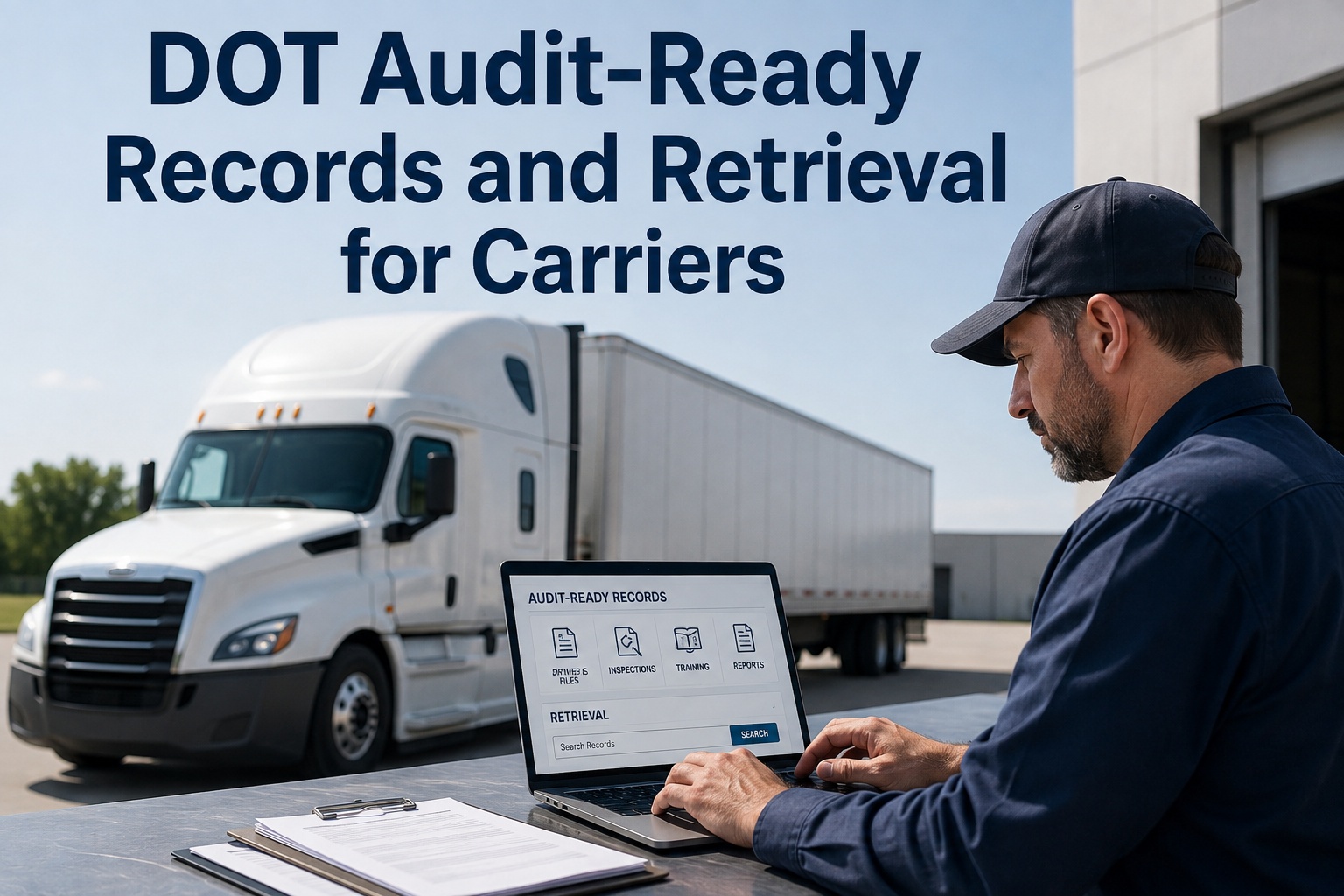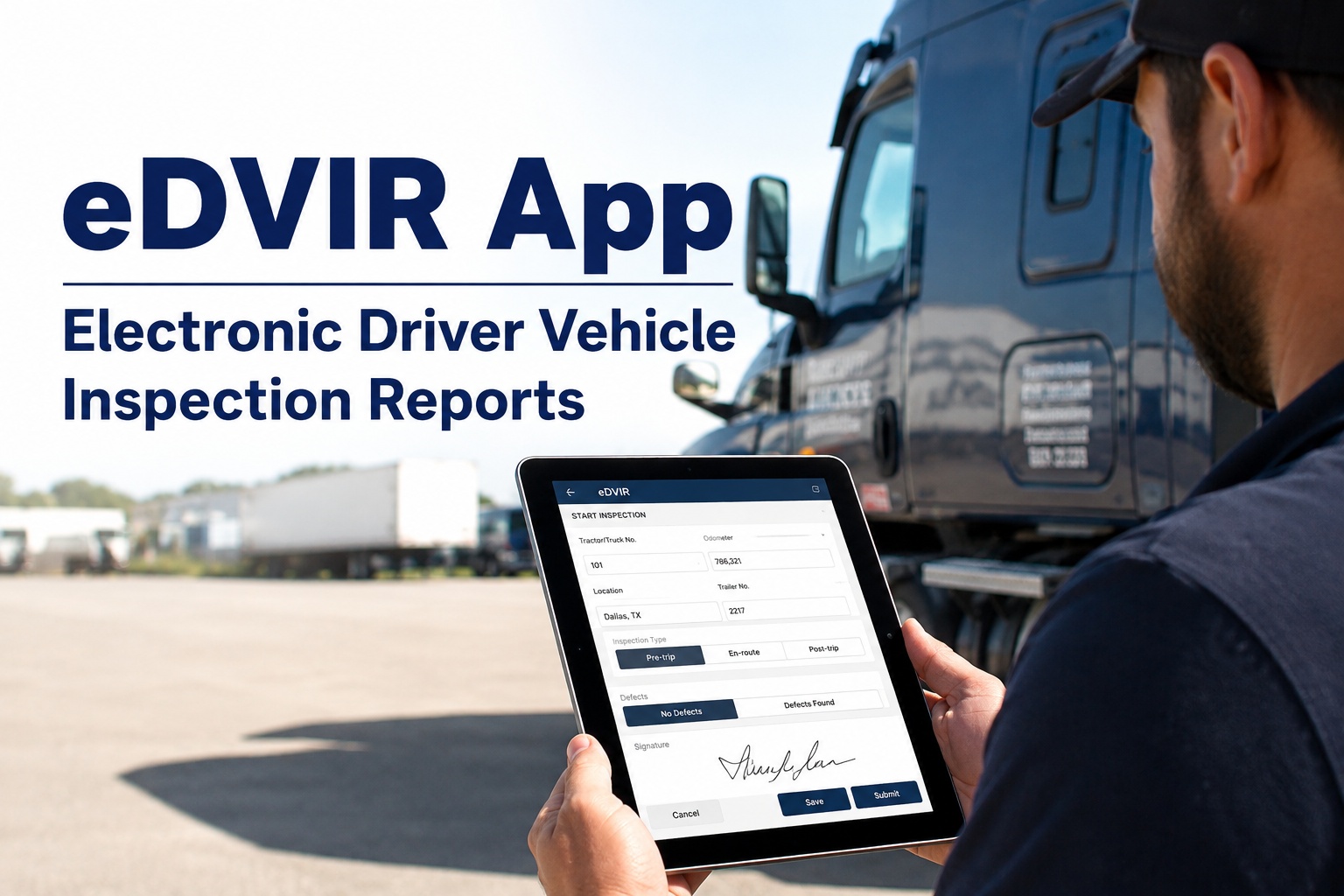
It is 7:40 on a Tuesday morning and a DOT officer is standing in your yard asking for ninety days of driver vehicle inspection reports on unit 214. You know the binder exists. You also know half the reports in it are missing the mechanic's signature, three are illegible, and at least a few never left the cab. Going paperless on trucking fleet records is how you make sure that morning never happens again: every DVIR filed from the driver's phone, timestamped, photo-backed, signed through the full three-part chain, and retrievable in seconds instead of hours. With the March 2026 eDVIR final rule removing the last legal argument for keeping paper, the question is no longer whether to switch but how fast you can do it without a driver revolt. This guide walks through what actually goes wrong with paper, why digital records hold up better in an audit, how to get drivers to actually use the app, and the exact sequence to make the switch in one to two weeks. If you would rather see it running on your own units first, you can book a 30-minute walkthrough and bring your toughest questions.
The filing cabinet is your biggest compliance gap. Close it.
Paper DVIRs are the number one source of documentation gaps in motor carrier compliance. The March 2026 rule removed the last reason to keep them. Here is what the switch actually looks like.
Paper Today
- Reports that never leave the cab
- Illegible entries and missing signatures
- Hours lost searching filing cabinets
- No timestamp, no GPS, no photos
Digital With HVI
- Every DVIR filed from the driver's phone
- Three-part signature chain enforced automatically
- Audit-ready retrieval in seconds
- Timestamp, GPS and photo on every report
Four numbers that explain why carriers are ditching paper DVIRs
These are not abstract industry trends. Each one maps to a specific cost, risk or wasted hour in your operation right now.
The four failure points in every paper DVIR process
Paper does not fail all at once. It fails in four specific places, and each one creates a documentation gap that an auditor, a lawyer or an insurance adjuster will find before you do.
The report that never leaves the cab
The driver completes the walk-around, writes it up, and drops the carbon copy on the passenger seat. It stays there for six days. Your shop never sees the defect, the vehicle keeps running, and when the brake line finally lets go on the highway you have a roadside breakdown, a tow bill, and an out-of-service order that could have been a $40 repair in the yard.
Illegible entries nobody can read
A driver writes "brakes soft" in handwriting that looks like a seismograph reading. The mechanic guesses. The guess is wrong. Three weeks later the same unit fails a roadside inspection for the same brake issue, and now you have a CSA hit and a paper trail that proves you were told about the problem and did not fix it correctly.
Missing signatures in the three-part chain
The DVIR rule requires three signatures: the driver who found the defect, the mechanic who fixed it or certified no repair was needed, and the next driver who reviewed the repair before driving. On paper, at least one of those signatures is missing on a regular basis. That gap is a violation waiting to be written up.
The filing cabinet search
An auditor asks for all DVIRs on unit 187 for the last ninety days. You spend two hours pulling binders, flipping through carbon copies, and cross-referencing dates. You find eighty-one of the ninety. The missing nine are the ones the auditor writes up. If you want to see what it feels like to pull that same report in under ten seconds, walk through it on your own units in a live demo.
Why a digital DVIR holds up and a paper one does not
When a report is challenged, by an auditor, an insurance company or a plaintiff's attorney, the question is always the same: can you prove when it was done, where it was done, and what was found? Paper cannot answer that. Digital can.
| What an Auditor Asks | Paper DVIR | HVI Digital DVIR |
|---|---|---|
| When was this inspection done? | Whatever date the driver wrote, if legible | Automatic timestamp, cannot be backdated |
| Where was the vehicle? | No location data on the form | GPS coordinates captured at submission |
| What did the defect look like? | Driver's handwritten description only | Photos attached directly to the defect line |
| Was the repair verified? | Mechanic signature, if present | Three-part chain enforced: driver, mechanic, next driver |
| Can you produce 90 days of reports? | Hours of binder searching, often incomplete | Search by vehicle, date, driver or defect in seconds |
The defensibility gap is the real story. A paper DVIR is a claim. A digital DVIR with a timestamp, GPS location and photographs is evidence. When a plaintiff's attorney subpoenas your records after a crash, the difference between those two things is the difference between a defensible maintenance program and a negligence finding. Carriers that start logging inspections free typically see the gap close within the first week of use.
The app has to be faster than the paper it replaces
This is where most paperless transitions fail. Not on the technology. On the driver's willingness to use it. If the app takes longer than the carbon-copy form, drivers will revert within two weeks and you will have a half-paper, half-digital mess that is worse than either system alone.
What makes drivers quit an app
- Too many taps to log a simple defect
- Requires a strong cell signal to submit
- Login screens and passwords at 5 AM in the dark
- No confirmation that the report went through
- Feels like surveillance, not a tool
What makes drivers actually use it
- Walk-around checklist with tap-to-flag defects
- Works offline, syncs when signal returns
- Opens fast, no fumbling with credentials
- Instant confirmation and a copy in their history
- Photo capture is faster than writing a description
HVI's driver app was built for the yard, the roadside and the remote site, not the office. It works on any phone or tablet, requires minimal training, and most drivers are completing full DVIRs on their own by the second day. If driver adoption is your biggest worry, book a demo and we will show you the driver-facing workflow first, before we show you anything else.
Stop tracking retention dates on a calendar
Federal rules require you to keep DVIRs for three months and annual inspection records for fourteen months. On paper, that means someone has to know which binders to keep, which to shred, and which to pull when an auditor asks. Digital records make retention automatic.
DVIR Retention
Every driver vehicle inspection report is stored, indexed and searchable for the full retention window. When the window closes, the system handles archival. You never have to think about which box in the storage room holds last quarter's reports.
Annual Inspection Records
Annual inspection certificates, inspector qualifications and completion dates are attached to the vehicle record and flagged before expiry. You get an alert before the fourteen-month window becomes a compliance problem, not after.
Audit Retrieval
Search by vehicle, date range, driver name or defect type. Export a complete, timestamped, photo-backed record package while the auditor is still sitting down. That is the difference between a two-hour audit and a two-day one.
See what audit-ready looks like on your own fleet
Book a 30-minute demo and we will walk through the DVIR workflow, the driver app and the audit retrieval using your actual vehicle types and inspection forms.
How to go paperless in one to two weeks without disrupting operations
The biggest mistake carriers make is trying to switch everything at once. The right sequence gets drivers comfortable first, then moves the shop, then locks in the compliance layer. Here is the order that works.
Set up your vehicles and inspection forms
Load your fleet into HVI: trucks, trailers, buses, off-road plant, whatever you run. Build or customise your DVIR checklists to match what your drivers already inspect. Most carriers import their existing paper form items directly. No new inspection process to learn, just a new way to record it.
Get drivers on the app
Send the app link, do a fifteen-minute walkthrough at the next safety meeting, and let drivers run their first digital DVIR that same shift. The app works on any phone, so there is no hardware to buy and no IT project to manage. Drivers who start logging inspections free on day one are typically fully comfortable by day three.
Connect defects to work orders
When a driver flags a defect, HVI can automatically create a work order and route it to your shop. The mechanic sees the photo, the driver's notes and the vehicle history before touching the truck. This is where the paper system used to break down completely, and where digital pays for itself fastest.
Lock in the compliance layer
Turn on the three-part signature enforcement, set your preventive maintenance schedules by date, mileage or engine hours, and configure your retention rules. From this point forward, every DVIR is complete, every signature is captured, and every record is searchable. Your filing cabinet is officially retired.
Four capabilities that kill the paper problem for good
Enforced eDVIR Workflow
The three-part signature chain is built into the app. A DVIR cannot be closed until the driver, the mechanic and the next driver have each signed. No gaps, no missing links, no violations for incomplete records.
Searchable Records
Every report is indexed by vehicle, date, driver and defect type. When an auditor asks for ninety days on unit 214, you pull it in seconds. When a lawyer asks for every brake-related defect across the fleet, you pull that too.
Photo-Backed Defects
Drivers snap a photo instead of writing a paragraph. The mechanic sees exactly what the driver saw. The auditor sees proof. The insurance adjuster sees documentation. One photo replaces a hundred words of illegible handwriting.
Automatic Retention
Three-month DVIR and fourteen-month annual inspection retention are handled by the system, not by a calendar reminder or a sticky note. Records are kept, archived and retrievable for exactly as long as the rule requires.
What one avoided violation pays for
A 40-truck carrier running paper DVIRs gets flagged in a compliance review. The auditor finds eleven reports with missing mechanic signatures and six with no record of the repair review. That is a documentation violation pattern, and it triggers a deeper look at the entire maintenance program.
The cost of the paper system is not the paper. It is the staff time, the violation exposure, the follow-up audits and the CSA score impact that follows you for two years. A carrier that books a demo and sees the audit retrieval workflow usually understands the payback within the first five minutes of the call.
The paperless DVIR transition in five sentences
Paper DVIRs are the single largest source of documentation gaps in motor carrier compliance, and every gap is a violation waiting to be found.
The March 2026 eDVIR final rule removed the last legal argument for keeping paper. Electronic records are now fully recognised and preferred.
A digital DVIR carries a timestamp, GPS location and photographs that make it defensible in a way a paper form never can be.
Driver adoption is the make-or-break factor. The app must be faster than the paper it replaces, or drivers will revert within two weeks.
The transition takes one to two weeks when you sequence it correctly: vehicles and forms first, drivers second, work orders third, compliance layer last.
Going paperless on trucking fleet records is not a technology project. It is a compliance decision that happens to use technology. The carriers that switch are not the ones with the biggest IT budgets. They are the ones that got tired of losing hours to filing cabinets and losing audits to missing signatures. If that sounds familiar, see the full workflow on your own fleet in a 30-minute demo.
I used to dread the quarterly file purge. We had a storage room with forty-some binders and I was the only one who knew the system. When we switched to digital, the first thing I did was pull a random DVIR from three months back just to see how fast it came up. Four seconds. I timed it. Now when our safety manager asks for something, I do not even get up from my desk. The part I did not expect was the drivers actually liking it. Our oldest guy, sixty-two, been driving thirty years, he was the first one to figure out the photo feature. Said it saved him from writing essays about cracked mirrors.
Paperless DVIR transition: what fleet managers ask
Is an electronic DVIR legally acceptable to FMCSA?
Yes. The March 2026 eDVIR final rule formally recognised electronic driver vehicle inspection reports as fully compliant. The rule removed the last ambiguity about digital signatures and electronic retention, so there is no longer any legal reason to keep paper forms.
How long does it take to switch from paper to digital DVIRs?
Most carriers are fully operational on HVI within one to two weeks. The first two days are vehicle and form setup, days three through five are driver onboarding, and by the end of week two the compliance layer with enforced signatures and automatic retention is live. You can sign up free and start loading your fleet today.
What if my drivers refuse to use the app?
Driver resistance almost always comes from apps that are slower than paper. HVI's driver app is designed to be faster: tap-to-flag defects, photo capture instead of written descriptions, works offline, and opens without a login fumble. Most drivers are completing full DVIRs independently by their second or third day.
How does digital record retention work for the three-month and fourteen-month rules?
HVI handles both retention windows automatically. DVIRs are stored and searchable for three months, annual inspection records for fourteen months. When a window closes, the system archives the record. You never have to track dates, pull binders or worry about premature destruction. If you want to see the retention settings in action, book a demo and we will walk through them.
Can I search records by a specific defect or driver during an audit?
Yes. Every record in HVI is indexed by vehicle, date range, driver name and defect type. You can pull every brake-related defect across the entire fleet, every report filed by a specific driver, or every inspection on a single unit for any date range. Results come back in seconds and export as a complete, timestamped, photo-backed package.
Your next audit should take ten minutes, not ten hours
See HVI running on your own fleet. We will load your vehicle types, walk through the driver app, and show you exactly how fast audit retrieval works when every record is digital, timestamped and photo-backed.
Free to start - Works on any phone - No card needed