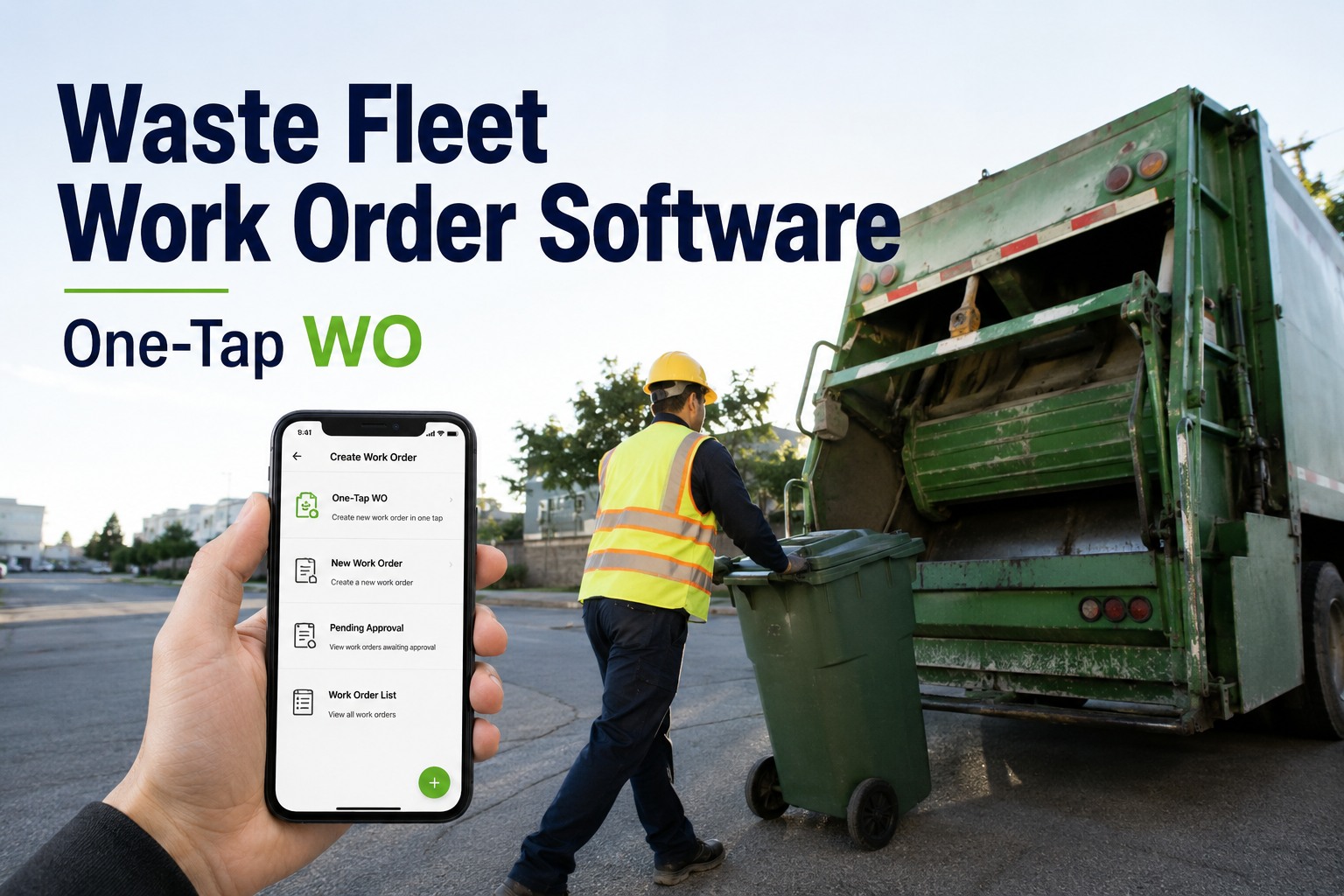
It is 5:40 in the morning and your driver has just flagged a weeping hydraulic line on the packer during pre-route. The question is not whether that truck needs a work order — it is how fast the defect travels from the yard to the shop before the route collapses. That is exactly what waste fleet work order software is built for: turning a flagged fault into an assigned, costed repair order in one tap instead of a lost clipboard, a forgotten phone call, or a text message photo buried in a group chat. Every hour that truck sits is missed pickups, overtime on the spare unit, and a route supervisor making promises the shop cannot keep. This page walks through how a one-tap defect-to-work-order flow actually works on a refuse fleet, what it saves per truck, and how you can watch a defect become a repair order live on your own units before you commit to anything.
From flagged defect to assigned work order before the driver leaves the yard
HVI closes the gap between pre-route inspection and the shop bay. One tap converts a fault into a work order, notifies the technician, pulls the parts, and logs every dollar of labour and material against that truck.
The real price of a defect that waits for a phone call
Industry benchmarks from fleet cost studies consistently show the same pattern: the defect itself is rarely the expensive part. The expensive part is the delay between finding it and fixing it.
Five places a refuse work order falls apart between the yard and the shop
Most waste fleets do not have a repair problem — they have a handoff problem. The defect gets found, but somewhere between the driver's clipboard and the technician's bench the details, the parts or the costs go missing.
The defect note never reaches the shop
A driver writes "packer slow on cycle" on a paper DVIR, drops it in the office tray, and the sheet sits under a pile of route sheets until the truck fails mid-route two days later. The repair that would have been a scheduled seal kit is now an emergency callout.
The wrong tech gets the job — or nobody does
Without technician assignment in the work order itself, the hydraulic specialist ends up on a wiring fault while the packer job waits. Verbal handoffs between shifts mean the night crew assumes the day crew handled it.
Parts get pulled but never recorded
A tech grabs two hydraulic hoses and a fitting from stock. Nothing is logged, inventory drifts, and three weeks later the shelf is empty when the next packer goes down. Parts leakage of even a few percent across a busy shop adds up to thousands per year.
Labour hours vanish into "shop time"
When labour is not logged against a specific unit, you cannot see that Truck 214 has absorbed 60 shop hours this quarter while Truck 208 has absorbed six. Cost-per-truck reporting becomes guesswork, and replacement decisions get made on gut feel.
The repair closes with no record for the audit
When a DOT officer, an insurer or a municipal client asks for the maintenance history on a unit involved in an incident, a paper system gives you a box of invoices. A digital work order gives you a timestamped, photo-backed trail in seconds.
Defect to work order to closed repair: the HVI sequence
Here is the exact path a flagged fault takes inside HVI — the same path whether you run twelve rear-loaders or a mixed municipal fleet of two hundred.
Driver flags it on the pre-route DVIR
The driver walks the truck in the HVI app, taps the failed item — packer panel, hydraulic line, tailgate seal — adds a photo, and submits. The defect is timestamped, geo-stamped and attached to the unit instantly.
One tap converts it to a work order
The supervisor or the system itself converts the defect into a work order — no retyping, no duplicate entry. Priority, repair notes and the driver's photos carry over automatically.
The assigned tech gets an app notification
The technician sees the work order on their phone with the defect photos, the unit history and the priority. They accept it, and the clock on the repair starts — visible to the office in real time.
Parts are pulled and inventory updates itself
The tech pulls the seal kit and hoses against the work order. Stock levels adjust automatically, low-stock alerts fire if a threshold is crossed, and the parts cost lands on that unit's record.
Labour and material cost log against the truck
Hours are logged per technician per task. When the work order closes, you hold a complete cost record — labour, parts, and any outside vendor spend — filed against that specific unit.
The truck clears for the next morning's route
The closed work order feeds uptime and cost-per-route dashboards. If you want to see this sequence run on your own fleet data, you can book a 30-minute walkthrough and watch a defect become a repair order live.
What one weeping hydraulic line really costs on paper versus in HVI
Take a 40-truck residential refuse fleet. A driver spots a weeping hydraulic line on the packer at 5:40 AM. Here is how the same defect plays out under both systems.
Paper and phone calls
- Driver leaves a note; the office sees it at 9 AM after route dispatch
- Shop gets the truck at midday; parts run takes 90 minutes
- Truck misses a full day: spare unit fuel, route overtime, one make-up pass
- Parts and labour never logged against the unit
One-tap work order in HVI
- Defect flagged at 5:42 AM with a photo; work order created at 5:43
- Tech notified instantly; parts confirmed in stock from the app
- Repair done by early afternoon; truck covers its afternoon commercial run
- Labour, parts and downtime logged against the unit automatically
That is roughly $500 saved on a single defect. If your fleet flags six defects a week — a normal number for a 40-truck operation — the gap between the two columns runs well into six figures a year. Fleets that start logging work orders free usually see the pattern inside the first month of data.
Four capabilities built for refuse fleet work orders
HVI is a cloud and mobile CMMS built for fleet-heavy operations. These are the four pieces that matter most when a packer goes down at 5:40 AM.
Instant defect-to-work-order
Any failed inspection item converts to a work order in one tap, carrying photos, timestamps and defect notes with it. Outcome: no defect ever waits on a clipboard, and nothing gets retyped between the yard and the shop.
Technician assignment with app alerts
Assign the right tech, set the priority, and they get a notification with the full repair detail on any phone or tablet. Outcome: the hydraulic job goes to the hydraulic tech, and shift handoffs stop relying on memory.
Parts pull with live inventory
Parts are issued against the work order, stock updates across every shop location, and low-stock alerts fire before the shelf is empty. Outcome: parts leakage closes and the next packer repair never waits on a missing seal kit.
Cost-per-truck and cost-per-route reporting
Every closed work order feeds unit-level cost reports, so you can see which trucks are draining the budget and when replacement beats repair. Outcome: replacement decisions backed by numbers, not gut feel.
Watch a defect become a work order on your own fleet
Bring one real unit and one real fault to a 30-minute demo. We will run the full sequence — flag, convert, assign, pull parts, close — on your screen.
Print it, track it, close it: work orders that survive a real shop
Not every technician works from a screen all day, and not every shop has signal in the back bay. A refuse work order app has to handle the physical side of the job too.
Print the work order for the bay
Generate a clean printed work order with the defect photos, parts list and safety notes for the tech who prefers paper at the bench. When the job is done, the close-out happens in the app and the record stays digital.
Track every repair step
Status moves from open to assigned to in-progress to closed, visible to the office without walking to the bay. If a job stalls waiting on a part, that reason is recorded — not lost in a hallway conversation.
Close out with a full cost record
Labour hours per tech, parts issued, outside vendor invoices and downtime hours all attach to the unit. When you walk through the close-out flow in a demo, you will see how the audit trail builds itself as the work happens.
| Work order stage | Paper process | HVI process | What you gain |
|---|---|---|---|
| Defect capture | Handwritten note, often illegible | Photo-backed DVIR defect, timestamped | Proof of when the fault was found |
| Assignment | Verbal handoff between shifts | Tech notified in-app with full detail | No job lost between crews |
| Parts issue | Grabbed from stock, unrecorded | Issued against the WO, stock auto-updates | Inventory accuracy and leakage control |
| Labour logging | Estimated at week end | Logged per tech per task as it happens | True cost per unit |
| Close-out and audit | Invoice box and memory | Timestamped digital trail, exportable | Audit-ready records in seconds |
What waste fleet work order software actually changes for you
Strip away the feature lists and the value of a one-tap work order flow comes down to four things.
Speed between defect and repair. The gap between a flagged fault and an assigned technician shrinks from hours to seconds, and that gap is where most of the downtime cost lives.
Every dollar lands on a unit. Labour, parts and vendor spend attach to the truck, so cost-per-truck and cost-per-route reports reflect reality instead of estimates.
Nothing depends on memory. No clipboard between the yard and the shop, no phone call between shifts, no text-message photo that disappears. The record builds itself as the work happens.
The truck makes the morning route. The whole point of waste fleet work order software is not paperwork — it is a packer that rolls out at 5 AM instead of sitting behind the shop. If that is the outcome you want, see it run on your own units before you decide anything.
"My old habit was a whiteboard with truck numbers and magnets. It worked until a magnet fell off, and then Truck 19 sat for two days because nobody knew the packer job was waiting on a seal kit. Now I watch one number: open work orders older than 24 hours. If it is above three, I walk the shop. Most mornings it is zero, and the morning route board stays full."
Waste fleet work order software: what fleet managers ask
How does a defect become a work order in one tap?
Can technicians work from their own phones, or do we need to buy devices?
How does parts tracking work when a tech pulls stock for a repair?
What does labour cost tracking give me that a paper system does not?
Is there a per-user fee, and what does rollout look like for a mixed fleet?
Get the truck back on route before tomorrow morning
Start free and convert your first defect today, or book a demo and watch the full one-tap work order flow run on your own fleet data.
Free to start — Works on any phone — No card needed