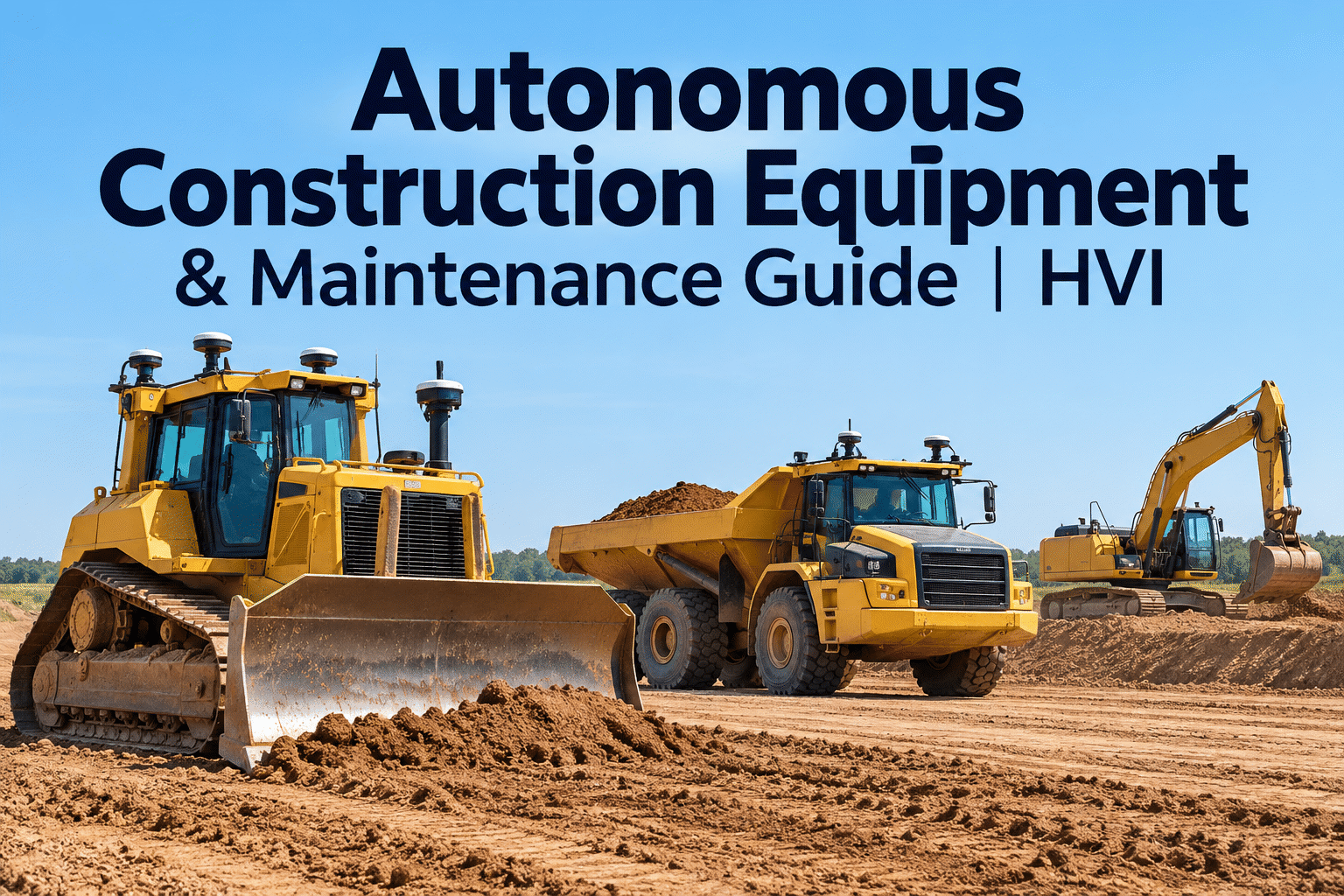
Autonomous construction equipment is moving from demonstration projects into selected earthmoving, grading and hauling operations. But a machine that can follow a programmed path or assist with digging still needs inspections, servicing and safe operating procedures. This guide explains what automation really changes, which components demand attention and how construction fleets can keep both conventional and automated equipment reliable. Start free with HVI to organize the maintenance work behind it.
When the machine takes on more work, maintenance matters even more.
Autonomous and semi-autonomous earthmoving can reduce repetitive operator inputs, but sensors, control systems, hydraulics and safety procedures must work together. Build a maintenance program that keeps up.
What does “autonomous” actually mean?Automation is a spectrum, not an on/off switch
The term autonomous construction equipment covers several different capabilities. A grade-control dozer that guides an operator is not the same as a haul truck following a predefined route within a controlled work area. Fleet managers should ask which tasks are automated, who supervises the machine and what happens when conditions fall outside its operating limits.
Operator assistance
Grade guidance, payload aids and positioning displays help a person make decisions. The operator remains responsible for machine movement.
Semi-autonomous operation
Defined functions such as blade control or repeatable digging motions may be automated while an operator monitors and intervenes.
Autonomous operation in a defined area
Approved machines may execute assigned routes or cycles within controlled conditions, supported by site procedures and supervision.
Autonomy labels vary by manufacturer and application. Always use the OEM's documented operating design domain, supervision requirements and emergency procedures—not a marketing label—as the basis for deployment. Book a demo to plan the related inspection records in HVI.
Where autonomous earthmoving is being usedDifferent machines automate different parts of the job
Dozers and motor graders
Machine control can guide blade elevation and slope against a digital design. Check cutting edges, hydraulic response, calibration status and positioning hardware.
Excavators
Assisted digging and automated functions can improve repeatability on suitable tasks. Inspect boom and bucket components, sensors, harnesses and control-related alerts.
Haul trucks and loaders
Selected systems can perform route or cycle operations in managed environments. Pay attention to braking, tires, steering, obstacle detection and site boundaries.
Not every autonomous system is suitable for an open, changing construction site. Traffic patterns, workers on foot, weather, communication coverage and unexpected obstacles can limit safe operation. Automation does not remove the need for a competent operator, supervisor or maintenance team.
The maintenance map: inspect both sides of the machineNew technology adds checks; it does not replace traditional servicing
Automation-related systems
Verify per OEM procedures
- Positioning: GNSS antennas, receivers, mounts and correction availability
- Perception: camera, radar or lidar cleanliness, damage and alignment where fitted
- Controls: wiring, connectors, software status and fault indications
- Communications: approved connectivity, antenna condition and loss-of-link procedures
- Safety: emergency stops, alerts and interlocks as specified by the OEM
Mechanical and hydraulic systems
Keep the fundamentals covered
- Powertrain: engine, cooling, filtration and fluid condition
- Hydraulics: hoses, leaks, cylinders and pressure-related faults
- Running gear: tracks, tires, undercarriage and steering
- Working tools: bucket teeth, cutting edges, attachments and wear points
- Safety condition: brakes, guards, lighting and general pre-start checks
service recordChecks · defects · repairs
HVI can help teams document inspection findings, schedule preventive maintenance and track corrective work. It is not an autonomous navigation controller or a substitute for OEM diagnostics and calibration. Start free to build an equipment-specific inspection checklist.
A practical inspection checklist for automated machinesUse alongside—not instead of—the manufacturer’s checklist
A good inspection separates conditions an operator can observe from specialist checks that require trained technicians. Do not attempt sensor calibration, software modification or safety-system bypasses during a routine walkaround.
- Walkaround for leaks, damage and loose hardware
- Inspect tires, tracks, guards and working tools
- Check visible cameras and sensors for obstruction
- Review dashboard warnings and machine status
- Confirm approved operating area and site controls
- Verify trained supervisor and intervention plan
- Follow OEM system-readiness checks
- Confirm people and other machines are managed safely
- Record abnormal stops, alerts and impacts
- Report sensor or control-system damage
- Document operating hours and service needs
- Escalate defects before the next release to service
A digital inspection is most useful when a failed item becomes a tracked maintenance action rather than a note lost at shift change. Book a demo of HVI inspections and work orders.
How automation changes preventive maintenancePlan around duty cycle, service history and OEM requirements
Set the baseline
Record machine model, attachments, operating hours, OEM intervals and any additional inspection requirements for the automation package.
Schedule the right work
Use calendar- or usage-based PM as appropriate. Include mechanical servicing and documented automation-system checks at manufacturer-specified intervals.
Turn defects into work orders
Route inspection failures to qualified personnel. Capture the symptom, affected component, corrective action and return-to-service approval.
Review repeat problems
Compare downtime, recurring defects, service costs and availability across conventional and automated machines without assuming automation is always the cause.
Sensors and machine-control hardware may require additional maintenance, but conventional failures still account for substantial repair work. For example, an autonomous dozer with an excellent positioning signal cannot grade accurately if its blade linkage is worn or its hydraulics respond inconsistently. The best PM plan treats the equipment as one connected mechanical and electronic asset.
Safety and operator responsibilities do not disappearQuestions every construction manager should settle before deployment
Define emergency-stop access, supervision roles and the response when an automated function behaves unexpectedly.
Set boundaries, traffic controls and separation from people according to the system's approved conditions.
Require safe shutdown, documented troubleshooting and authorized release before automated work resumes.
Identify OEM-trained technicians for calibration, control-system work and safety-critical interventions.
Autonomous equipment also creates responsibilities for site managers: managing changed traffic routes, briefing subcontractors, keeping geofenced areas current where applicable and ensuring workers understand alerts and exclusion zones. Use site-specific risk assessments and applicable laws alongside OEM instructions.
Is autonomous construction equipment worth the investment?Compare total operating value, not just the purchase price
The business case depends on the task, operating environment and utilization. Consistent repetitive work may be a better fit than short, constantly changing jobs. Evaluate the whole system rather than treating autonomy as a simple equipment upgrade.
- More consistent grading or repeatable cycles
- Less rework in suitable applications
- Better use of skilled operator attention
- Operational data for planning
- Equipment and technology package costs
- Training, site setup and supervision
- Connectivity, positioning and support needs
- Service contracts, calibration and downtime
Track cost per productive hour, downtime, rework, maintenance spend and utilization before and after deployment. HVI maintenance history and fleet reporting can help organize part of that evidence; production-performance data may require separate OEM or jobsite systems. Book a demo to see how HVI supports maintenance reporting.
A realistic rollout plan for mixed construction fleetsStart with one controlled use case, then expand
Choose the use case
Select a repeatable task and document site hazards, machine suitability and success measures.
Prepare people and processes
Confirm training, supervision, safe operating procedures and technician support.
Run a controlled pilot
Follow OEM deployment instructions; log interruptions, faults, maintenance and actual output.
Review before scaling
Compare safety, reliability, productivity and cost against your baseline.
Mixed fleets need consistent recordkeeping even when different OEMs supply different machine-control interfaces. A shared maintenance process can make it easier for workshop teams to see upcoming service, unresolved defects and repair history without pretending every machine's automation data is interchangeable.
Where HVI fits in an autonomous equipment fleetThe maintenance layer around the machine—not the autonomy system
Digital equipment inspections
Give crews repeatable pre-start and post-shift checks with recorded findings.
Preventive maintenance scheduling
Organize routine service intervals and reduce reliance on disconnected reminders.
Maintenance work orders
Track defects, assigned repairs and completion history for each asset.
Equipment service history
Keep a traceable record of maintenance and corrective work across the fleet.
Fleet analytics
Review maintenance patterns and equipment records to support planning.
HVI does not operate autonomous machines, steer equipment, provide machine-control calibration or replace OEM safety systems. Its role is to help organize the inspections and maintenance responsibilities that remain essential. Start free and build your maintenance workflow.
Autonomous construction equipment: FAQs
What is autonomous construction equipment?
Autonomous construction equipment uses positioning, sensing and control technologies to perform defined tasks with reduced direct operator input. The degree of autonomy varies widely. Some systems only assist a human operator; others can execute specified movements or routes under controlled conditions and required supervision.
What is the difference between autonomous and semi-autonomous equipment?
Semi-autonomous equipment automates particular functions while an operator remains directly involved or supervises those functions. More autonomous systems may perform a broader sequence of tasks within a defined operating environment. Exact capabilities, limits and human responsibilities depend on the manufacturer and application.
Does autonomous construction equipment require less maintenance?
Not necessarily. Automation can change operating patterns and add sensors, control hardware, software-related checks and calibration needs. Engines, hydraulics, undercarriages, brakes and attachments still need maintenance. Service frequency should follow OEM requirements, machine condition and actual duty cycle.
What should an autonomous equipment inspection include?
Alongside conventional mechanical and safety checks, inspections may cover visible sensor cleanliness and damage, antenna mounts, warning indicators, wiring condition and manufacturer-defined system readiness. Safety-critical tests, software work and calibration should be handled by authorized personnel following OEM instructions.
Can HVI control or diagnose autonomous construction equipment?
No. HVI is not an autonomous driving, machine-control or automated diagnostic system. It helps construction fleets organize digital inspections, preventive maintenance schedules, work orders, equipment service records and maintenance reporting.
Keep your maintenance program ahead of the machine.
Whether your fleet uses conventional excavators, grade-assist dozers or autonomous equipment, inspections and service history still determine how confidently you can keep machines working.