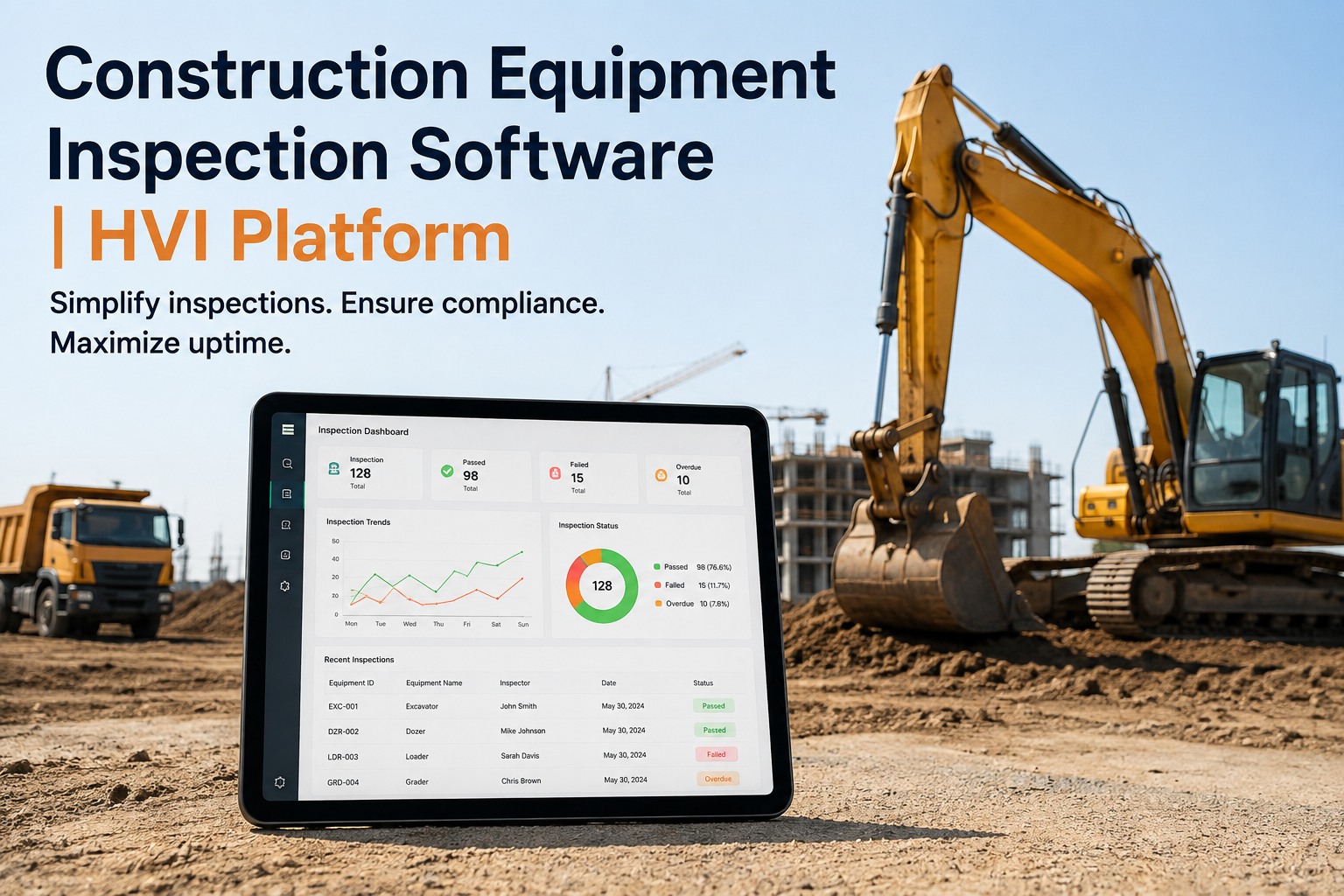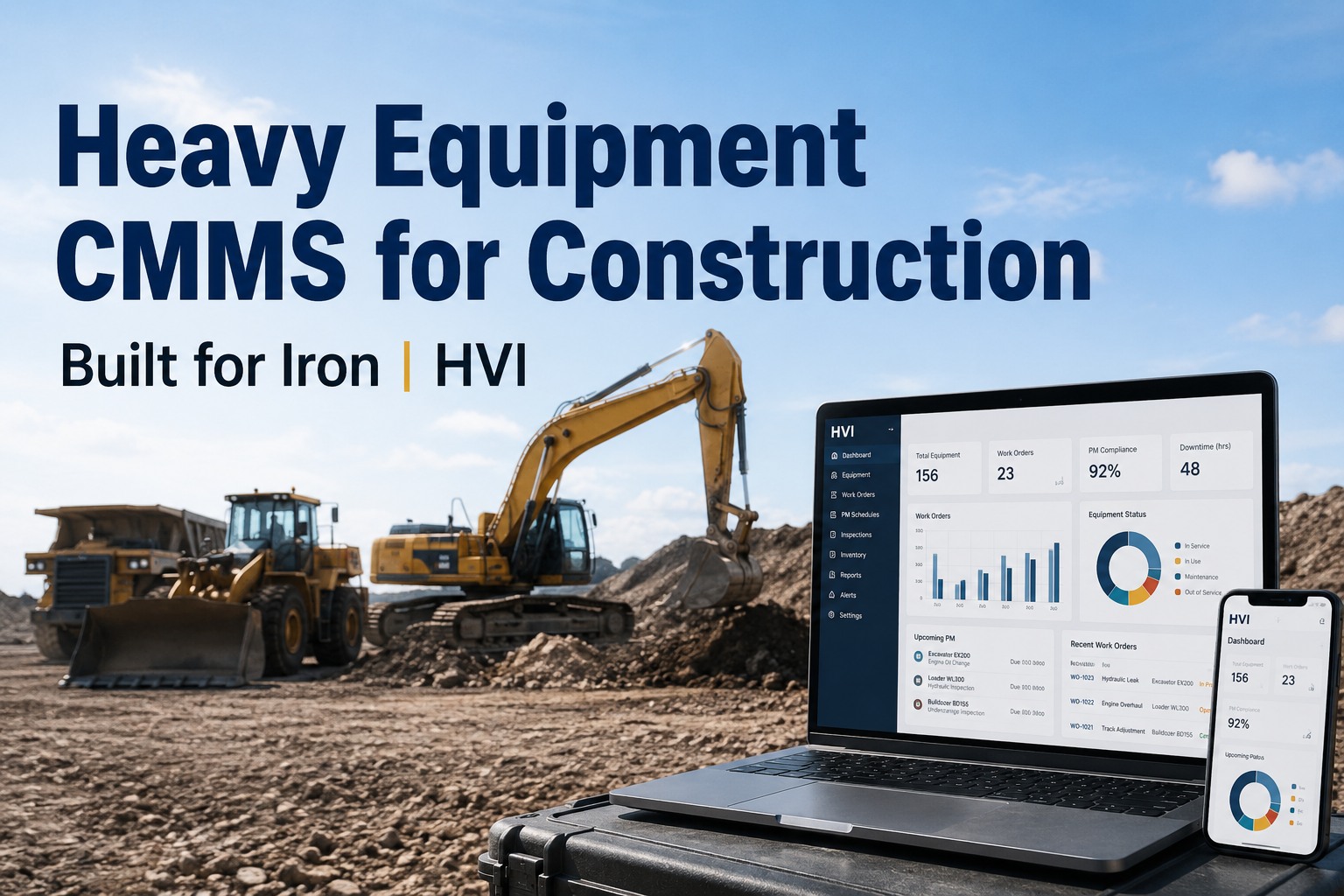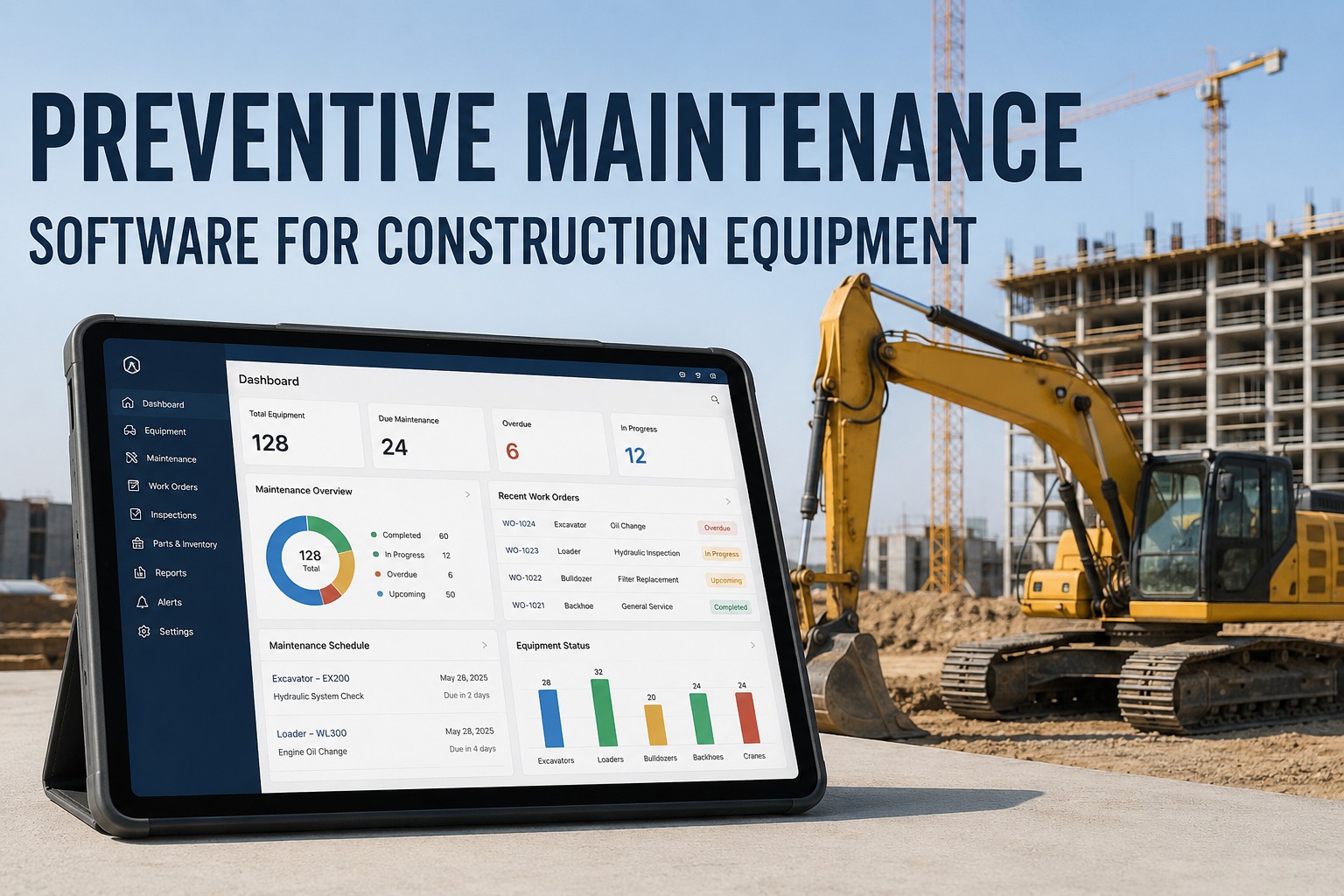
It is 6:40 on a Monday morning and the 336 excavator on the north site is due its 500-hour service - or it was due 80 hours ago, depending on which spreadsheet you believe. The hour meter lives on the machine, the machine lives on a site forty minutes away, and the last reading anyone typed in is three weeks old. This is exactly where construction preventive maintenance software earns its keep: it pulls engine hours off the machine automatically, triggers the service before the interval lapses, and turns a weekly admin chase into a work order that simply appears in the right technician's queue. If you want to see that flow on your own units, you can book a 30-minute walkthrough of hour-based PM scheduling and bring your messiest service schedule with you.
Preventive maintenance for construction equipment
Stop chasing hour meters. Let the machines tell you when they are due.
HVI triggers PM by engine hours or calendar date, auto-generates the work order at 90 percent of the interval, and keeps every asset's full service history in one Logbook - no spreadsheets, no site visits just to read a meter.
What missed PM actually costs you
Four numbers your service spreadsheet is hiding
Downtime reduction
McKinsey research on predictive and condition-based maintenance programs consistently ties structured PM to machine downtime cuts in this range - on a fleet billing iron by the day, that is real revenue.
Weekly admin on 30 machines
Calling operators, texting site supervisors, and reconciling hour readings across a 30-machine fleet eats half a day every week - time a telematics-fed PM schedule gives back.
Reactive vs planned cost
Industry maintenance benchmarks repeatedly show an unplanned failure - a cooked hydraulic pump, a seized final drive - costing three to five times the planned service that would have caught it.
The buffer that saves the job
Firing the work order at 90 percent of the interval leaves room to order filters, book the fitter, and slot the machine in between pours - instead of grounding it mid-pour.
Hour-based vs calendar-based PM
Which PM trigger fits which equipment class?
A 70-tonne excavator working double shifts and a site dumper that idles half the day do not age the same way. Match the trigger to how the asset actually wears, or you either over-service iron that barely runs or under-service iron that never stops.
Engine hours - wear-driven assets
Excavators, dozers, loaders, articulated trucks, crushers and generators wear with every hour under load. OEM intervals - 250, 500, 1,000 hours - are written in hours because that is what consumes oil life, filter capacity and hydraulic components. Track anything else and you are guessing.
Typical interval: 250 / 500 / 1,000 hrs
Calendar date - time-driven assets
Light vehicles, trailers, lifting gear, fire suppression systems and anything with a statutory inspection date age whether they run or not. Seals dry out, coolant degrades, certifications expire. A 90-day or 6-month trigger keeps these compliant without anyone watching a meter.
Typical interval: 3 / 6 / 12 months
Both - whichever lapses first
Mixed-use machines - a telehandler that sprints in peak season and sits in winter - need dual triggers: 500 hours or 6 months, first one to arrive wins. Good PM scheduling software handles this natively so the machine never drifts past both limits at once.
Typical setup: 500 hrs OR 6 months
The 90 percent rule
How automatic PM work orders actually flow
The difference between a PM program on paper and one that runs itself is what happens between "due soon" and "done". Here is the five-step loop HVI runs for every asset, every interval.
Hours land automatically
Telematics integration pulls engine hours from Cat VisionLink, Komatsu KOMTRAX and John Deere JDLink - or an operator logs the meter reading from the HVI app during the daily walkaround. No phone calls to site, no deciphering a photo of a dusty display.
The 90 percent threshold trips
At 450 hours on a 500-hour interval, the system flags the asset as due-soon and generates the work order on its own. That 10 percent buffer is the whole game: it is the lead time to order the filter kit and plan the machine's half-day down, instead of discovering the lapse at 520 hours.
Parts and labour get assigned
The work order carries the service checklist, the parts list and the assigned technician. Parts inventory checks stock across your shops, so a missing hydraulic filter shows up as a purchase need now - not when the machine is already on stands.
Work is done and photo-verified
The technician closes the job on a phone or tablet with photos, hour-meter confirmation and notes. If the walkaround inspection flagged a defect - a weeping slew-ring seal, a cracked track pad - it converts to a follow-up work order in one tap instead of dying in a text thread.
The Logbook writes itself
Every service, part and defect lands in the asset's Logbook - a complete, timestamped service history per machine. When a client, insurer or resale buyer asks for maintenance records, you export instead of excavating a filing cabinet. You can see this five-step loop live on a demo with one of your own intervals loaded in.
Severe-duty adjustment
Why OEM intervals lie to quarries and demolition crews
OEM service intervals assume average conditions. Quarry dust, demolition debris, sustained high idle and extreme heat are not average conditions - they eat air filters, contaminate oil and cook hydraulic fluid far faster than the book says.
| Working condition | What it accelerates | Typical adjustment |
|---|---|---|
| High dust - quarry, crushing, dry excavation | Air filter loading, engine oil contamination, radiator fouling | Shorten engine oil and air filter intervals by 25-50 percent; add weekly radiator blow-downs |
| Demolition and hammer work | Hydraulic oil shear and heat, pin and bushing wear, structural cracking | Halve hydraulic oil analysis intervals; add daily greasing and weekly boom inspections |
| High idle, low load - standby generators, site pumps | Fuel dilution of engine oil, wet stacking, carbon build-up | Service by calendar date even when hours stay low; oil analysis every 3 months |
| Extreme heat - Middle East summers, Australian outback | Coolant degradation, hose and seal ageing, battery life | Coolant test every 250 hours; cooling system inspection monthly through summer |
| Deep mud and water crossings | Contaminated final drives and axle oil, seized undercarriage | Oil sampling after submersion events; undercarriage clean and inspect weekly |
In HVI you set the adjusted interval once per asset or per asset class - the schedule, the alerts and the work orders all follow your real duty cycle, not the showroom assumption. If your fleet mixes quarry and highway work, walk through a dual-interval setup on a demo call and see how it handles both.
How HVI helps
The PM module, mapped to your Monday morning
Four capabilities do the heavy lifting - each one replaces a manual habit that is currently costing you hours or downtime.
Hour and date triggers
Set 500 hours, 6 months, or both per asset. Due-soon and overdue alerts go to the maintenance manager and the site supervisor, so a machine approaching its interval is visible days before it lapses.
Automatic work orders
At 90 percent of the interval the work order generates itself with the right checklist and parts list attached. Nobody builds it, nobody forgets it - it is simply waiting in the queue with a due date.
Logbook service history
Every inspection, service, part and defect sits in one per-asset Logbook - timestamped and photo-backed. Client audits, insurance claims and resale valuations stop being archaeology projects.
OEM telematics integration
Cat VisionLink, Komatsu KOMTRAX and John Deere JDLink feed engine hours straight into the schedule. The five hours a week you spent collecting readings on a 30-machine fleet drop to zero.
See your own intervals running in HVI
Bring one machine's service schedule to a 30-minute demo and watch the 90 percent trigger, the auto work order and the Logbook work end to end.
A worked example
What one caught service is worth on a real job
Take a mid-size earthworks contractor running a 30-machine mixed fleet - six excavators, four dozers, eight articulated trucks, plus loaders, compactors and light vehicles.
Before: spreadsheet PM
- Hours collected by texting operators - roughly 5 hours of admin per week across the fleet.
- A 500-hour service on a 30-tonne excavator slips to 640 hours because nobody reconciled the sheet for three weeks.
- The hydraulic pump fails mid-cut. Repair bill around 9,000 dollars, plus 4 days of machine downtime and a delayed subdivision stage.
- Service history scattered across invoices, a binder and the dealer portal - painful at resale and audit time.
After: HVI hour-based PM
- VisionLink and KOMTRAX feed hours nightly; the admin chase disappears entirely.
- At 450 hours the work order fires with the filter kit already checked against stock.
- The service happens in a planned half-day window between stages. Planned cost: roughly 1,800 dollars in parts and labour.
- Every record lands in the Logbook - the excavator's full history exports in seconds when the client asks.
One avoided failure pays for years of software. Across a fleet, the pattern compounds: fewer emergency call-outs, fewer hired-in replacement machines, and iron that holds its value because the service history proves it was looked after. You can start building your PM schedule free and have your first assets loaded before the next service falls due.
Key takeaways
The short version, before you head back to site
Match the trigger to the wear. Engine hours for iron that works, calendar dates for assets that age sitting still, and dual triggers for everything in between.
Fire the work order at 90 percent. The 10 percent buffer is your lead time for parts, labour and a planned downtime window - it is the difference between a service and a breakdown.
Adjust OEM intervals for your dirt. Quarry dust, hammer work and extreme heat all justify shorter intervals - set them once and let the schedule enforce them.
Automate the hour collection. Telematics-fed hours kill the weekly admin chase and make missed intervals structurally impossible, not just unlikely.
Construction preventive maintenance software is not about more process - it is about the process running without you pushing it. If that sounds like the version of your fleet you would rather manage, grab a demo slot this week and bring your hardest-to-track machine.
I used to spend every Friday afternoon ringing six sites for hour readings, and half of them were guesses anyway. The number I watch now is overdue work orders - since we moved to hour triggers fed by the machines themselves, that number sits at zero most weeks. My gripe is I did not do it three years earlier, because the excavator pump we lost in between would have paid for it ten times over.
Daniel Reeves - Maintenance Manager, civil earthworks and plant hire contractor
Common questions
Preventive maintenance software FAQ
Should construction equipment be serviced by engine hours or by calendar date?
Use engine hours for anything whose wear is driven by running - excavators, dozers, loaders, trucks and crushers - because oil life and component wear track hours under load, not days. Use calendar dates for assets that age standing still or carry statutory inspection dates, like trailers, lifting gear and light vehicles. For mixed-use machines, set both triggers and let whichever lapses first fire the work order.
Why generate the PM work order at 90 percent of the interval instead of at the interval?
Because a work order created at 500 hours on a 500-hour interval is already late. The 10 percent buffer gives you lead time to order filters and parts, assign a technician and pick a planned downtime window that does not clash with a pour or a haul cycle. It turns PM from an emergency into a scheduled half-day.
How does HVI collect engine hours without manual entry?
HVI integrates with OEM telematics - Cat VisionLink, Komatsu KOMTRAX and John Deere JDLink - so hour readings flow into the PM schedule automatically. For machines without telematics, operators log the meter reading from the HVI mobile app during their daily inspection. Either way, the weekly phone-and-text collection round disappears. You can see the telematics feed working on a demo.
Do I need to adjust OEM service intervals for quarry or demolition work?
Almost always, yes. OEM intervals assume average conditions, and high dust, hydraulic hammer work, sustained idling and extreme heat all accelerate wear - typically justifying 25 to 50 percent shorter intervals on engine oil, air filters and hydraulic service. Set the adjusted interval once in your PM software and the schedule enforces it from then on.
How long does it take to move a fleet off spreadsheets into PM software?
Most fleets load their asset list, set intervals per asset or class, and are live within days rather than months - technicians and operators need minimal training since everything runs on a phone they already carry. You can sign up free and load your first machines today, then add telematics feeds as you go.
Your next 500-hour service should schedule itself
Put HVI's preventive maintenance module on your fleet: hour and date triggers, automatic work orders at 90 percent, telematics-fed readings and a Logbook that proves every service.
Free to start - Works on any phone - No card needed