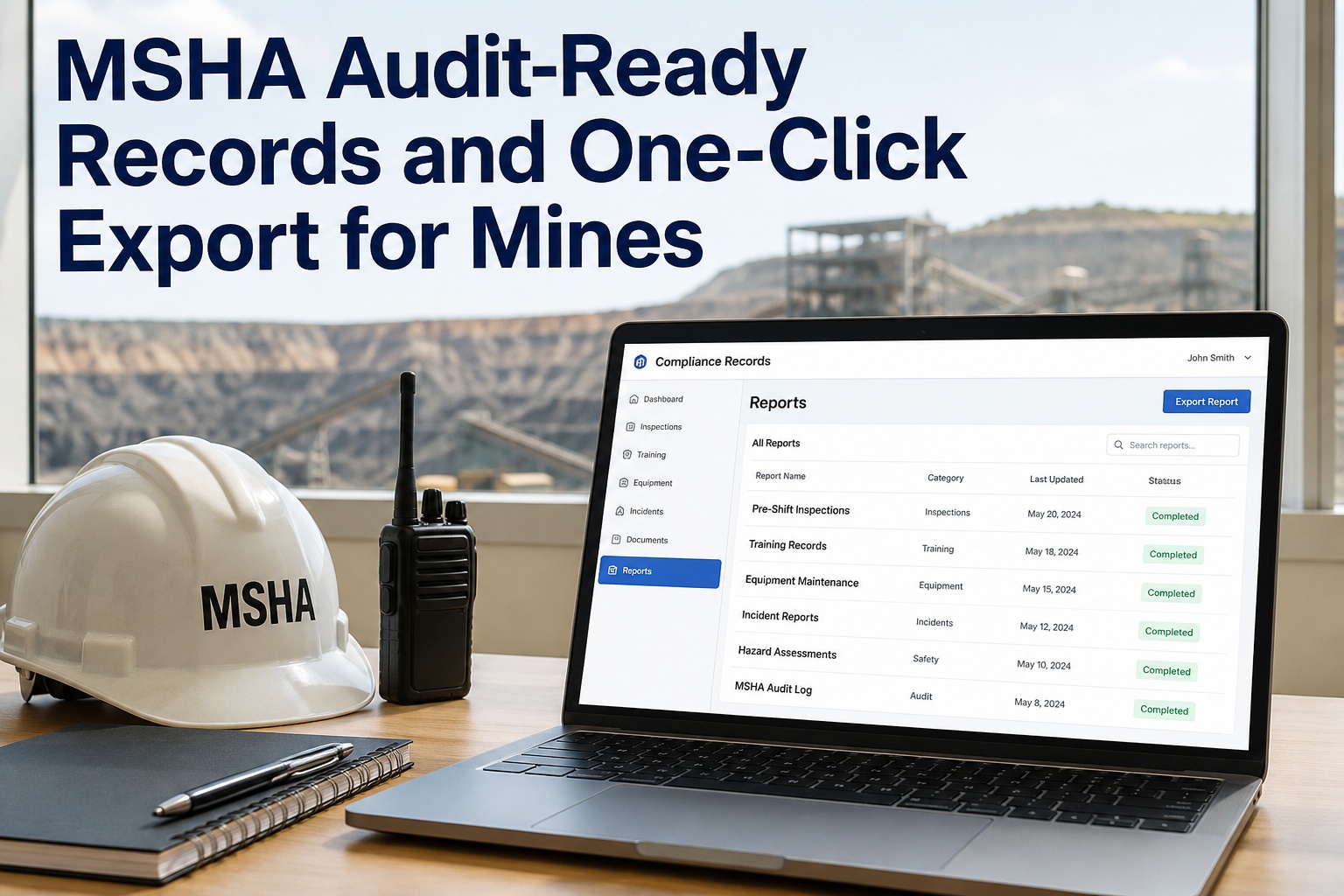
When an MSHA inspector walks onto your site and asks for six months of pre-shift inspection records on a specific haul truck, the clock starts ticking immediately. If your answer involves a filing cabinet, a back office, and a promise to "find it by end of week," you have already lost control of the audit. MSHA audit records need to be retrievable in seconds, filtered by machine, operator, and date range, because incomplete or delayed production reads as an absent safety programme rather than a paperwork delay. If you want to see exactly how that works on a live fleet, you can book a walkthrough of the export tool before your next inspection cycle.
MSHA AUDIT-READY RECORDS
When the inspector asks for six months of records on one truck, your answer should take seconds.
Filing cabinets and shared drives do not scale to the question an MSHA inspector actually asks: show me every pre-shift, every defect, and every tag-out for asset 042 between January and June. Audit outcomes turn on production speed and completeness. HVI gives you one-click, filtered export and indefinite retention, so the answer is ready before the inspector finishes the sentence.
when records are already digital
THE REAL COST OF SLOW PRODUCTION
What a document request actually costs your mine
An MSHA document request is not just a reading exercise. It is a disruption that pulls your safety lead, your shop foreman, and your site supervisor off the floor for hours or days. Here is what that looks like in hard numbers.
If a safety manager spends three days digging through binders and spreadsheets to satisfy one request, that is three days of preventive maintenance scheduling, floor walks, and operator coaching lost. On a 40-truck fleet, three lost days can push two or three PM intervals past due, which creates exactly the kind of compliance gap the next inspection will catch. The cost of slow retrieval compounds quietly until it shows up as a citation.
RECORD TYPES MOST OFTEN REQUESTED
The MSHA inspection documentation inspectors ask for first
Inspectors do not ask for "everything." They ask for specific record types tied to specific assets and operators. If any one of these five categories has a gap, the whole programme gets questioned.
Pre-shift inspection records
Daily equipment examinations for mobile equipment and fixed plant. Inspectors want to see that they were done, who did them, and what was found, not just a blank checkbox.
Defect reports and closure
A logged defect means nothing without the matching repair record. Inspectors look for the chain: reported, tagged, repaired, signed off, and returned to service.
Tag-out / lock-out records
Documentation that equipment was de-energised and locked out before maintenance. Missing or incomplete tag-out logs are one of the fastest ways to escalate an audit into a full inspection.
Training files
Task training, annual refresher records, and documentation that an operator was qualified to run the specific piece of equipment assigned to them on the day of an incident.
Workplace examination records
Records showing that work areas were examined for hazards before work began, that hazards were noted, and that corrective action was taken and documented.
Safety management logs
Incident reports, near-miss logs, and corrective action records that show a functioning safety programme rather than a reactive cleanup after an event.
REQUIREMENT-TO-RECORD MAPPING
How MSHA inspector requests map to the records you must produce
Inspectors rarely ask for a single document in isolation. They ask a question that requires you to pull a chain of linked records. If your system stores these in separate places, you are already behind.
| Inspector asks for | What you actually need to produce | Risk if incomplete |
|---|---|---|
| Pre-shift exams for Truck 042, last 6 months | Dated inspection forms, operator name, defects noted, supervisor signature, all filtered to that asset | Gap of even a few days reads as no examination programme |
| Evidence a reported brake defect was fixed | Original defect report, tag-out record, work order with parts and labour, sign-off, and return-to-service timestamp | Open defect with no closure looks like equipment run in a failed state |
| Operator qualifications for a specific shift | Training records, task-specific qualification, and evidence the operator was assigned to that equipment that day | Missing link between operator and asset invalidates the task authorisation |
| Workplace exams for the haul road area | Area-specific examination logs, hazard notes, corrective actions, and timing relative to shift start | No corrective action record suggests hazards were ignored |
| Maintenance history for a specific failure | Full PM and repair history for that asset, searchable by date, showing intervals were met and parts were available | Missing PM history suggests a reactive-only maintenance culture |
The pattern is clear: every request is a filtered query across multiple linked record types. A paper binder cannot filter. A shared spreadsheet cannot link a defect to a work order to a sign-off. When you are ready to replace the binder, you can see the HVI audit export on a live fleet and judge the speed for yourself.
THE AUDIT SCENARIO
Paper vs digital: what happens when the inspector arrives
The difference between a clean audit and an escalated one is often not the underlying safety performance. It is the speed and completeness of document production. Here is a side-by-side of the same request, handled two ways.
Inspector arrives at 8:00 AM
- 8:05 AM — Safety lead pulls the binder for Truck 042. Six months of pre-shift forms are split across two binders and one spreadsheet.
- 10:30 AM — Shop foreman is pulled off the floor to find the work order for a brake defect reported in March. It is in a text message thread.
- 1:15 PM — Training records are found, but the link between the operator and that specific truck on that specific day is not documented anywhere.
- 3:00 PM — Inspector notes gaps in the record chain. The audit is escalated to a full inspection of the maintenance programme.
- Result: Three people lost a full day. Compliance posture is now in question over documentation, not safety.
Inspector arrives at 8:00 AM
- 8:05 AM — Safety lead opens HVI, filters to Truck 042, selects the date range, and exports the full pre-shift inspection history as a single packet.
- 8:08 AM — The March brake defect is in the same view, with the linked work order, parts used, technician sign-off, and return-to-service timestamp attached.
- 8:12 AM — Operator training records are pulled by operator name, showing task-specific qualification and the equipment assignment log for that shift.
- 8:20 AM — Inspector reviews a complete, timestamped, photo-backed record chain. Audit focus moves to the next area.
- Result: Twenty minutes. No one left the floor. The programme is visibly functioning.
BE READY BEFORE THE INSPECTOR ARRIVES
See HVI running on your own fleet — book a 30-minute demo
Watch us pull six months of filtered, audit-ready MSHA records in under two minutes, then picture your inspector's reaction.
HOW HVI HELPS
From scattered binders to one-click MSHA audit export
HVI is built for the moment an inspector asks a specific question about a specific asset. Every capability below maps directly to a record-production problem that paper and spreadsheets cannot solve.
One-click MSHA audit export
Filter by equipment, date range, or operator and export a complete, time-stamped record packet in seconds. No reformatting, no manual assembly. The inspector gets a single, organised file.
Outcome: Audit prep drops from days to minutes.
Indefinite inspection retention
Every digital inspection, DVIR, defect report, and work order is retained indefinitely in the cloud. A request for records from three years ago is no harder to answer than one from last week.
Outcome: Never lose a record to a discarded binder or a deleted spreadsheet.
Searchable inspection history
Search across the entire fleet by asset, operator, defect type, or date. Find every instance of a specific defect across every truck in seconds to spot recurring issues before an inspector does.
Outcome: Turn record-keeping from a defensive task into a maintenance intelligence tool.
Photo-backed defect evidence
Every defect report can carry time-stamped photos taken on the phone or tablet at the point of inspection. When an inspector questions a finding or a repair, the evidence is embedded in the record.
Outcome: Close the "he said, she said" gap with irrefutable visual proof.
These are not features for their own sake. They are the specific tools that collapse a three-day paper chase into a two-minute export. If you want to test the filtering on your own asset list, you can start logging inspections free and see how the history builds as you go.
THE RETENTION QUESTION
Why indefinite retention costs nothing and protects everything
Paper records get boxed, moved, water-damaged, and eventually destroyed. Shared drives get reorganised, and old files get lost in the shuffle. Digital retention in a purpose-built CMMS changes the math entirely.
The paper reality
A mine keeping paper pre-shift exams for a 30-truck fleet generates roughly 11,000 sheets per year. After three years, that is a wall of binders. When an inspector asks for a specific truck's records from 18 months ago, the search is physical, slow, and prone to gaps.
The digital reality
HVI retains every inspection, defect, and work order indefinitely at no marginal cost. A record from four years ago is as retrievable as one from yesterday. The storage does not degrade, and the file does not depend on whoever filed it still being employed.
WORKED EXAMPLE
A 30-truck mine running two shifts logs 60 pre-shift inspections per day. Over a year, that is 21,900 inspection records. On paper, finding one specific defect report from March of the previous year takes hours. In HVI, filtering to the asset, the date, and the defect type takes under 10 seconds. Multiply that by the 15–20 records a typical MSHA request demands, and you have saved a full day of labour per audit — before you count the credibility effect of instant production.
The credibility effect is real. When an inspector sees a complete, organised record packet produced instantly, it signals a functioning programme. When they watch you flip through binders for an hour, it signals the opposite, regardless of how good your actual safety culture is. To see how that credibility plays out in practice, you can walk through a mock audit request on a live account with our team.
IMPLEMENTATION TIMELINE
How fast can you get audit-ready mining records live?
Moving off paper does not require a multi-month IT project. HVI is designed for fast rollout on the phones and tablets your team already carries.
Week 1 — Setup and asset import
Load your asset list, set up your inspection forms to match your current MSHA exam requirements, and add your operators and technicians. No special hardware needed.
Week 2 — Pilot on one crew
Run HVI on phones or tablets with one shift for one crew. They log pre-shift inspections digitally, capture defect photos, and the safety lead reviews the dashboard.
Week 3 — Full fleet rollout
Expand to all crews and all assets. By the end of week three, every new inspection is digital, timestamped, and retained. Paper becomes the backup, not the primary.
Week 4 — First mock audit
Run a mock MSHA document request. Filter by asset, export the packet, and confirm every link in the record chain is intact. Your audit prep time is now measured in minutes.
If you want to map this timeline to your specific operation, you can book a 30-minute rollout planning call and we will tailor it to your fleet size and crew structure.
KEY TAKEAWAYS
Audit-ready mining is a retrieval problem, not a safety problem
Speed of production shapes audit outcomes. Incomplete or slow production reads as an absent programme, even when your safety culture is strong.
Inspectors ask for filtered records, not everything. A specific truck, a specific period, a specific operator. Your system must filter instantly.
Indefinite digital retention costs nothing and protects you years later. Paper degrades, spreadsheets get deleted, cloud CMMS records do not.
HVI collapses audit prep from days to minutes with one-click export, searchable history, and photo-backed defect evidence on every record.
The last MSHA visit we had, the inspector asked for three months of pre-shift exams on two haul trucks and the closure record for a steering defect from the previous quarter. I pulled it all in under five minutes on my phone, handed it over, and he moved on. Two years ago, that same request would have cost me a full day and half my credibility. Now the records just answer themselves.
Darren Whitfield — Safety & Compliance Manager, mid-sized aggregates operation running 28 pieces of mobile equipment
FREQUENTLY ASKED
MSHA audit records and digital export: what managers ask
How long does MSHA require mining inspection records to be retained?
MSHA expects records to be retained and available for inspection for the period they remain relevant to enforcement, which in practice means keeping pre-shift exams, defect reports, and training files for years, not months. HVI retains all digital inspection and work order records indefinitely at no extra cost, so a request for records from three years ago is answered as fast as one from last week. If you want to confirm this fits your retention policy, you can book a quick compliance review with our team.
Can HVI export MSHA audit records filtered by a specific piece of equipment?
Yes. The one-click MSHA audit export lets you filter by equipment, date range, or operator before generating the packet. If an inspector asks for six months of pre-shift records on Truck 042, you select that asset, set the date range, and export a complete, timestamped file in seconds.
What happens if an inspector asks for a defect report and the matching repair record?
HVI links every defect report directly to its work order, so the closure evidence — parts used, technician sign-off, return-to-service timestamp, and any photos — lives in the same record chain. You do not have to search two systems or cross-reference a spreadsheet. The inspector sees the full chain in one view.
How hard is it to switch from paper inspection binders to HVI?
Most mines are fully rolled out within three to four weeks. You load your asset list, set up inspection forms to match your current MSHA exam requirements, and run a one-week pilot with a single crew before going fleet-wide. HVI works on the phones and tablets your team already carries, so there is no special hardware to buy.
Does HVI work for off-road mining equipment or just highway trucks?
HVI is built for mixed fleets across trucks, trailers, buses, and off-road plant including haul trucks, loaders, and fixed equipment. The same inspection, defect, and work order system covers every asset type, so your MSHA audit records and your DOT compliance records live in one platform.
STOP DIGGING, START EXPORTING
Make your next MSHA document request a two-minute job
Book a 30-minute demo and we will run a mock audit export on a live fleet so you can see the speed, the filtering, and the photo-backed evidence for yourself.
Free to start — Works on any phone — No card needed