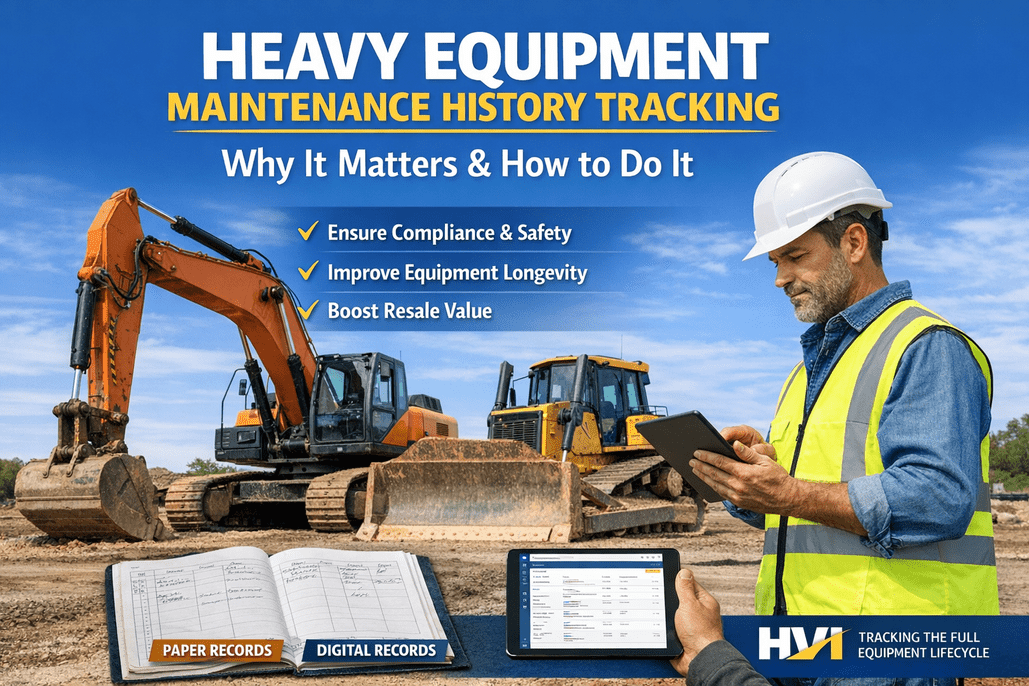
The cheapest maintenance tool on your site is the operator who climbs into the cab every morning — first to feel the soft brake, hear the new knock, see the puddle under the machine. A daily operator report is how that front-line knowledge reaches the shop instead of dying in the cab: a 3-minute habit that catches a small defect before it becomes a breakdown, instead of a paper stack nobody reads until something fails. Book a demo of digital operator reporting to see the difference.
The report every machine should file daily
A daily operator report bundles the walk-around, the hour reading and any defect into one signed record — so the machine's condition is logged, not remembered, and the shop knows before it's a breakdown.
A daily operator report is the single record each machine files at the start of a shift: a quick walk-around inspection, the hour-meter reading, and anything the operator found wrong — all tied to a date, a machine and a name. It's the equipment world's version of a DVIR, and it does three jobs at once: it proves the machine was checked, it captures the hours that drive preventive maintenance, and it gets defects in front of the shop while they're still small. This guide covers what belongs on the report, why the daily habit matters more than the form, and how to make operators actually fill it in.
What belongs on a daily operator reportthe five parts that make the report worth filing
A good report isn't a long form — it's the right few fields. Strip it to what actually drives a decision and operators will finish it; pad it and they'll rush it.
The walk-around
Fluids and leaks, tires or tracks, hydraulics, lights, horn and safety devices — a quick pass/fail on the machine's critical systems.
Hour-meter reading
The day's meter reading, captured at the same time, so the hours feeding preventive maintenance stay current and real.
Defect & condition notes
Anything the operator found — a soft brake, a new noise, a cracked guard — with a photo where it matters.
Machine, date & operator
Which asset, which shift, which person. Without this the report isn't traceable and can't be trusted later.
Sign-off
The operator confirms the machine is fit to run — or flags that it isn't. That signature is what makes it a record, not a note.
Keep it to those five and the daily equipment inspection report takes a couple of minutes, which is the only length operators will sustain. See HVI's daily operator reporting built around exactly these fields, or book a demo of a ready-made report.
Why the daily operator report earns its keepthe chain one report sets off across the fleet
The report itself is small. Its value is everything it feeds — a single morning record touches maintenance, safety, cost and compliance all at once.
Catches defects early
The soft brake flagged at 6am becomes a work order by 8, not a failure at 2pm. Small finds stay small.
Keeps PM on time
The daily hour reading keeps preventive maintenance triggering on real use instead of a guessed schedule.
Builds the machine's history
Every report stacks into a running record — condition, hours and repairs — that proves care and lifts resale.
Shows the machine was checked
A signed daily record is proof for safety, insurance and audits that the machine was inspected before use.
That's why a daily operator report is worth the three minutes — it's the one habit that keeps four different fires from starting. The hour piece alone is worth getting right; see how capturing machine hours ties into the report, or start free and log your first report.
Paper reports vs. a digital daily reportwhere the paper version quietly fails
Most sites already do daily reports — on paper. The form isn't the problem; what happens to it after the operator signs is. Here's where the two part ways.
- Sits in the cab or a clipboard for days
- A flagged defect waits until someone reads it
- Hours get keyed in late, or not at all
- Lost or illegible forms leave gaps in the history
- No alert — the shop finds out when it breaks
- Submitted from a phone the moment it's done
- A defect flags the shop instantly and raises a work order
- Hour reading flows straight to the PM schedule
- Every report is stored against the asset, searchable
- Photos, time-stamp and sign-off make it audit-ready
The digital version isn't about replacing a habit that works — it's about making sure the report actually goes somewhere. See digital inspection forms that route defects automatically, or book a demo of the defect-to-work-order flow.
Getting operators to actually file itthe real blocker isn't the form, it's the habit
A perfect report nobody fills in is worth nothing. Adoption is where daily reporting lives or dies, and it comes down to a few practical moves.
Keep it short
Two to three minutes, the five fields that matter. Every extra field is a reason to rush or skip.
Put it on the phone
The device they already carry, in the cab. No clipboard to lose, no office trip to hand it in.
Close the loop
When an operator flags a defect and sees it fixed, they file the next one. When it's ignored, they stop.
Make it the key
Tie the report to shift start, so the daily check is simply how the machine gets signed out for the day.
The teams with reliable daily operator reports aren't the ones with the strictest rules — they're the ones who made the report fast and made sure flagged issues got fixed. Start free and roll a daily report out to your crew, or book a demo to see operator adoption in practice.
From the yard
For years our daily reports were a binder in the site office nobody opened unless there was an incident. The operators filled them out, sure, but a flagged issue might sit a week. We moved it to phones and the thing that changed wasn't the form — it's that a defect now hits my screen the second it's logged, and the operator can see I actioned it. Reporting went up because they finally saw the point. I catch things on day one now that used to catch me on day ten.
Daily operator report FAQs
What is a daily operator report?
A daily operator report is the record a machine operator files at the start of a shift, combining a walk-around inspection, the hour-meter reading, and any defects found — tied to the machine, date and operator, with a sign-off. It's the off-road equipment equivalent of a DVIR and feeds maintenance, safety and compliance at once.
What should a daily operator report include?
Five things: a walk-around covering fluids and leaks, tires or tracks, hydraulics, lights and safety devices; the hour-meter reading; any defect or condition notes with photos; the machine, date and operator; and a sign-off confirming the machine is fit to run. Keeping it to these five keeps the report to a couple of minutes.
How is a daily operator report different from a DVIR?
A DVIR is the on-road, regulator-driven version for commercial vehicles. A daily operator report applies the same idea to off-road heavy equipment — excavators, loaders, dozers — where the driver isn't filing a DOT form but still needs to check the machine, log the hours and flag defects every shift. The structure is nearly identical.
Why use a digital daily operator report instead of paper?
Paper reports often sit in the cab for days, so a flagged defect waits until someone reads it and hours get keyed in late. A digital report submits from a phone instantly, flags defects to the shop and raises a work order, flows the hour reading to the PM schedule, and stores every report against the asset — searchable and audit-ready.
How does HVI handle daily operator reporting?
HVI gives operators a daily report on their phone: a digital walk-around inspection, hour-meter capture, and defect logging with photos, all in one signed form. Flagged defects route to the shop and can raise a work order automatically, the hours feed preventive maintenance, and every report files into the machine's maintenance history.
Make the daily operator report a habit, not a binder
HVI turns the morning walk-around into one signed digital record — inspection, hour reading and defect log in a phone form that flags issues to the shop, raises work orders, and files into each machine's history. See how a day of operator reporting works on your own fleet — book a demo.
No credit card · Operator report templates from day one