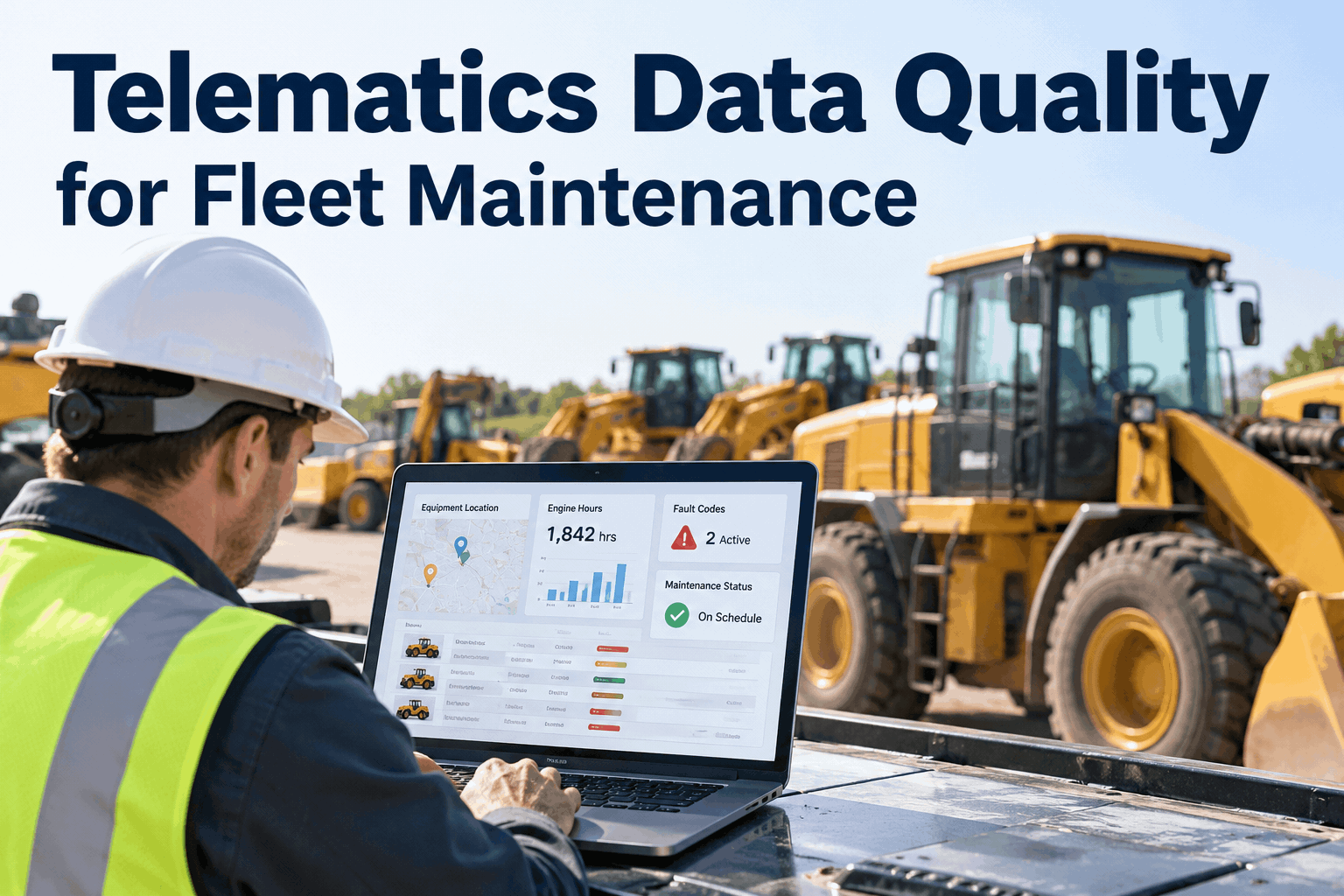
Your excavator shows 1,840 engine hours in the telematics portal, but the maintenance record says 1,480. A preventive maintenance reminder fires on the wrong day—or does not fire at all.Telematics data quality determines whether maintenance triggers help your team plan service or create more confusion. For a fleet maintenance manager, the priority is not collecting more data. It is making sure each reading belongs to the right asset, uses the right unit, arrives on time, and leads to a trustworthy maintenance decision.
When the meter is wrong, the maintenance decision is wrong.
Validate the readings behind preventive maintenance, fault-code reviews, and service planning—before small data errors become missed work or unnecessary shop visits.
Telematics data quality is a maintenance control, not an IT detail
A connected fleet can still have unreliable maintenance triggers. An odometer can report kilometers to a system expecting miles; a replaced device can remain linked to its former truck; a disconnected machine can upload several days of readings at once.
Missed maintenance
Stale or understated engine hours may make a machine appear further from its service interval than it really is.
Premature maintenance
Duplicated readings or incorrect unit conversion can make service appear overdue when it is not.
Misrouted repairs
A fault code attached to the wrong asset sends technicians toward the wrong equipment and history.
Before relying on automatic or assisted meter-based scheduling, confirm what each telematics provider supplies and how your maintenance platform uses it. Book a demo to review HVI's telematics-to-maintenance workflow for your fleet.
Five checks before a telematics reading drives maintenance
Build the checks into your data review routine. The order matters: a perfectly formatted reading is still unusable if it belongs to another vehicle.
Asset identity
Match device ID, VIN or serial number, fleet ID, and equipment record. Recheck after device swaps, rentals, and asset transfers.
Question: Is this the correct machine?Units and meter type
Confirm miles versus kilometers, engine hours versus key-on hours, and whether readings are cumulative or trip-based.
Question: What exactly is being measured?Timestamp and freshness
Keep source timestamps and ingestion timestamps distinct. Flag delayed uploads before treating old readings as current.
Question: When was it measured?Range and continuity
Investigate unexplained negative movement, extreme jumps, and long flatlines; allow for documented meter replacements.
Question: Is the change plausible?Fault-code context
Deduplicate repeat messages, preserve active/cleared status, and check whether the code is supported by the vehicle or equipment type.
Question: Is the event actionable?Telematics data validation: what to do when readings disagree
Use a consistent exception process rather than letting each supervisor interpret the feed differently. The examples below are diagnostic patterns—not universal alert thresholds.
| Data problem | What you may notice | Maintenance response |
|---|---|---|
| Stale meter data | Last update is older than expected | Confirm connection and use a verified reading before changing the PM decision. |
| Unit mismatch | Odometer rises by an implausible amount | Check km/mi conversion and source configuration; retain an audit trail. |
| Wrong asset mapping | Hours or DTCs appear on an unrelated vehicle | Correct device-to-asset association and review affected records. |
| Meter reset or replacement | Cumulative hours decrease unexpectedly | Record the service event and approved offset or baseline procedure. |
| Duplicate fault events | Same DTC arrives repeatedly | Group by asset, code, status, and event time; avoid duplicate repair requests. |
| Missing diagnostic context | Code appears without severity or operating conditions | Review OEM information and inspect before authorizing repairs. |
HVI can support maintenance follow-through through its asset records, preventive maintenance schedules, inspections, and work orders. Book a demo to see equipment records and PM scheduling together; confirm provider-specific integration details during the walkthrough.
See how HVI connects fleet records with preventive maintenance
Bring your meter-reading, asset-mapping, and recurring service questions to a product walkthrough.
How bad engine-hour data changes a maintenance trigger
Consider a wheel loader with an OEM-approved service interval of 500 engine hours. Its last completed service was recorded at 1,000 hours, so the next service is due at 1,500 hours. This is an illustrative example, not a recommended interval for every loader.
A sudden +360-hour jump may incorrectly show the loader far overdue and disrupt the shop schedule.
The team checks the source, timestamp, and last verified reading before deciding whether the service is due.
The same principle applies to fault codes. An active warning needs proper technical assessment, but repeated copies of one event should not automatically become separate repair jobs. Book a demo to discuss maintenance history and recurring defects in HVI.
A practical telematics data quality rollout for maintenance teams
Start with a manageable pilot, especially if your fleet includes different equipment brands and telematics providers. Use your maintenance records as the operational reference, and document any approved corrections.
Inventory the feeds
List providers, asset identifiers, available data fields, update frequency, and the person responsible for each connection. Mark assets with no compatible feed.
Reconcile a pilot fleet
Compare engine hours and mileage with verified on-equipment readings, recent service records, and known device changes. Record differences and their causes.
Define review rules
Set practical freshness limits and anomaly rules by asset class. Route exceptions to a named reviewer; do not use one universal threshold for every machine.
Test maintenance decisions
Check whether validated readings produce the expected due/overdue state under OEM-approved service intervals. Test missing and delayed readings too.
Close the loop
Document corrections, completed inspections, work orders, and service meter readings. Review recurring data issues before expanding the rollout.
For connected workflows, explore HVI's GPS and telematics integration capabilities and preventive maintenance tools. Provider support and specific fields should be confirmed for your fleet.
Telematics data quality checklist before enabling maintenance triggers
Use this as a pre-launch review and revisit it after device replacements, asset transfers, or changes to maintenance intervals.
Once the data is dependable, a digital maintenance system helps keep service records consistent across shifts and locations. Sign up free to organize equipment inspections and maintenance with HVI.
Track data quality alongside preventive maintenance performance
Review the quality of incoming readings, not just the number of overdue services. A fleet can appear compliant while the underlying meter feed is stale or incorrectly mapped.
Share of connected assets with readings received within the expected window.
Assets with verified device-to-equipment assignments after onboarding and changes.
Open meter anomalies, missing feeds, and unresolved duplicate events.
PM decisions reviewed against valid readings and completed service history.
These measures are management definitions, not automatic HVI dashboards promised for every integration. Agree on the data owner, review cadence, and exception procedure before rollout. Book a demo to explore HVI maintenance reporting and asset records.
Telematics data quality FAQs
What does telematics data quality mean for fleet maintenance?
It means vehicle and equipment readings are correctly assigned, accurately measured, timely, consistent, and usable for maintenance decisions. Poor-quality data can make preventive maintenance appear due too early or too late.
How can I validate engine hours from telematics?
Compare readings against verified equipment meters and service records, check timestamps and device mapping, and investigate implausible jumps or resets. Follow manufacturer and provider guidance for meter changes.
Can fault codes automatically trigger maintenance work?
Some integrated workflows can use diagnostic data in maintenance planning. Whether a fault code can initiate a specific action depends on the provider, integration, configuration, and safety process. Qualified personnel should assess the actual defect.
What should happen when telematics data is missing?
Flag the reading as stale or unavailable, check connectivity, and use an approved verified source before making a meter-based maintenance decision. Do not assume a missing update means the asset has not operated.
How does HVI support telematics-based preventive maintenance?
HVI publishes GPS and telematics integration capabilities for engine hours, mileage, diagnostic information, inspections, work orders, and preventive maintenance. Confirm the specific provider and supported data fields in a demo.
Book a demo to see telematics data support HVI maintenance workflows
See how equipment records, inspections, maintenance history, and preventive maintenance can work together—and discuss the telematics connection your fleet uses.