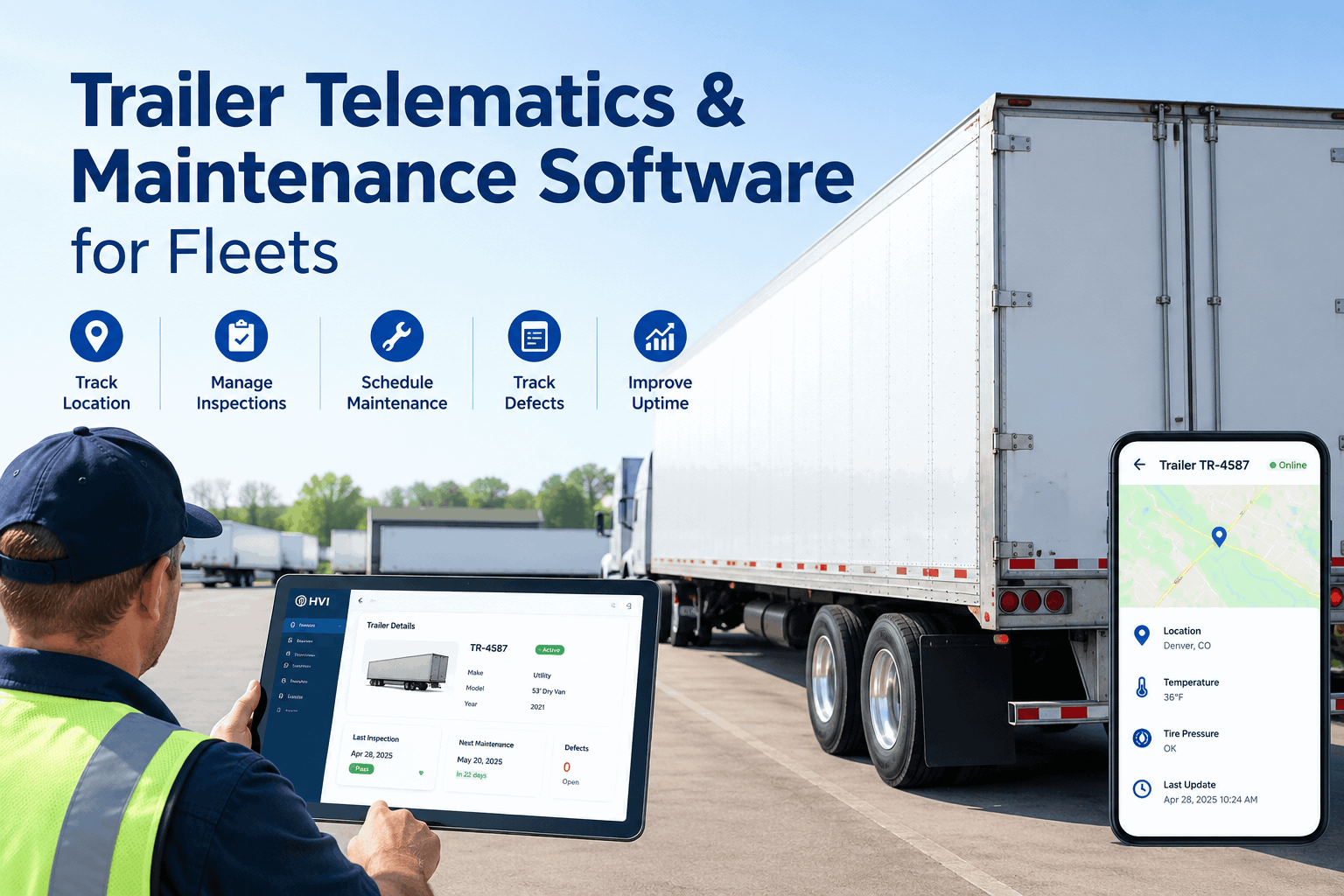
Your trailer finally has a voice. Trailer telematics pings you when a tire runs low, a door opens on the highway, the reefer drifts out of range, or an ABS light trips 300 miles from the yard. The problem is what happens next — usually nothing. The alert lands in a tracking app, nobody opens a defect, and the trailer rolls on. Trailer telematics software only pays off when every signal becomes a logged repair. Book a demo to see an alert become a work order.
Trailer Telematics Software Is Only Half the Job Without the Maintenance Loop
Telematics tells you a trailer tripped a fault. HVI turns that fault into a defect, a work order, a part, and a service record — per trailer, so nothing dies in the app.
That last line is the whole problem. The signals are flowing — but a signal that never turns into a repair is just noise with a timestamp. Here's where the handoff breaks, and how to fix it.
Where trailer telematics stops — and the repair never starts
Telematics is brilliant at the first half: it sees the fault the second it happens, anywhere the trailer is. What it rarely does is carry that fault into a maintenance system where someone owns it, parts get ordered, and the fix gets recorded against the trailer. The signal and the wrench live in two different places.
What telematics catches
- A tire bleeding pressure on axle 2, in real time
- A reefer drifting above set point on a loaded run
- An ABS/EBS fault code the moment it trips
- A door opened where it shouldn't be
What usually happens next
- The alert sits in a tracking app nobody owns
- No defect is logged against the trailer
- No work order, no part ordered, no record
- The fault reappears — at a roadside inspection
This is the gap a maintenance system closes. It's a different job from the one telematics does — and it's worth understanding the line between them, which our guide on fleet telematics vs inspection software breaks down in full. On this page the focus is narrower: making the trailer's signals actually turn into fixed trailers. Book a demo to see the handoff close on a live trailer.
What your trailer is actually saying — and what it should trigger
Smart-trailer telematics puts real signals on the dash. Each one means something specific, and each should kick off a specific maintenance action — not just a notification. Here's the decode, trailer-side.
| Telematics signal | What it usually means | Maintenance action it should trigger |
|---|---|---|
| TPMS low / rising temp | Slow leak, under-inflation, or a dragging brake heating the wheel-end | Flag a tire/wheel-end defect; schedule before the next dispatch |
| ABS / EBS fault code | Sensor, modulator, or wiring fault on the brake system | Open a brake work order — brakes are the top trailer OOS cause |
| Reefer out of set point | Unit, fuel, airflow, or door-seal issue risking the load | Log a reefer defect with the temp trace; dispatch service |
| Wheel-end / hub temp spike | Bearing wear or brake drag building toward failure | Pull the trailer for inspection before it becomes a fire |
| Door opened in transit | Latch, seal, or security issue — and a cargo risk | Record the event; add a latch/seal check to the next PM |
| Cargo / load-shift sensor | Floor, restraint, or structural stress under load | Trigger a floor and restraint inspection on return |
Notice the right-hand column — every signal maps to an action a maintenance system owns, not the tracking app. That mapping is exactly what HVI's GPS and telematics integration is built for, and what digital trailer inspections capture when a driver confirms the fault on the ground. Book a demo to map your own signals to actions.
The trailer telematics loop that actually closes
A signal only earns its keep when it completes a full circle — from the alert on the road to a closed, recorded repair. That loop is the difference between data you watch and data that fixes trailers.
Signal fires
Telematics flags a TPMS, ABS, reefer, or door event on the trailer, anywhere it is.
Defect logged
HVI opens a defect on that trailer — confirmed by a driver eDVIR check or straight from the feed.
Work order + part
The defect becomes a work order; the part is pulled from inventory and costed to the trailer.
PM adjusted
A repeating fault tightens that trailer's PM schedule, so it's caught earlier next time.
Record closed
A full service history builds per trailer — ready for a DOT audit or a resale valuation.
Run that loop on every alert and the same trailer stops surfacing the same fault twice. The repair history also rolls up, so the trailer that keeps burning brakes or tires stops hiding in the fleet average. Explore HVI's preventive maintenance scheduling to see how a repeating signal tightens the plan, or sign up free and close your first trailer loop.
Checklist: turn trailer telematics into a maintenance system
If you already run smart trailers, use this to pressure-test whether the data is actually reducing downtime — or just filling a dashboard. Tick what's true today; the gaps are where trailers keep failing.
Signal to action
- Every TPMS, ABS, reefer and door alert opens a defect, not just a ping
- A driver can confirm the fault with a digital trailer eDVIR
- A flagged defect becomes a work order in one step
- Nothing can close without a recorded repair against the trailer
Trailer-level upkeep
- PM is scheduled per trailer by mileage, calendar, or sensor trigger
- Brakes, tires, coupling and lighting each have their own check items
- Parts and repair costs roll up per trailer, not fleet average
- A repeating fault automatically tightens that trailer's schedule
Records & proof
- Every repair is kept as a trailer service record with photos
- Inspection and repair history exports clean for a DOT audit
- Telematics feed and maintenance system share one trailer ID
- Works whether you have telematics on every trailer or only some
Miss several of these and your trailer telematics is a monitor, not a maintenance system. HVI is built to tick all twelve. Explore HVI's parts and inventory control to see the stock side of the loop, or book a demo and run this checklist on your fleet.
Why the trailer, not the tractor, is where the downtime hides
Fleets instrument tractors first and trailers last — yet the trailer is where roadside inspections bite hardest. A few patterns worth keeping in view as you weigh trailer telematics software against the cost of a single out-of-service event.
Patterns reflect widely reported commercial-trailer inspection and fleet-composition trends; confirm your own numbers against your DOT inspection history and fleet records.
The takeaway isn't "buy more sensors" — it's "do something with the ones you have." Explore HVI's analytics and reporting to see trailer defects and costs per unit, or read the companion guide on keeping trailers inspection-ready for DOT all year.
From a fleet maintenance manager who connected the feed
We had trailer telematics for two years and all it did was make us anxious — alerts all day, and no system behind them. A TPMS warning would scroll past and three weeks later the same trailer failed roadside on a brake out of adjustment. Once every alert opened a defect and a work order in one place, the repeat failures just stopped. The data finally does something besides beep.
Trailer telematics software FAQs
Is HVI trailer telematics software?
Do I need telematics on every trailer to use HVI?
How does telematics data get into HVI?
What trailer signals are worth acting on?
Will this help with DOT trailer compliance?
Make your trailer telematics do more than beep
Connect the feed to HVI and give every trailer a maintenance loop that closes — alert to defect to work order to record. Stop watching the dashboard and start fixing trailers before they strand a load.
No credit card · Works with your existing telematics · Trailer records from day one
- GPS & telematics integration
- Alert → defect → work order
- Digital trailer eDVIR
- PM by mileage, calendar or sensor
- Service records per trailer