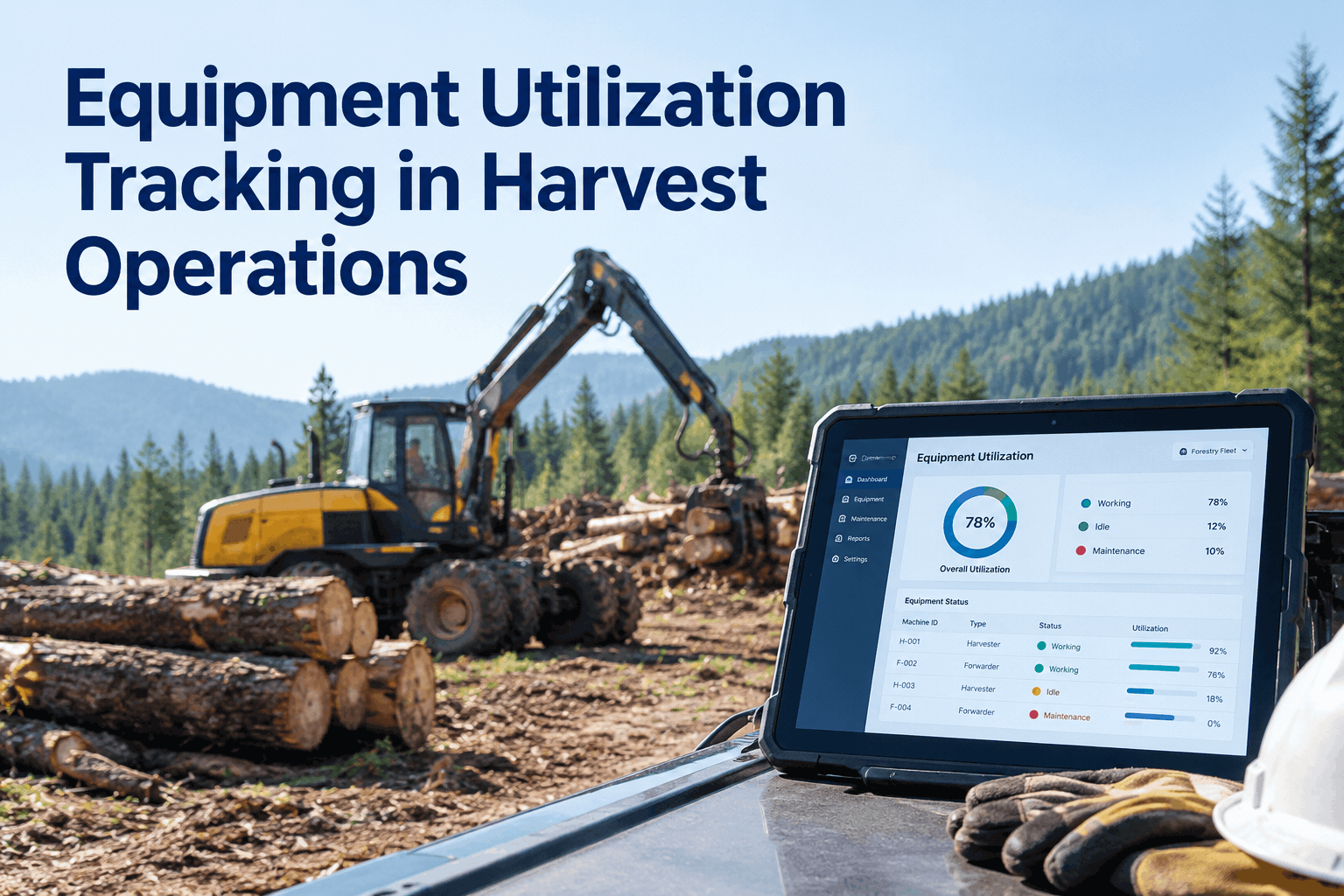
You own the machine whether it's cutting or parked. During harvest, a forwarder sitting idle on a finished block while another block runs short of hauling capacity isn't just lost production — it's capital you paid for, standing still, a mile from where it's needed. Harvest equipment utilization tracking is how you see that imbalance while there's still time to move the machine, instead of discovering it in next quarter's numbers. Book a demo of fleet utilization tracking.
Harvest Equipment Utilization Tracking That Shows You the Idle Machine Before It Costs You
See which units are working, which are waiting, and which block needs them — across every cut block, in one view. Move the machine, not the goalposts.
Utilization is the simplest fleet number that nobody has clean. It's the share of available hours a machine actually spends producing. On paper it sounds like a KPI. In a harvest it's a decision engine — the thing that tells you to shift a forwarder to the block that's bottlenecked instead of letting it bank idle hours on a finished one.
Idle looks like nothingwhy low harvest equipment utilization hides in plain sight
A broken-down machine is obvious — it's smoking at the landing, everyone knows. An underused one is invisible. It starts every morning, burns a little fuel, maybe moves a few loads, and nobody flags it because it isn't broken. But a forwarder running at 34% while the fleet average is 80% is carrying the same ownership cost as the ones earning their keep, spread over a third of the production. That gap doesn't show up as a repair bill. It shows up as a thinner margin you can't quite explain.
That's the case for tracking it: the broken machine fixes itself the moment someone looks, but the underused one keeps costing until a number forces the question. See how per-machine hours roll into a utilization view in the HVI analytics and reporting dashboard, or book a demo to see idle hours surfaced per unit.
Where the hours gosplitting available time into what actually earns
To track harvest equipment utilization, you first have to be honest about where a machine's day goes. Not every non-productive hour is waste — some is unavoidable. The point isn't to drive idle to zero; it's to see which slice is fixable and move on it.
The "waiting" slice is the one that pays back fastest, because it's usually a planning fix, not a repair. The "down" slice shrinks with preventive maintenance by meter hour, so a machine spends more of its day in the productive band — set that up in HVI preventive maintenance scheduling. Capture the hours honestly first, and the rest of the picture builds itself.
The move it unlocksfrom a utilization number to a redeploy decision
Tracking is only worth it if it changes what you do. The whole point of a utilization number is the decision it triggers — and in harvest, that decision is almost always about where a machine should be, not whether it's broken. Here's how a flagged unit turns into an action.
-
1Utilization drops on a unit
FW-03 reads 34% for two days while Block A runs a hauling bottleneck. The number flags before anyone notices on the ground.
-
2Check the cause, not just the number
Is the block finished, is it waiting on trucks, or is it down? The record shows whether it's a planning fix or a repair.
-
3Redeploy or rebalance
Move the forwarder to Block A, or shift crews. The idle capacity goes where the production is, same week.
-
4Confirm it worked
Utilization climbs back toward fleet average next week. The decision is visible, not a hunch you hope paid off.
This is utilization doing a different job than cost accounting. Where a logging machine rate calculation uses utilization to price an hour, and your forestry harvesting equipment cost per ton uses it to explain a margin, here it's a live planning lever — which machine moves to which block, this week. Same number, three different payoffs.
Utilization tracking checklistwhat to have in place before the number means anything
A utilization figure is only as good as the data under it. Before you trust it to move a machine, confirm these are in place — any gap turns the number into a guess.
- Machine hours captured per unit, every day.Read from the meter or logged by the operator, not estimated weekly.
- Available hours defined per machine.The denominator — scheduled shift hours the unit could have worked.
- Idle vs productive split recorded.So you know whether low hours are waiting, moving, or downtime.
- Each machine tied to a block or job.Utilization by location is what turns the number into a move.
- Downtime logged with a reason.A repair-driven dip reads differently than a planning one.
- A view that updates without a spreadsheet rebuild.Live enough to act on this week, not a month-end report.
Paper can't keep upwhy harvest equipment utilization needs live data
Utilization is a weekly-decision metric, and weekly decisions die on a month-end spreadsheet. By the time a hand-tallied report shows FW-03 ran at 34%, the block is finished and the chance to move it is gone. The value isn't in knowing it happened — it's in seeing it while you can still act. That only works when hours flow in from the field as the work happens.
That's the difference a connected record makes: the dip is a signal you act on, not a story you tell afterward. The forestry record that feeds it — offline capture at remote landings, hours following the machine — is covered in the HVI forestry CMMS for logging fleets. Want it on your own blocks? Book a demo of live utilization tracking.
What a forestry operations manager says about utilization
I always knew roughly which machines were busy, but "roughly" cost me a full week last fall — a forwarder sat near-idle on a wrapped-up block while another crew was screaming for one. Now I see utilization by block on a Monday and shuffle before it bites. We didn't buy a single new machine this season; we just stopped letting the ones we have sit around.
Harvest equipment utilization — FAQs
What is harvest equipment utilization?
It's the share of a machine's available hours actually spent producing — cutting, skidding, processing, or loading. Low utilization means a unit is costing full ownership while earning a fraction, usually because it's idle or waiting. Book a demo to see it tracked per machine.
How do you track equipment utilization in harvest operations?
Capture machine hours per unit daily, define available hours, and split productive from idle — then view it by block. Live capture from the field is what makes it actionable rather than a month-end tally. Explore the HVI analytics dashboard.
What's a good utilization rate for forestry equipment?
It varies by machine type and operation, so the useful benchmark is your own fleet average — a unit well below it is the one to look at. The gap between machines matters more than any single target. Book a demo to compare units side by side.
How is utilization tracking different from cost per ton?
Utilization is an operational lever — it tells you which machine to move this week. Cost per ton is the financial outcome that utilization feeds into. Same hours, different decision. Read our forestry cost-per-ton guide.
Can HVI track utilization at remote cut blocks with no signal?
Yes — machine hours are captured offline on a phone and sync when coverage returns, tied to the unit and the block. The utilization view updates without waiting on signal or a spreadsheet. Book a demo of offline capture.
Put every harvest machine's hours where you can act on them
Track utilization by unit and by block, catch the idle machine while there's still time to redeploy it, and get more out of the fleet you already own — without buying iron you don't need.
- Machine hours captured per unit
- Productive vs idle split
- Utilization by cut block
- Idle units flagged for redeploy