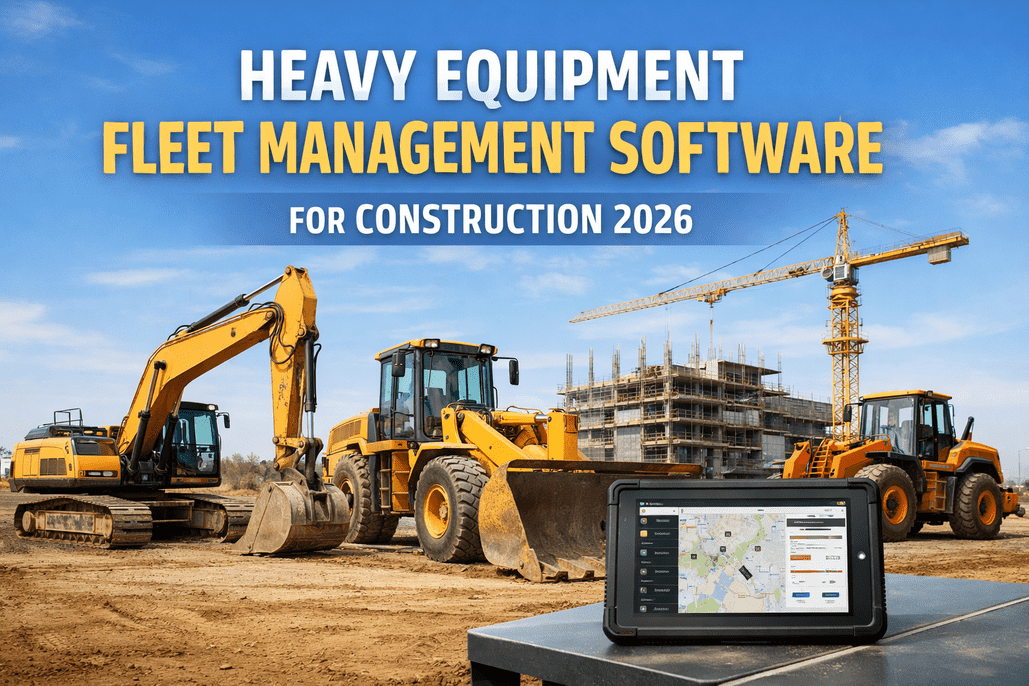
Earthmoving fleet maintenance isn't like keeping a few pickups on the road. When a $500,000 excavator goes down mid-dig, you're not just paying for the repair — you're paying for an idle crew, a stalled sequence, and a missed milestone. The machines are bigger, the hours pile up faster, and the parts that fail cost more than most people's trucks. Running that fleet on a whiteboard and memory is how contractors bleed margin all year. There's a tighter way — see how it keeps heavy iron running.
Heavy iron runs on hours — not hope.
Put every excavator, dozer, ADT and loader on hours-based preventive maintenance, digital inspections and one service record — so the machine that fails is the one you planned to service, not the one that strands a crew.
If you manage an earthmoving fleet, you're not short on maintenance knowledge — you know the intervals, you know what kills an undercarriage. What you're short on is a system that keeps all of it straight across a yard full of machines that are never in the same place, run wildly different hours, and get serviced by whoever's free. This isn't another checklist to print. It's the business case for running your whole fleet — excavators, dozers, articulated trucks, loaders and graders — on one maintenance platform, and why the contractors who do it stop losing days to failures they could have scheduled. If you want the equipment-level detail, HVI's earthmoving equipment PM guide pairs with this one.
The downtime math nobody budgets forwhy earthmoving fleet downtime costs far more than the repair
The repair invoice is the smallest number in the whole event. When a major earthmover stops mid-shift, the cost cascades — and most of it never shows up as a maintenance line item.
Counted honestly, downtime on a major earthmover runs into hundreds, sometimes thousands, of dollars an hour once idle crew and schedule slip are in the total. That's why planned service always wins the math — see the downtime math on your own fleet in a quick walkthrough.
Where the big bills come fromearthmoving equipment maintenance by machine and failure mode
Each class of machine has one or two failures that dwarf the rest. Knowing them is half the battle; catching them early with inspections and hours-based service is the other half.
Hydraulics & final drives
Contaminated oil, a weeping cylinder or a starved final drive turns into a five-figure rebuild fast.
Undercarriage wear
Rails, rollers, idlers and tracks are the single biggest lifetime cost — and the most measurable.
Driveline & brakes
Hitch, differentials and wet brakes take a beating on haul roads; neglect compounds quickly.
Tires & transmission
Tire spend and driveline heat are the quiet budget killers on a high-cycle loader.
Circle & blade wear
Circle, moldboard and cutting edges wear on schedule — easy to plan, costly to ignore.
Fluids, filters & cooling
The cheap items that prevent the expensive ones — if they actually get done on time.
Every one of these is predictable with the right inspection and interval discipline. HVI ships ready-made digital checks like the excavator inspection checklist and dozer inspection checklist so crews catch wear before it becomes a rebuild. Start a free equipment list and add your machines.
Build the fleet's PM around hours, not the calendarheavy equipment preventive maintenance that follows real duty
A machine that ran 300 hours this month and one that ran 40 shouldn't be on the same calendar. Earthmovers wear by operating hours, so the schedule should trigger on the meter. Always follow each OEM's manual for exact figures — but the backbone looks like this.
HVI triggers each of these automatically off the machine's hour meter and keeps the history on the asset, so a service is never skipped because a unit was on the far side of the site. Run it through preventive maintenance and you can see hours-based PM in HVI fire across a whole mixed fleet.
One system to run the whole fleetearthmoving fleet management as a single connected loop
The value isn't any one feature — it's the loop closing on every asset. An inspection in the field becomes a work order in the shop becomes a record on the machine, without anything re-typed or lost on paper.
Inspect
Operators run digital pre-use checks and flag defects with photos from the cab.
Schedule
Hour-based PM and flagged defects turn into work orders the shop can plan.
Fix & part
Assign labor, pull the right parts, and track the repair against the asset.
Record
A signed history builds on every machine — for cost, resale and warranty.
That's maintenance management, digital inspections and asset records working as one — not four tools taped together. Watch a defect become a work order on a real machine.
What it changes for your business
Downtime becomes planned
Service happens on your schedule, in your shop — not at the worst possible moment on a job.
Components last longer
On-time fluids, filters and undercarriage attention stretch the life of six-figure machines.
Every machine is audit-ready
A complete record backs resale value, warranty claims and client or safety audits.
Most contractors feel the difference within a season — fewer surprise failures, lower parts spend, and a fleet that holds its value. Add your machines free and start building the history today.
From an earthmoving maintenance manager
We run forty-odd machines across six active sites. The problem was never knowing what to do — it was knowing which excavator was due when it's two hours away and the operator logs hours on a scrap of paper. We'd skip a 500-hour on a busy unit and pay for it with a hydraulic failure three weeks later.
Putting the fleet on hour-based PM with the meters coming in from the field was the fix. The system tells me what's due before it's overdue, inspections flag the small stuff, and I'm not rebuilding service history from a shoebox at tax time. We cut unplanned failures hard — and the undercarriage spend finally makes sense because we're measuring it.
Earthmoving fleet maintenance — FAQs
How is this different from an equipment PM checklist?
A checklist tells one tech what to do on one machine. Fleet maintenance software runs the whole operation: it tracks hours on every asset, triggers each PM before it's due, turns inspection findings into scheduled work orders, and keeps a signed history on each machine. The checklists live inside it — HVI includes digital excavator and dozer checks — but the system is what keeps dozens of machines across multiple sites from slipping through the cracks.
Does HVI handle hour-based maintenance for heavy equipment?
Yes — that's the core of it. Earthmovers wear by operating hours, not miles, so HVI schedules PM off each machine's hour meter. Crews log hours from the field or you feed them in, and the system flags the 250, 500, 1,000 and 2,000-hour services as they come due, per your OEM intervals. Nothing gets skipped because a unit was on a far site.
Can it track mixed fleets — excavators, dozers, ADTs, loaders?
That's the point. Every machine class gets its own asset profile, meter, PM schedule and inspection template, so an excavator's hydraulics and a dozer's undercarriage are each tracked the right way — all on one platform. You see the whole fleet's status in one place instead of juggling spreadsheets per machine type.
We're a smaller contractor — is this overkill?
No. The fewer machines you run, the more a single unplanned failure hurts, because there's no spare to swing in. Smaller fleets often see the fastest payback for exactly that reason. You can start free with a handful of machines, get your hours and PM in, and scale up as you grow — no fleet department required.
How quickly can we roll it out across sites?
Days, not weeks. You build the asset list once, set PM intervals per machine, and operators can be inspecting and logging hours from the cab the next morning — across every site, since it's cloud-based. Start free to get your equipment in and try the workflow, then book a demo to set up schedules and roll it out to the whole fleet.
Run your iron like the machines cost what they cost
One system for every excavator, dozer and truck in the fleet. Hours-based PM that fires on the meter, inspections that catch wear early, and a full record on every six-figure machine — so downtime is something you schedule, not something that happens to you. See it mapped to your fleet in 30 minutes.
Every machine on one list · PM by the hour · Inspect → work order → history