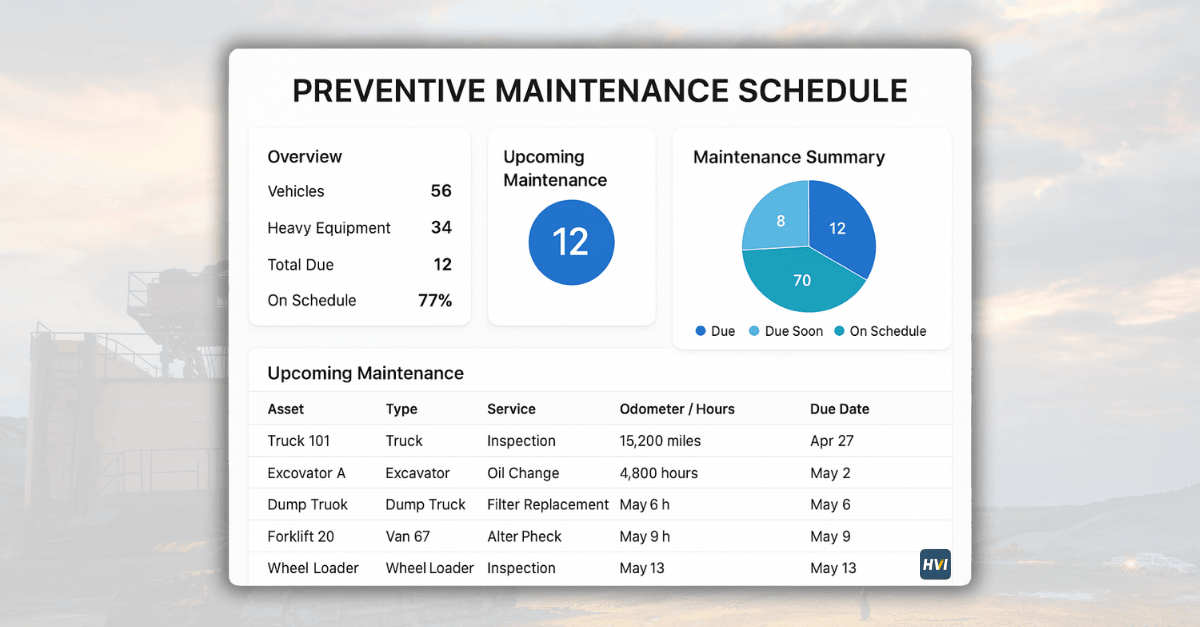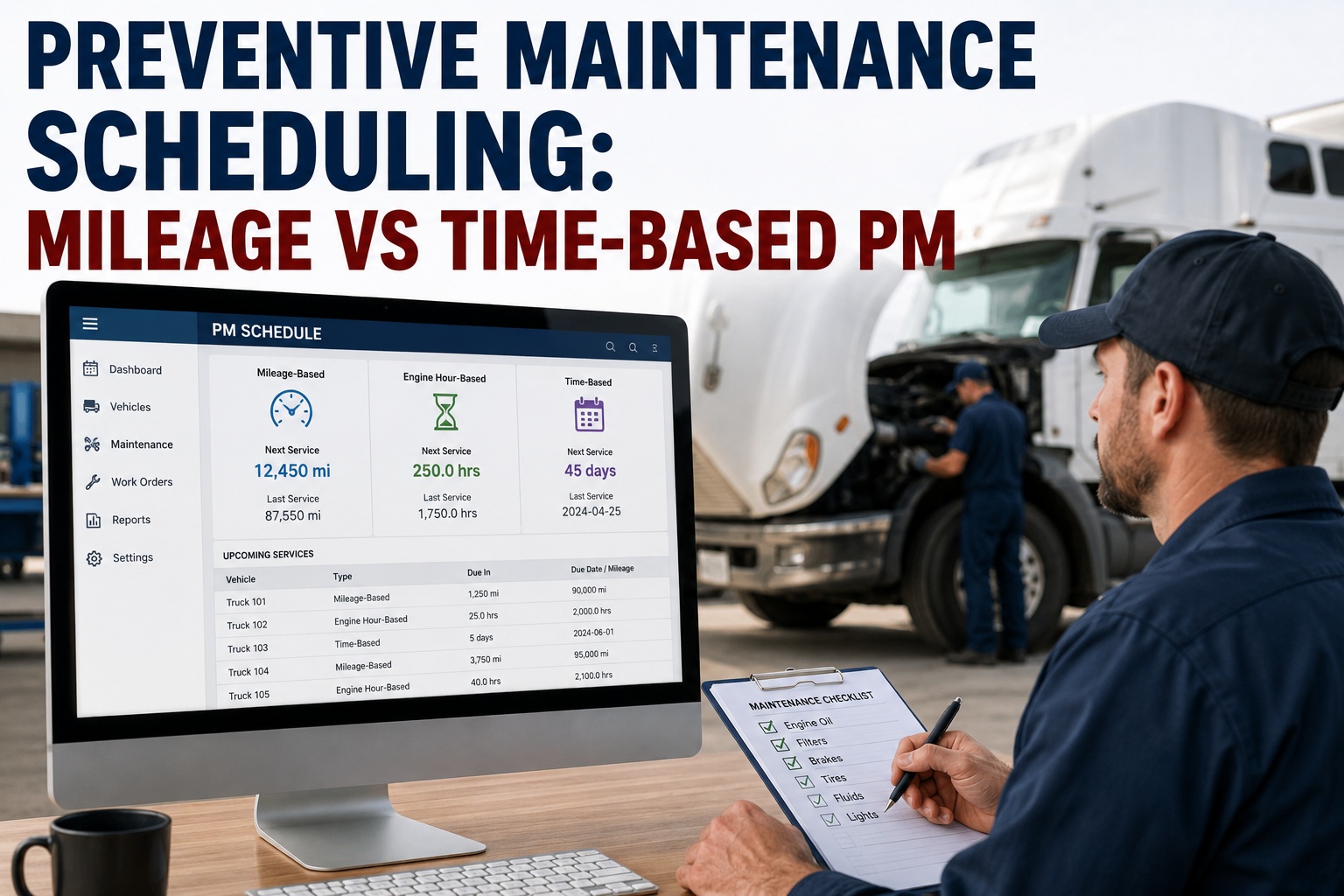
Preventive maintenance scheduling is the discipline of deciding when to service each truck — before wear becomes failure, before failure becomes downtime. The scheduling question sounds simple until you realize commercial fleets face at least four different scheduling triggers — mileage, engine hours, calendar time, and fuel consumption — and picking the wrong one for a specific vehicle costs 15% to 30% in wasted maintenance labor plus the unscheduled failures that hit units the wrong trigger missed. This page walks the four scheduling trigger types, when to use each based on duty cycle, the whichever-comes-first hybrid approach that catches wear across mixed fleets, and the five most common scheduling mistakes. Click through the interactive trigger selector below to see the recommended preventive maintenance scheduling for your fleet's duty cycle. Book a demo after you find your fit.
Which PM scheduling trigger fits your fleet?
Long-haul, regional, urban delivery, and off-road fleets each need a different scheduling trigger. Click through the four duty cycles below to see the recommended trigger, service intervals, and why it works.
The selector above collapses a decade of fleet-maintenance research into one click: match the duty cycle, get the trigger. But the reality of mixed fleets means most operators run at least two of the four duty cycles across their tractor pool, which is why hybrid whichever-comes-first scheduling is the default for real-world fleet programs. Below is the framework in more detail — the four triggers explained, the decision matrix across every duty cycle, how hybrid triggers work in practice, and the mistakes that quietly waste maintenance spend.
The 4 preventive maintenance scheduling triggers
Every credible fleet maintenance program uses one of four triggers — or, more often, a combination — to decide when each truck's next service is due. Each trigger measures something different about wear, and each one is right for some duty cycles and wrong for others.
Mileage-based
How it works: service intervals triggered by odometer reading. A every 25K mi, B every 100K, C every 250K.
Best for: long-haul over-the-road tractors where miles predict wear reliably.
Engine hours-based
How it works: intervals triggered by engine-run hours. A every 250 hrs, B every 750, C every 2,000.
Best for: idle-heavy fleets (urban, waste, transit) and off-road equipment where miles don't reflect actual engine wear.
Time-based (calendar)
How it works: intervals triggered by calendar dates. A every 4-6 months, B every 12-18 months.
Best for: low-usage vehicles, emergency vehicles, spares, and as a backup trigger to catch age-based wear on any duty cycle.
Fuel / usage-based
How it works: intervals triggered by fuel consumed. A every 1,500 gallons diesel, roughly.
Best for: refuse trucks, generators, and off-road equipment where fuel is a better wear proxy than either miles or hours.
The four triggers aren't ranked — they're specialized. The mistake most reactive fleets make isn't picking a bad trigger; it's using the same trigger for every truck regardless of what that specific unit does day-to-day. Book a demo to see per-truck trigger assignment in production
Duty cycle to trigger — the decision matrix
Below is the matrix most fleet-maintenance directors converge on after enough seasons of pain. Each duty cycle has a primary trigger (drives the schedule) and often a secondary trigger (backup catch to prevent long-tail drift).
Every duty cycle has one dominant wear driver — the primary trigger — and one backup that catches slower wear the primary misses. Any fleet running mixed duty cycles needs per-vehicle trigger assignment, not fleet-wide policy defaults. Start free and assign triggers per truck on day one
Whichever-comes-first hybrid preventive maintenance scheduling
Real fleets don't run one trigger — they run two or three, and whichever hits the interval first fires the PM. Below is what that looks like on a specific truck, three triggers racing to the next A service.
The hybrid approach protects against the specific failure mode of every single-trigger schedule: mileage-only misses idle-heavy units, hours-only misses low-idle highway units, calendar-only misses high-usage units. Running two or three triggers in parallel — and letting whichever fires first drive the PM — catches wear across every duty cycle in the fleet. Book a demo to see three-trigger racing enforced by workflow
5 common preventive maintenance scheduling mistakes
Every mature maintenance director has watched fleets waste 15% to 30% of maintenance labor and rack up unnecessary breakdowns because of five recurring scheduling mistakes. All five are preventable with the right trigger structure and the right software.
Same schedule for the entire fleet regardless of duty cycle
What it looks like: every truck on A every 20,000 miles, no distinction between highway and urban duty.
Only tracking miles, never engine hours
What it looks like: paper or spreadsheet PM schedule that reads current mileage but ignores idle-hour accumulation.
No calendar backup trigger on low-mileage units
What it looks like: emergency vehicles, spares, and executive units that log <5,000 mi/year never hit the mileage-based PM threshold.
Deferring PM when the shop gets busy
What it looks like: Service A rescheduled twice, then dropped entirely because "we're behind on repairs."
No compliance tracking on scheduled vs actual
What it looks like: PMs are scheduled but nobody tracks whether they actually happened. Warranty claim denied because service history is incomplete.
Every mistake above eventually shows up in the same P&L line: unscheduled maintenance spend. A well-run PM scheduling program moves 60% to 75% of that spend into the scheduled column inside 12 months. Book a demo to see PM compliance tracked automatically — or start free and get per-truck triggers running this week .
From a maintenance director who switched from mileage-only to hybrid
We ran mileage-only PM schedules for 12 years. Worked fine on our OTR fleet, but our urban delivery trucks were failing between services and I couldn't figure out why. Turns out those trucks were hitting 500+ engine hours between A services because of stop-and-go idle time. Miles said they were current; the engine said otherwise.
Switched to hours + calendar hybrid on the urban fleet and kept mileage on the OTR side. Unscheduled repair rate on the urban trucks dropped 60% in six months. Same trucks, same drivers, different trigger.
Frequently asked questions
What is preventive maintenance scheduling?
Preventive maintenance scheduling is the discipline of deciding when each vehicle or piece of equipment in a fleet is due for service, using structured triggers rather than reacting to breakdowns after they happen. Instead of servicing trucks when something breaks, a scheduling program assigns each vehicle to one or more triggers — mileage, engine hours, calendar time, or fuel consumption — that fire at defined intervals to bring the truck in for scheduled service. The goal is to move maintenance spend from the reactive column (unscheduled breakdowns costing 4x their scheduled equivalent) into the scheduled column, where cost is predictable and downtime is planned. Well-structured programs achieve 90%+ PM compliance rates and cut unscheduled downtime by 50% to 70% within the first year. The scheduling decision matters most on mixed fleets running multiple duty cycles, where a one-size-fits-all trigger wastes labor on some units and misses wear on others.
Should I use mileage or time-based PM scheduling?
Neither, exclusively — use both, and let whichever comes first fire the PM. Mileage is the right primary trigger for long-haul over-the-road units where miles correlate strongly with fuel burned, engine cycles, and drivetrain wear. Calendar time is the right primary trigger for low-usage vehicles like emergency response, spares, and executive units where mileage-based schedules would skip PM entirely. For everything in between — regional, LTL, most mixed fleets — the answer is a hybrid whichever-first schedule that catches wear on both signals. A regional truck might hit A service at 20,000 miles OR 6 months whichever comes first; the mileage catches high-usage units, and the calendar catches low-usage aging. Engine hours are the third trigger to add on top for idle-heavy fleets (urban delivery, waste, transit) where miles undercount actual engine wear. The best answer for any specific fleet is usually two or three triggers running in parallel per vehicle.
When should I use engine hours instead of miles?
Use engine hours as your primary trigger any time a vehicle spends significant time with the engine running but not moving — urban delivery (stop-and-go), waste and refuse (long stops per route), transit (idle at stops), off-road equipment (working stationary), or any duty cycle with idle rates above 20%. On these units, mileage-based scheduling systematically undercounts wear because the odometer only advances when the wheels turn but oil degrades, filters plug, and engine components cycle regardless of vehicle motion. A typical urban delivery truck runs 300 to 500 engine hours between mileage-based PM intervals, which is 30% to 50% more wear than the schedule assumes. Off-road equipment goes even further: a wheel loader or generator can accumulate 2,000 engine hours per year with essentially zero miles on the odometer. For these applications, hours are the only meaningful signal — miles-based schedules would either never trigger PM or trigger it years past when the equipment actually needed it.
How does whichever-comes-first PM scheduling work?
Whichever-comes-first (WCF) scheduling assigns two or three triggers to the same vehicle in parallel, and fires the PM when any single trigger hits its threshold. For example, a regional truck might have a Service A trigger set to 20,000 miles, 250 engine hours, and 6 months of calendar time. Software tracks all three counters continuously; when any counter reaches 100% of its threshold, the PM is triggered regardless of the state of the other counters. This approach catches wear across every duty cycle mode the truck might operate in — a long stretch of highway service will hit the mileage threshold first, a period of urban stop-and-go will hit hours first, and a period of low usage will hit calendar first. The alternative (single-trigger scheduling) systematically misses wear on any duty cycle mode the trigger wasn't designed for. WCF requires software to track multiple counters accurately; paper-based or single-column spreadsheet systems rarely execute it well.
Can software really improve PM scheduling compliance?
Yes, and the improvement is measurable within the first quarter. PM scheduling software solves the fundamental problem of tracking multiple triggers per vehicle across a mixed fleet — something spreadsheets and paper systems struggle to execute reliably at any fleet size above 20 units. Modern platforms pull mileage and engine hours automatically from telematics, apply the assigned trigger logic per vehicle, alert before service windows open, generate work orders at trigger, and preserve the digital record for warranty and audit. Fleets moving from paper or spreadsheet PM tracking to software typically see PM compliance rates rise from 60-75% to 90-95% within 90 days, unscheduled downtime drop 50-70% in the first year, and truck lifetime miles extend 30-60% on the same equipment. The record-keeping benefit compounds separately: warranty claim success improves, resale value at trade-in reflects the complete service history, and FMCSA audit findings drop to near zero.
Turn PM scheduling from a spreadsheet into a workflow — and cut unscheduled downtime 50 to 70%
HVI assigns primary and secondary PM triggers per vehicle based on duty cycle, tracks mileage and engine hours from telematics automatically, alerts before intervals open, generates work orders on trigger, and preserves the digital record for warranty and audit. Live in under two weeks — and typical fleets extend truck lifetime miles 30% to 60% on the same equipment.
No credit card · No hardware · PM scheduling ready day one