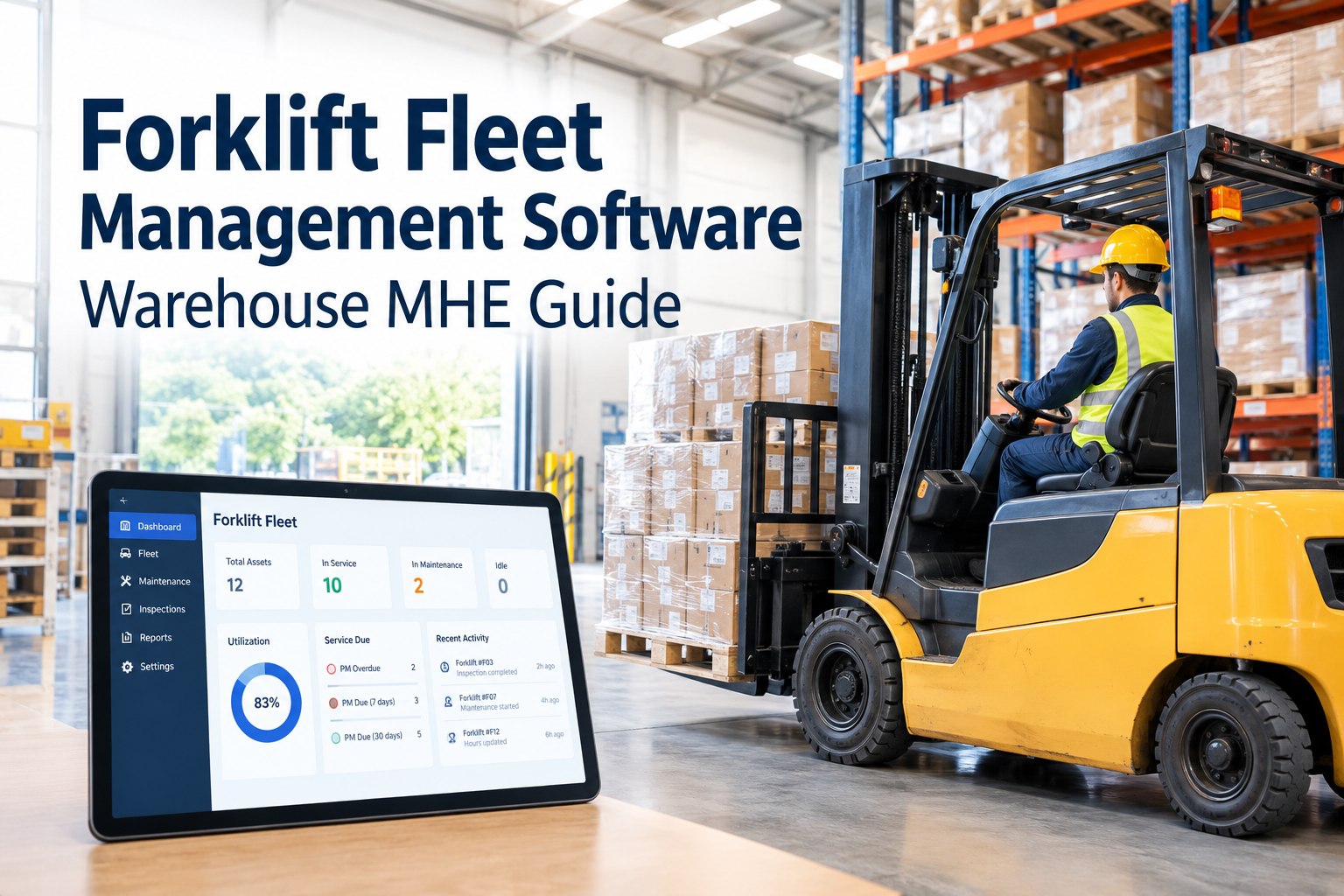
Ask a warehouse manager how many hours are on forklift #14, whether it's due for PM, and what it cost last quarter — and watch them open a spreadsheet, then an OEM portal, then a folder of receipts, and still not answer. That fragmentation is what forklift fleet management software solves. Instead of each brand's data locked in its own portal, it pulls hours, PM, defects, utilization, cost, and location into one fleet view. This guide covers what it should track and how to evaluate it. Book a demo to see one MHE fleet view.
The Problem Isn't Your Forklifts. It's Your Data.
Most MHE fleets aren't hard to run because the trucks are complex. They're hard to run because the information about them lives in four disconnected places.
If you're a fleet, warehouse, or maintenance manager evaluating forklift fleet management software, you already feel the fragmentation tax — the hours you lose reconciling spreadsheets, the PM that slips because nobody was watching the meter, the mixed-brand fleet where every OEM has its own login. This guide is a practical buyer's framework: what the software should actually track, how the pieces (tracking, telematics, full management) differ, how the ISO 15143-3 standard fits in, and the criteria to evaluate before you commit.
What Forklift Fleet Management Software Actually Isand how it differs from plain tracking
Forklift fleet management software is a platform that centralizes the operational and maintenance data for your material-handling equipment — hours, preventive maintenance, inspections, defects, utilization, cost, and often location — into one system you manage the fleet from. The key word is manage: it's not just showing you where a truck is, it's connecting the data to action, so a meter reading triggers a PM, a failed inspection becomes a work order, and cost rolls up per asset.
The distinction matters because buyers often shop for one and need another. A telematics feed tells you a truck has 4,000 hours; fleet management software uses that number to schedule the 4,000-hour service, generate the work order, reserve the parts, and log the cost. The data is only valuable when something acts on it. Book a demo to see equipment data connected to real maintenance workflows
What Data Should It Track?the fields that turn a forklift into a managed asset
A capable MHE fleet platform pulls together the data points that, together, tell you whether an asset is healthy, working, and worth its cost. Here's what belongs in one view.
Two of these carry the most weight. Operating hours is the meter that should drive everything maintenance-related, and cost per asset is what turns a fleet from a black box into a set of decisions. When these live in one place instead of scattered across portals and spreadsheets, the fleet becomes manageable. Start free and put hours, PM, defects, and cost on one equipment dashboard
Why Hours Should Drive Preventive Maintenancethe meter, not the calendar
Forklifts don't wear by the calendar — they wear by how hard they work. A truck running three shifts hits its service intervals far faster than one used a few hours a day, yet calendar-based PM treats them the same, either over-servicing the light user or dangerously under-servicing the heavy one. Hour-based PM fixes that: the service interval is tied to accumulated engine or operating hours, so maintenance arrives when the machine has actually earned it.
This is where telematics and fleet management earn their keep together. When the platform reads (or is given) a truck's current hours, it can automatically flag the 250-, 500-, or 1,000-hour service as it comes due, generate the work order, and keep the whole fleet's PM on schedule without anyone manually checking meters. Where machine hours aren't available electronically, operators can log them during the daily inspection — the point is that hours, however captured, drive the schedule. Book a demo to schedule MHE preventive maintenance by operating hours
Inspections, Defects & Fault Codestwo paths from a problem to a work order
The value of MHE fleet software isn't just seeing a problem — it's routing it to a fix. There are two streams that surface forklift problems, and good software turns both into action.
OSHA requires powered industrial trucks to be examined before each shift or after each use, so a daily operator checklist is already part of the workflow. Digital inspections turn that into data: a driver flags a defect, and it becomes a tracked work order instead of a verbal "hey, the horn's out" that gets forgotten.
Where a forklift's telematics reports fault codes, those machine-generated warnings can feed the same maintenance workflow — a fault becomes a flag, and where supported, a work order. Availability of fault data depends on the machine, its telematics, and the integration, so treat this as a capability to confirm, not assume.
The honest framing matters here: inspection and defect capture works on any forklift with an operator and a phone, while fault-code automation depends on the specific machine and telematics being able to expose that data. A strong platform does the first universally and the second where the equipment supports it.
Managing Multiple OEMs & ISO 15143-3the standard that makes mixed-fleet data possible — explained honestly
Here's the mixed-fleet reality: if you run Toyota, Crown, Hyster, and Raymond trucks, each OEM traditionally has its own telematics portal, its own data format, even its own units. Logging into four portals to assemble one picture is exactly the fragmentation problem. A data standard exists to help — and it's worth understanding accurately, because it's often oversold.
So the accurate picture is this: ISO 15143-3 is the industry mechanism that makes mixed-fleet consolidation possible, and it's genuinely valuable — but no platform can honestly promise it replaces every OEM portal for every machine you own. When evaluating software, ask specifically which of your OEMs and machines it can pull from, rather than accepting a blanket "works with everything" claim. Start free and centralize the equipment data you can bring together today
Fleet Software vs Spreadsheets vs OEM Portalswhat each does — and where each breaks
Most warehouses run their MHE fleet on spreadsheets, OEM portals, or both. Both have real uses and real ceilings. Here's the honest comparison.
The point isn't that portals or spreadsheets are useless — OEM portals hold genuinely rich per-brand data, and a spreadsheet is fine for five trucks and one manager. The point is that neither gives you a single, current, cross-fleet view that connects data to maintenance action. That gap is what dedicated fleet software fills, and it's why mixed-brand fleets outgrow the DIY approach.
How to Choose: A Buyer's Checklistthe questions that separate a demo from a decision
Software demos are designed to impress; this checklist is designed to cut through. Run any forklift fleet platform against these before you commit.
- Schedules PM by operating hours, not just calendar
- Digital operator inspections that create work orders
- Tracks parts, labor, and cost per asset
- Shows PM due, overdue, and upcoming across the fleet
- Full maintenance history per unit
- Confirm which of your OEMs and machines it pulls data from
- Handles mixed brands in one view
- Works on the phones your operators already carry
- Exports data for audits and analysis
- Scales from your current fleet to your planned one
The most important line on that list is confirming the specific integrations for your equipment — not a vendor's general capability claim. Bring your actual OEM and machine list to the demo and ask, unit by unit, what data the platform can and can't pull. A great platform for someone else's fleet may be a poor fit for yours if it can't reach your machines. Book a demo and bring your OEM list — we'll walk through what connects
From an operations director who consolidated a mixed MHE fleet
We had four forklift brands and four portals, plus a maintenance spreadsheet that was always a week out of date. Every question — what's due, what's down, what's this truck costing me — meant cross-referencing three systems, and I still didn't trust the answer.
Putting the fleet on one platform didn't magically pull every OEM's telematics — some of our older units just don't expose data, and I'd be suspicious of anyone who promised otherwise. But the inspections, the hour-based PM, the work orders, and the cost per truck all live in one place now, and that alone changed how I run the fleet. I can finally see it.
Forklift fleet management software: the takeaway
Choosing forklift fleet management software comes down to one honest question: does it turn your scattered equipment data into one view that connects to action? The strongest platforms schedule PM by hours, turn operator inspections and available fault data into work orders, roll cost up per asset, and consolidate what mixed-OEM data they legitimately can — while being straight with you about what they can't reach. Evaluate against your real fleet, insist on specifics over blanket claims, and you'll pick a system that actually makes your MHE fleet visible and manageable. Book a demo to see your forklift fleet on one HVI dashboard
Frequently asked questions
What is forklift fleet management software?
Forklift fleet management software is a platform that centralizes the operational and maintenance data for material-handling equipment — operating hours, preventive maintenance status, inspections, defects, utilization, cost, and often location — into a single system used to manage the fleet. It's distinct from simple tracking (which shows location and basic status) and from raw telematics (which provides on-board machine data like hours and fault codes). Fleet management software consumes tracking and telematics data and connects it to action: a meter reading triggers a preventive-maintenance work order, a failed operator inspection becomes a tracked repair, and parts and labor roll up into cost per asset. The core value is turning fragmented data — typically scattered across spreadsheets, OEM portals, and paper records — into one current view that connects information to maintenance and operational decisions, rather than leaving managers to reconcile multiple disconnected systems.
How do you track forklift hours and utilization?
Forklift operating hours are read from the machine's hour meter, and in modern fleets they can be captured electronically through telematics where the equipment supports it, or logged manually by operators during the daily inspection where it doesn't. Utilization — how much each truck actually runs relative to its availability — is derived from that hour data over time. Tracking both matters because they answer different questions: hours drive maintenance timing, while utilization reveals whether you have idle trucks you could redeploy or overworked trucks wearing out early. Fleet management software centralizes these figures so you can see them across the whole fleet rather than checking meters one truck at a time. The most valuable use of hour data is tying it to preventive maintenance: when the software knows a truck's accumulated hours, it can automatically flag services as they come due and generate the work order, keeping the fleet on schedule without manual meter checks.
What is ISO 15143-3?
ISO 15143-3 is a telematics data-exchange standard for mobile equipment. It originated as the AEMP 2.0 standard, created by the Association of Equipment Management Professionals to address the problem of every OEM providing telematics data in its own proprietary format, and was later formalized as ISO 15143-3. The standard defines a common communication schema that delivers machine status data from a telematics provider's server to third-party customer applications over the internet, so equipment from different manufacturers can report the same data points — such as equipment ID, location, cumulative hours, fuel, and fault codes — in a consistent format. For fleets running mixed OEM brands, this makes it possible to aggregate data into a single platform instead of logging into each manufacturer's separate portal. It's important to understand its limits: the standard grew out of earthmoving and construction machinery, support and available data vary by machine and subscription, and each OEM data endpoint must be authorized, so it enables mixed-fleet consolidation rather than guaranteeing every machine can be connected.
Can forklift fleet software integrate multiple OEMs?
It can, to a degree that depends on your specific equipment and the platform's integrations, and this is an area to evaluate carefully rather than accept on a blanket claim. Standards like ISO 15143-3 (AEMP 2.0) were created precisely to let third-party software consume telematics data from multiple manufacturers in a consistent format, and many fleet platforms use them to bring mixed-brand data into one view. However, whether a given platform can pull data from a given machine depends on that OEM offering a supported data endpoint, the machine having compatible telematics, and the necessary authorization being in place. Older units, entry-level machines, and some brands may not expose data this way at all. The practical approach is to bring your actual list of OEMs and machines to any software evaluation and confirm, unit by unit, what data the platform can and cannot access — and to be skeptical of any vendor that promises to replace every OEM portal without qualification. Inspection, PM, and cost-tracking functions typically work across all your equipment regardless, since they don't depend on machine telematics.
How do forklift fault codes trigger maintenance?
Where a forklift's telematics reports fault codes, a fleet management platform can use those machine-generated warnings to drive a maintenance response — surfacing the fault as an alert and, where the integration supports it, generating or prompting a work order so the issue is addressed before it becomes a breakdown. This depends on the machine actually exposing fault data through supported telematics, which varies by manufacturer, model, and subscription, so it's a capability to confirm for your specific equipment rather than assume. Importantly, fault-code automation is not the only path from problem to repair: operator inspections work universally. Because OSHA requires powered industrial trucks to be examined before each shift or after each use, a digital daily inspection lets an operator report a defect that becomes a tracked work order on any forklift, regardless of telematics. The strongest maintenance workflow uses both — universal operator-reported defects plus machine fault codes where the equipment can provide them.
Put your whole forklift fleet on one screen
HVI centralizes your MHE fleet — operating hours, hours-based PM schedules, operator inspections, defects, work orders, parts, and cost per asset — on a single equipment dashboard. Universal digital inspections on every truck, hour-driven maintenance, and consolidated data across the brands you can connect, so you finally manage the fleet from one place instead of four.
No credit card · No hardware required to start · MHE fleet view on day one