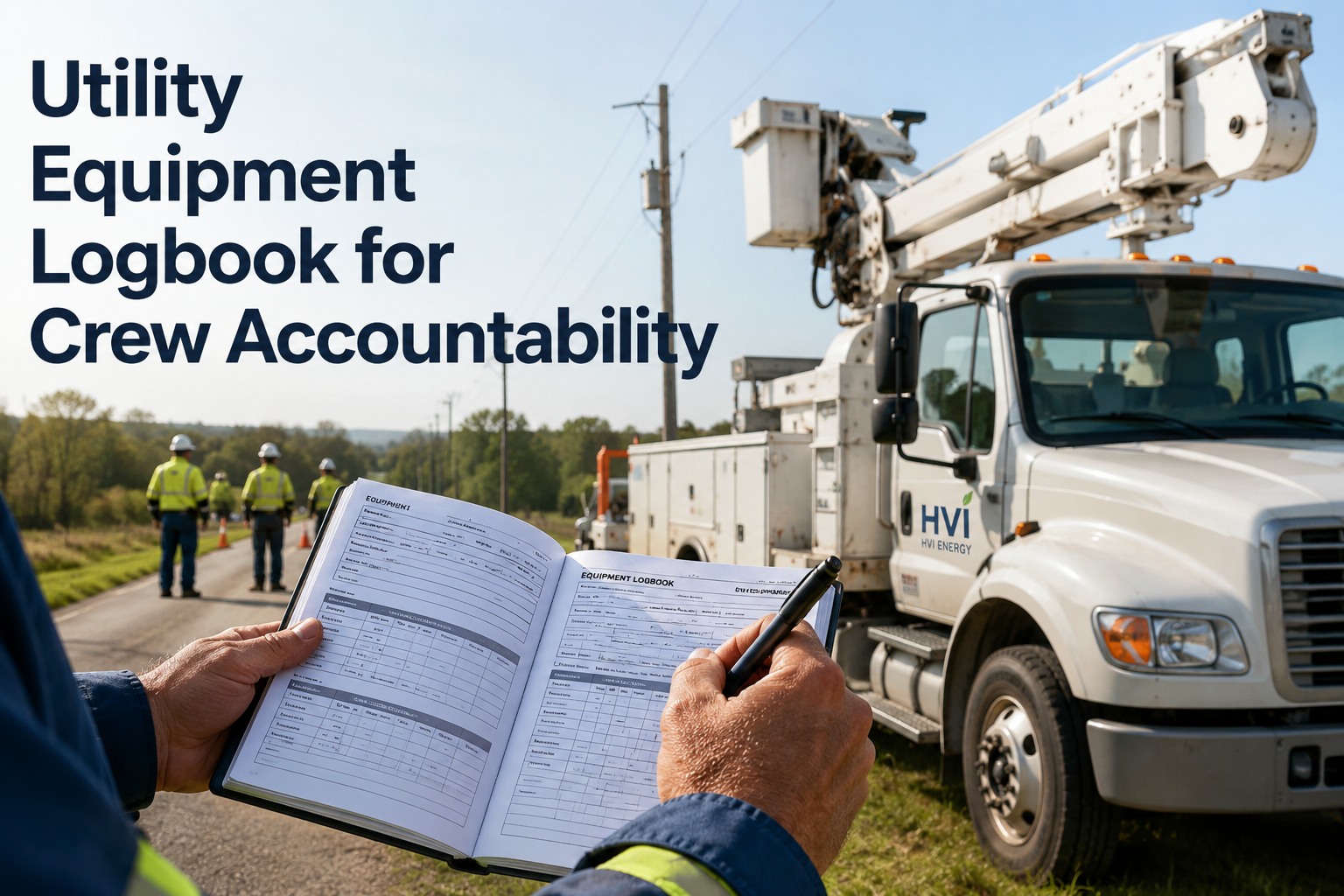
Utility Equipment Logbook for Crew Accountability

By William Jerry on June 17, 2026

utility-equipment-logbook-crew-accountability

A utility fleet has a problem most fleets don't: the same bucket truck, digger derrick, or generator might be run by three different crews across two service territories in a single week, and nobody owns it. When a machine moves between crews and regions like that, accountability evaporates — a defect noticed by Monday's crew never reaches Wednesday's, the hours logged in one territory don't match the meter, fuel goes unrecorded, and when something finally breaks, no one can say who used it last or what condition it was in. Paper logbooks make it worse: a binder in one truck's cab is invisible to the next crew and to the office, and 7.5% of paper records are lost entirely. The result is equipment that's everyone's responsibility and therefore no one's. A shared digital equipment logbook fixes this by making every machine's history follow the machine, not the crew — hours, defects, fuel, and handovers logged to the asset and visible to whoever picks it up next, in any territory. A utility equipment logbook built for crew accountability turns a shared, mobile fleet into one where every machine has a clear, continuous record. This page covers what the logbook tracks, the handover problem, and how accountability holds across territories.

Three Crews, Two Territories, One Truck — and No One Owns It
HVI gives every utility asset a digital logbook that follows the machine, not the crew — hours, defects, fuel, and operator handovers logged to the asset and visible to the next crew in any territory, so accountability never breaks at the shift or border.

What the Logbook Tracks

A useful equipment logbook captures four things on every machine, every shift — and ties each to the crew that recorded it. Together they turn a shared asset into one with a continuous, accountable history.

Hours / Meter

The engine-hour reading at each shift, logged by crew. Drives usage-based PM, reveals true utilization across territories, and catches the gap when a reading doesn't match the meter.

Defects

Anything wrong, flagged with a photo and tied to the crew and shift that found it. The defect travels with the machine so the next crew — and maintenance — sees it immediately.

Fuel / Energy

Fuel added or burned, logged per machine regardless of which territory's pump or card. Surfaces consumption trends and closes the gap where shared-fleet fuel usually goes unrecorded.

Operator Handover

Who had the machine, when, and the condition they left it in. The record that makes accountability real — every shift change is a documented, signed handoff.

The Handover Problem — and the Chain That Fixes It

Accountability breaks at the handoff. When a machine passes between crews with no record of who had it or what state it was in, problems fall through the gap. A logbook closes it by making every handover an explicit link in a chain.

1

Crew A Logs Out

At end of shift, Crew A records hours, fuel, any defect, and the condition left — signed and timestamped to them.

2

Record Travels

The full history stays with the asset in the cloud — visible to any crew in any territory who opens the machine's logbook.

3

Crew B Logs In

Crew B reviews the last entry, acknowledges any open defect, and takes ownership — the chain continues unbroken.

Every link is signed and timestamped, so there's never a gap where a machine was "nobody's." If a defect appears, the record shows exactly which crew last operated the machine and what condition they reported — accountability without blame-hunting, because the facts are simply there.
The handover is where shared-fleet accountability lives or dies — a documented log-out and log-in turns "I thought the other crew knew" into a clear, signed chain. sign up for a free HVI trial and make every handover accountable.

Paper Binder vs. Shared Digital Logbook

The difference between a logbook that holds a multi-crew fleet accountable and one that doesn't is whether the record follows the machine or sits in a cab. Here's the contrast.

PAPER BINDER IN THE CAB

Visible only to whoever is in that truck
Defects don't reach the next crew or the office
7.5% of records lost, illegible, or never filled in
No way to see usage across territories
When something breaks, no clear chain of custody

SHARED DIGITAL LOGBOOK (HVI)

Visible to every crew and the office, anywhere
Defects route to maintenance and the next crew instantly
Cloud-stored — nothing lost, required fields enforced
Usage rolls up across every service territory
Signed handover chain = clear custody every shift

Accountability Across Territories

For a utility running multiple service territories, the logbook does more than track one machine — it gives the whole organization one view of a fleet that's constantly moving between regions and crews.

One Fleet, Every Region

A machine that moves from one territory to another carries its full history with it — the receiving crew knows exactly what they're getting, no phone calls required.

Clear Chain of Custody

Every shift is a signed, timestamped entry, so the question "who had this machine and in what condition?" always has an answer — vital for incidents and audits.

Accurate Usage & PM

Hours logged by every crew across every territory roll into accurate, usage-based PM — so a hard-worked shared machine never slips past its service interval.

Fleet-Wide Visibility

The office sees every machine's status, defects, and usage in real time across all territories — no waiting on binders to come back from the field.

A shared utility fleet only stays accountable when the record is as mobile as the equipment — following each machine across crews and territories so the history is always complete and always visible. schedule a live demo to see multi-territory equipment logbooks.

How the Logbook Works, Every Shift

From the crew's side it's a fast log-in and log-out; from the organization's side it's an unbroken, accountable record. Three steps that repeat on every machine, every shift.

1

Log In & Review

The crew opens the machine's logbook, sees the last entry and any open defect, and acknowledges before taking it out.

2

Record the Shift

Hours, fuel, and any new defect logged on a phone — with photos — tied to the crew and the territory automatically.

3

Log Out & Hand Off

A signed log-out records the condition left; the record updates instantly for the next crew and the office.

Give Every Machine a Record That Follows It

A digital equipment logbook that tracks hours, defects, fuel, and signed operator handovers per asset — visible to every crew across every service territory, with defects routed to maintenance and usage rolled into accurate PM. Turn a shared, mobile utility fleet into one with clear, continuous accountability. Trusted by 25,000+ users worldwide.
Frequently Asked Questions

What is a utility equipment logbook?
It's a continuous record kept per machine that tracks hours, defects, fuel, and operator handovers across every shift and crew. For utilities, where a single bucket truck, digger derrick, or generator may be used by multiple crews across multiple service territories, the logbook's job is to make the machine's history follow the asset rather than living in one crew's memory or one truck's cab. A digital logbook keeps that record in the cloud, visible to whoever operates the machine next and to the office, so accountability holds even as the equipment moves between regions. Sign up for a free HVI trial to start one.
How does a logbook improve crew accountability?
By making every shift a signed, timestamped entry tied to a specific crew. Accountability normally breaks at the handoff — when a machine passes between crews with no record of who had it or what condition it was in, problems fall through the gap. A logbook closes that gap with a clear chain: the outgoing crew logs out with hours, fuel, defects, and condition; the record travels with the asset; and the incoming crew logs in, reviews, and acknowledges before taking ownership. If something later goes wrong, the record shows exactly who last operated the machine and what they reported — accountability based on facts, not blame. Schedule a demo to see the handover chain.
How does it work when equipment moves between territories?
Because the record lives with the asset in the cloud rather than in a physical binder, a machine that moves from one service territory to another carries its complete history with it. The receiving crew opens the logbook and immediately sees the latest hours, any open defects, recent fuel, and the condition the last crew reported — no phone calls, no waiting on paperwork to catch up. Meanwhile the organization gets one consolidated view of every machine's status and usage across all territories in real time, and hours logged everywhere roll into accurate, usage-based PM scheduling. Sign up for a free HVI trial for multi-territory tracking.
Why is a paper logbook a problem for shared fleets?
A paper binder is only visible to whoever is physically in that truck, so a defect noted by one crew never reaches the next crew or the office, usage can't be rolled up across territories, and there's no real chain of custody when something breaks. Paper records also get lost — about 7.5% vanish entirely — or come back illegible or unfilled. For a shared, mobile utility fleet, that turns equipment into everyone's responsibility and therefore no one's. A shared digital logbook makes the record visible everywhere, enforces required fields, routes defects instantly, and keeps nothing in a cab where the next crew can't see it. Schedule a demo to compare.
What should each logbook entry capture?
Four core things, every shift: the engine-hour or meter reading (for usage-based PM and to catch reading gaps), any defects flagged with a photo and tied to the crew that found them, fuel added or burned (logged per machine regardless of which territory's pump), and the operator handover — who had the machine, when, and the condition left, signed and timestamped. Capturing these consistently and tying each to a crew is what turns a shared asset into one with a continuous, accountable history that any crew or the office can trust. Sign up for a free HVI trial to capture it all.

Share This Story, Choose Your Platform!

Start Free Trial Book a Demo