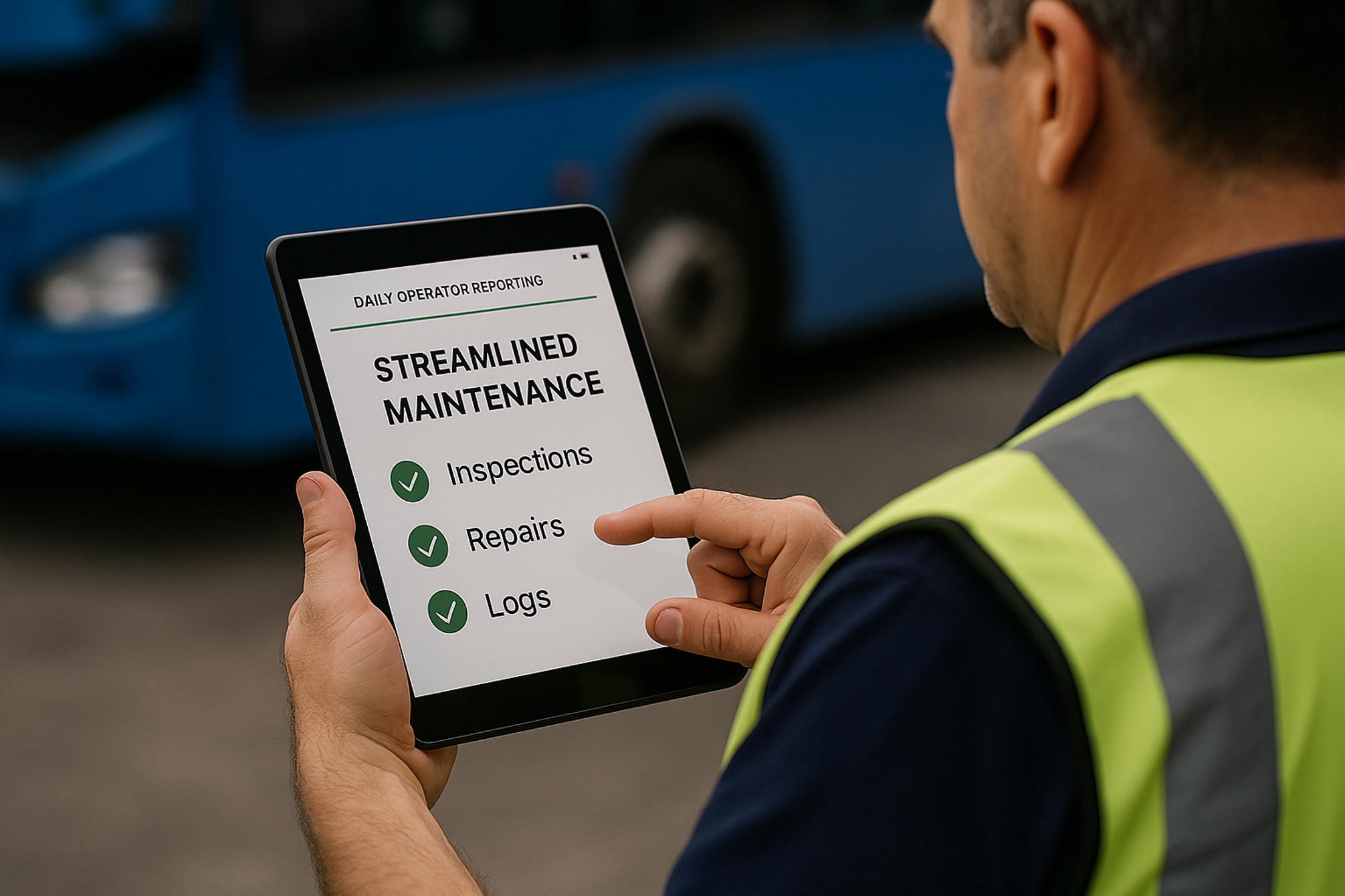
On a mixed equipment fleet, the daily operator report is the single most valuable piece of data nobody standardizes. An excavator operator, a haul-truck driver, a forklift operator, and a loader operator all start their shift the same way — checking the machine, noting the hours, logging the fuel, flagging what's wrong — but on most fleets each does it differently, on a different paper form, if at all. The result is a visibility gap: the office knows what was logged, not what's actually happening across the yard, and the early defect signals that prevent breakdowns get lost in inconsistent, half-finished, or never-submitted reports. Paper captures only about 40% of the operational events that actually occur, and a defect scrawled on a sheet in a cab never becomes a work order. The fix isn't more forms — it's one standardized digital report that adapts to each machine type while capturing the same core data every operator, every shift: condition, hours, fuel, and defects. Standardized daily operator reporting turns the start-of-shift routine into fleet-wide visibility and the first line of defense against downtime. This page covers what a daily report should capture, the mixed-fleet standardization problem, and how to make it consistent across every machine.
Four Machine Types, Four Different Forms, Zero Real Visibility
HVI gives every operator one standardized daily report that adapts to their machine — condition, hours, fuel, and defects — captured on a phone, flagged with a photo, and routed instantly, so the office finally sees what's actually happening across the whole mixed fleet.
What a Daily Operator Report Should Capture
A useful daily report does four jobs at once — and the same four for every machine type, even when the specific checks differ. Get these consistently and the report becomes the backbone of fleet visibility.
Condition & Defects
A guided walk-around that flags anything wrong — a leak, a worn tire, a soft brake — with a photo. The earliest, cheapest signal of a developing failure, captured before the shift starts.
Engine Hours / Meter
The reading that drives everything — usage-based PM scheduling, utilization tracking, cost-per-hour. Captured daily, it keeps every machine on the right service interval automatically.
Fuel / Energy Logging
Fuel added or burned, or charge for electric units. Tracked per machine, it surfaces efficiency outliers, fuel waste, and the consumption trends that flag a developing mechanical problem.
Operator & Time Stamp
Who operated which machine, when. Establishes accountability, links defects to shifts, and builds the per-operator and per-asset history that makes the data actionable.
The Mixed-Fleet Standardization Problem
The challenge isn't any single report — it's making them consistent across machine types that each need different checks. The wrong fix is one rigid form; the right one is a standard structure that adapts.
THE PROBLEM
Each machine type on a different paper form
Inconsistent fields — hours here, fuel there, defects nowhere
Reports half-finished, illegible, or never submitted
No way to compare or roll up across the fleet
Office sees what was logged, not what's happening
THE FIX
One report structure, machine-specific checklists within it
Same core fields — condition, hours, fuel — every machine
Required fields mean nothing gets skipped or lost
Every report rolls up into one fleet-wide view
Real-time visibility into the actual state of the yard
The key is a checklist that adapts per machine — an excavator gets hydraulic and undercarriage checks, a forklift gets mast and fork checks, a haul truck gets brake and tire checks — while the report's structure, core data, and submission flow stay identical. Standard where it counts, specific where it matters.
One Report, Adapted to Each Machine
The same four-part report flexes to fit whatever the operator is running. The core data stays constant; the condition checklist changes to match the machine.
Excavator
Hydraulics, undercarriage, tracks, bucket & pins, DEF — plus hours, fuel, defects.
Haul Truck
Brakes, tires, steering, dump body, lights — plus hours, fuel, defects.
Forklift
Mast, forks, hydraulics, tires, horn & lights — plus hours, fuel/charge, defects.
Wheel Loader
Bucket, hydraulics, articulation, tires, brakes — plus hours, fuel, defects.
Four different machines, four tailored checklists — but one report format, one set of core fields, and one place all the data lands. That's what makes a mixed fleet measurable.
From Daily Report to Fleet Visibility
The payoff of standardizing isn't tidier paperwork — it's that the data finally connects. A consistent daily report feeds four things a mixed fleet can't run without.
Defects Become Work Orders
A flagged defect routes straight to maintenance with a photo — caught at the cheap early stage instead of becoming a mid-shift breakdown.
Hours Drive PM
Daily meter readings keep every machine on its usage-based service interval automatically — no machine over- or under-served.
Fuel Reveals Outliers
Per-machine fuel trends surface the unit burning more than its peers — an early sign of a mechanical problem or waste.
The Office Sees the Yard
Every report rolls into one real-time view — which machines ran, what's flagged, what's due — across the entire mixed fleet.
The Daily Report Flow
From the operator's side it's fast and identical on every machine; from the office side it's instant, comparable data. Three steps, every shift.
1
Operator Reports
On a phone in minutes: the machine-specific walk-around, hours, fuel, and any defect with a photo — the same flow whatever they're running.
2
Data Routes
Defects become work orders, hours update PM schedules, fuel logs to the asset — automatically, no transcription.
3
Office Sees All
Every report rolls into one fleet-wide dashboard in real time — comparable across machine types, ready to act on.
Standardize Reporting Across Every Machine
One daily operator report adapted to each machine type — condition and defects, engine hours, fuel logging, and operator accountability — captured on a phone, routed automatically, and rolled into one fleet-wide view. Close the visibility gap on your mixed fleet. Trusted by 25,000+ users worldwide.
Frequently Asked Questions
What should a daily operator report include?
Four core things, captured the same way on every machine: a condition check or guided walk-around that flags defects (ideally with a photo), the engine-hour or meter reading, fuel added or burned (or charge for electric units), and the operator's identity with a timestamp. The specific inspection items differ by machine type, but those four data points stay constant — they're what drive PM scheduling, defect-to-work-order routing, fuel-efficiency tracking, and accountability. Capturing them consistently every shift turns the report into the backbone of fleet visibility.
Sign up for a free HVI trial to standardize reports.
How do you standardize reporting across different machine types?
Not with one rigid form, but with one report structure that adapts. The format, the core fields (condition, hours, fuel, operator), and the submission flow stay identical across the fleet, while the condition checklist changes to match each machine — hydraulic and undercarriage checks for an excavator, mast and fork checks for a forklift, brake and tire checks for a haul truck. A digital system serves the right checklist automatically based on the machine, so operators never see irrelevant fields and the office gets comparable, roll-up-able data across every asset type. Standard where it counts, specific where it matters.
Schedule a demo to see adaptive checklists.
Why is paper reporting a problem on a mixed fleet?
Because it creates a visibility gap. Each machine type tends to end up on a different paper form with inconsistent fields, reports come back half-finished, illegible, or not at all, and there's no way to compare or roll up data across the fleet — so the office sees what was logged rather than what's actually happening in the yard. Paper captures only about 40% of operational events, and a defect noted on a sheet in a cab rarely becomes a work order. Standardized digital reporting closes that gap with required fields, instant routing, and one consolidated view.
Sign up for a free HVI trial to close the gap.
How do daily reports reduce equipment downtime?
By catching problems at the earliest, cheapest stage. A daily condition check is the first place a developing defect shows up — a leak, a worn component, a soft brake — and when that flag routes straight to maintenance as a work order, it gets fixed in a planned window instead of becoming a mid-shift breakdown. Daily hour readings keep every machine on its correct usage-based service interval so nothing runs past due, and fuel trends surface mechanical problems early. Together these turn the start-of-shift report into the first line of defense against unplanned downtime.
Schedule a demo to see defect routing.
Why capture engine hours and fuel on the daily report?
Because they're the data that makes everything else work. Daily engine-hour or meter readings drive usage-based PM scheduling — the only accurate way to service a mixed fleet, since a machine running three shifts hits its intervals far faster than the calendar suggests. Fuel or energy logging, tracked per machine, reveals efficiency outliers and the consumption trends that often signal a developing mechanical problem before a defect is even visible. Capturing both on the same daily report the operator already completes means no extra step, and it builds the per-asset history behind cost-per-hour and utilization analysis.
Sign up for a free HVI trial to track hours and fuel.


.png)