A mechanic turning over bins at 7 a.m. looking for a fuel filter the shelf swears is in stock is the most expensive kind of quiet. The truck's on a lift, the bay's tied up, and nobody's turning a wrench. Good fleet parts room organization kills that moment for good. This guide walks the practical systems that fix it — 5S to set the room up, Kanban to keep it stocked, bin labels and cycle counts to keep it honest — with real shop examples, not slogans. Book a demo to see the digital side.
A Parts Room That Runs on Five Steps
5S is the backbone of every well-run shop parts room. Get these five right, in order, and the searching, the stockouts, and the mystery shelves mostly disappear.
If you run a parts room or a shop floor, you know the cost of a bad one: mechanics doubling as treasure hunters, "we're out" discovered only when the part is needed, and a purchasing budget bleeding on duplicate orders for stock already on a shelf. Fleet parts room organization isn't about a tidy photo — it's about a repair never waiting on a part that was in the building.
What Fleet Parts Room Organization Really Meansvisibility, not just tidiness
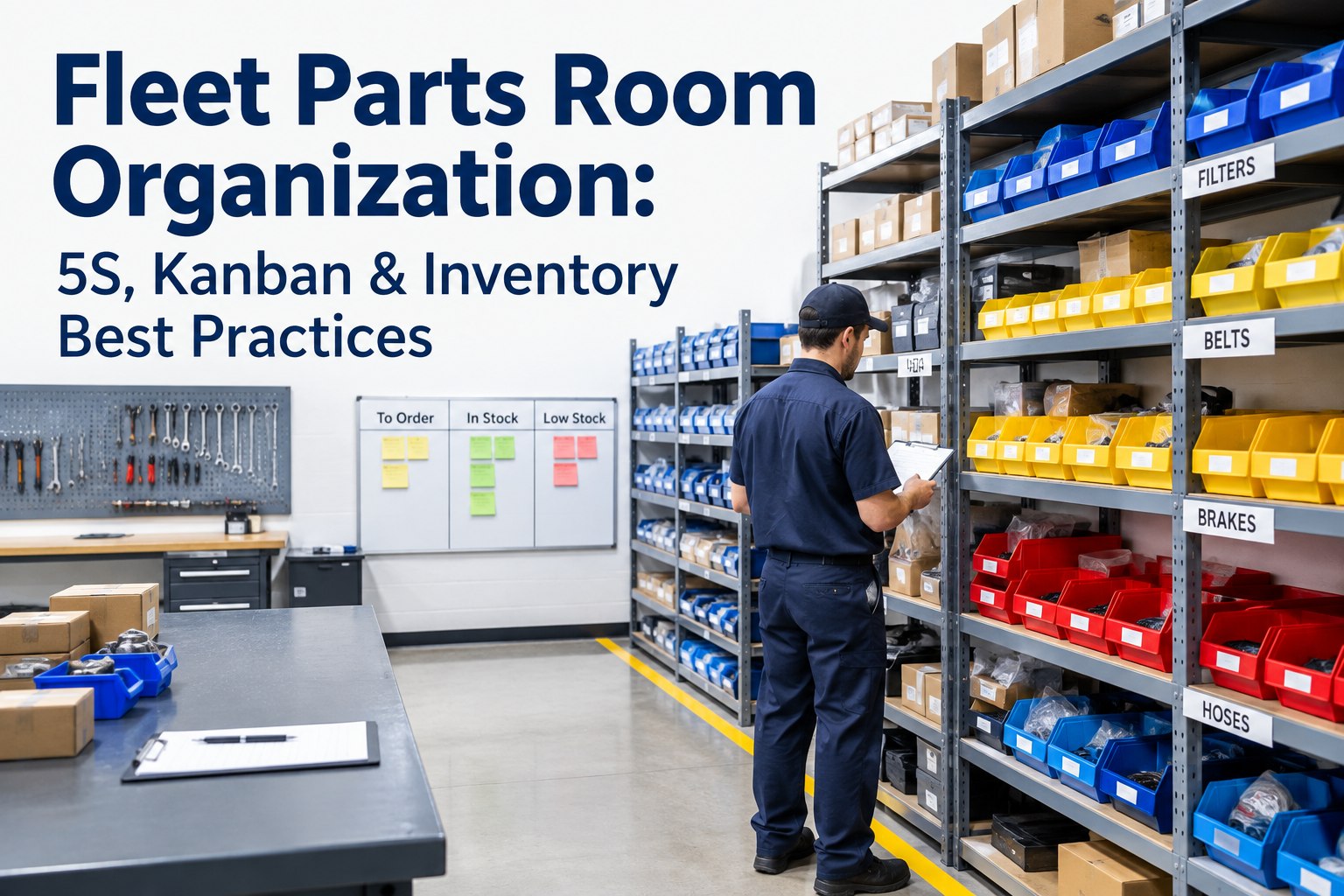
Organizing a fleet parts room means building a system where anyone — senior tech or new hire — can find any part in seconds, trust the shelf count matches the system, and know a replacement is already on the way. Three things have to be true at once: every part has a fixed, labeled home; the stock level is visible at a glance; and replenishment happens automatically, not when someone remembers.
The parts are familiar to any fleet shop — oil, air, and fuel filters; belts; coolant and hydraulic hoses; bulbs; brake pads, shoes, drums, and chambers; wiper blades; fluids; and fast-moving hardware like fittings and fasteners. The challenge isn't knowing what to stock — it's keeping all of it findable, countable, and replenished without one person holding the system in their head.
The 5S Method, Applied to a Parts Roomwhat each step looks like on a real shelf
5S is a lean method borrowed from manufacturing, but it maps onto a fleet parts room cleanly. Here's what each of the five steps actually involves when the "workpiece" is a shelf of brake chambers and a wall of filters.
Most shops nail the first three steps in a weekend, then watch the room slide back within a month because they skipped four and five. The organizing is easy; the standard and the habit are what make it last. Start free and standardize your part numbering and low-stock flags in one place
Bin Labels That Actually Workthe anatomy of a label a new hire can read
A good bin label does more than name the part. It ties a location to a part number, a stock level, and a reorder trigger — so the shelf and the system speak the same language.
Keep the format identical on every bin — same fields, same order, same spot. Consistency lets a tech read any label without thinking. Color-coding by category helps too: a color band for filters, another for electrical, another for brakes, so the eye finds the zone before it reads a word. When labels carry a barcode, a scan at the bin deducts the part the instant it's pulled — the shelf and the count stay married. Book a demo to generate scannable bin labels tied to live stock counts
How Kanban Keeps the Shelf Stockedthe two-bin system, in plain terms
Kanban is a fancy word for a simple, self-triggering restock signal. The classic version for a parts room is the two-bin system: it removes the "did anyone order more?" step entirely, because the empty bin is the order.
Size each bin to cover the lead time to get more — a filter you restock in a day needs a smaller second bin than a brake chamber that takes a week. The beauty is that it's visual and idiot-proof: an empty bin is impossible to ignore, where a spreadsheet number is easy to miss. Digital systems do the same with a low-stock threshold that fires an automatic reorder when the count drops.
Setting Min and Max Stock Levelsthe numbers that decide reorder timing
Every part needs two numbers: a minimum (reorder point) and a maximum (restock-to level). Get them right and you're never scrambling for a part or drowning in one. The minimum isn't a guess — it's built from how fast the part moves and how long it takes to replace.
Roughly: how many you use during the lead time to get more, plus a small safety buffer. A fuel filter you burn through 2 a day with a 3-day lead time needs a minimum around 6–8 — enough to keep working while the reorder ships.
High enough to make ordering worthwhile, low enough to avoid tying up cash and shelf space in parts that age. A common target is a few weeks of demand — not six months of it gathering dust.
Review the numbers seasonally and after fleet changes. Add ten trucks and filter and brake-pad demand climbs; retire a model and its unique parts should drop off the shelf. Static min/max levels quietly drift out of sync with a changing fleet — which is why tying them to actual consumption data beats setting them once and forgetting. Start free and set min/max thresholds that trigger reorders automatically
Fast-Moving, Critical, and Slow: Not All Parts Are Equalwhere to spend your attention and your shelf space
Treating every part the same is how good rooms go wrong. A $3 bulb and a $3,000 turbo don't deserve the same strategy. Sort inventory into a few buckets and manage each on its own logic.
Filters, bulbs, wiper blades, fluids, fittings. High volume, low cost. Keep generous stock, prime golden-zone spots, and tight Kanban loops. Running out should be nearly impossible.
The part that idles an expensive truck if it's missing — a specific sensor, a hard-to-source fitting, a long-lead component. Low usage, high consequence. Stock at least one however rarely it moves, and flag it so it's never quietly used up.
Parts that turn a few times a year, or not at all. Keep slow movers minimal; purge true obsolete stock in the Sort step. Money on a shelf as a part you'll never use is money you can't spend on one you will.
The distinction that trips shops up most is fast-moving versus critical. A part can be critical without moving fast — and those are the dangerous ones, easy to forget until a truck is down waiting for one. Flag critical spares explicitly, separate from high-volume stock, so they get watched even when they sit still.
Cycle Counting: Keeping the Count Honestwhy the annual count isn't enough
A parts room's worst enemy is a count that's wrong — the shelf says four, the system says four, and there are actually zero. Cycle counting is the fix: instead of one shop-halting inventory once a year, you count a small slice on a rolling schedule, so the whole room gets verified over time without ever shutting down.
A practical rhythm: count your fast-moving and critical parts most often — monthly or even weekly — because they turn quickly and errors there hurt most. Count mid-volume parts quarterly, and slow movers once or twice a year. Every count is a chance to catch a miscount, a part pulled without being logged, or a bin someone refilled with the wrong item. Fix the discrepancy and, more importantly, find why it happened.
The goal isn't a perfect number for its own sake — it's trust. When mechanics trust the count, they stop "just checking" the shelf and stop hoarding a private stash. Barcode scanning at the point of use makes cycle counts fast and accurate, because every pull is logged the moment it happens. Book a demo to see scan-based counts that reconcile in minutes
Paper Inventory vs Digital Inventorywhere the clipboard finally breaks down
A binder and bin cards can run a small, stable parts room. But the moment a fleet grows, adds a location, or churns parts fast, paper turns into a full-time job that's always slightly wrong.
- Count is only as fresh as the last manual update
- Reorders depend on someone noticing
- No link between a part and the job it went on
- Second location is a second, disconnected list
- Duplicate orders for stock you already have
- Stock deducts automatically as parts are consumed
- Low-stock threshold fires an auto reorder demand
- Every part logged to vehicle, work order & mechanic
- One inventory view across all locations
- Cost-per-vehicle from real consumption data
This is where parts organization stops being a shelving project and becomes a maintenance advantage. A digital parts inventory and shop platform connects the room to the operation — an inspection flags a defect, the work order reserves the part, the mechanic scans it in, stock deducts, and a reorder fires below minimum. The shelf, the count, and the repair finally tell the same story.
From a shop foreman who rebuilt his parts room
My guys used to keep coffee cans of "their" fittings and bulbs at their boxes, because they didn't trust the shelf. That's the real tell — when the mechanics hoard, your parts room has already failed, whatever the spreadsheet says.
We ran a real 5S weekend, labeled every bin with a location and a min/max, and put the fast movers by the door. Then we went digital so the count actually meant something. The hoarding stopped within a month, because the shelf was finally right. Now a new hire finds a fuel filter as fast as my twenty-year guy.
Fleet parts room organization checklist
A working checklist: run the top block once to organize, the bottom block on repeat to sustain.
- Sort out obsolete, wrong, and duplicate parts
- Give every part one fixed, labeled home
- Put fast movers in the golden zone near the door
- Label bins with location, name, part number, min/max, barcode
- Color-code labels by category (filters, electrical, brakes…)
- Set min/max levels from usage and lead time
- Flag critical spares separately from fast movers
- Cycle count fast/critical parts monthly, others quarterly
- Log every part pulled — scan at the bin
- Reorder on the Kanban/min signal, not from memory
- Do a weekly walk to catch drift and mislabels
- Review min/max after every fleet change or season
- Purge new obsolete stock as it appears
Print it, tape it inside the parts room door, and work it. The setup block is a weekend; the sustain block is what separates a room that stays organized from one that falls apart by spring.
The takeaway
Fleet parts room organization comes down to one outcome: a repair never waits on a part that was in the building. 5S builds the structure, bin labels and min/max make it visible, Kanban and cycle counting keep it stocked and honest, and a digital inventory ties it to the work orders and vehicles it serves. The shelving is a weekend; making it stick is where the right system earns its keep. Book a demo to see parts inventory and shop management run together in HVI
Frequently asked questions
How do you organize a fleet parts room?
Start with the 5S method. Sort out obsolete, wrong, and duplicate parts; Set every remaining part in a fixed, labeled home with fast movers in the golden zone; Shine the shelves so shortages are visible; Standardize one labeling and restocking rule; and Sustain it with weekly walks and cycle counts. Then layer on the operating systems: label each bin with a location, part name, part number, minimum and maximum stock levels, and a barcode; use a Kanban or two-bin system so an empty bin automatically signals a reorder; and cycle count on a rolling schedule so the count stays honest. The goal is that anyone — a new hire or a night-shift mechanic — can find any part in seconds and trust that the shelf matches the system. Digital parts inventory software makes this durable by deducting stock automatically as parts are consumed and firing reorder alerts when levels drop.
What is 5S in a parts room?
5S is a five-step organization method — Sort, Set in Order, Shine, Standardize, and Sustain — adapted from lean manufacturing to any workspace, including a fleet parts room. Sort means removing obsolete, superseded, and duplicate parts. Set in Order means giving every part one logical, labeled location, with high-use items placed for easy access. Shine means keeping shelves and bins clean so problems like shortages or damage are obvious. Standardize means writing down consistent rules for labeling, storage, and restocking so the system doesn't depend on one person's memory. Sustain means building the audits and habits that keep the room from sliding back into disorder. The order matters: each step depends on the one before it, and most parts rooms that revert to chaos did the first three steps but skipped standardizing and sustaining.
How does Kanban work for parts inventory?
Kanban is a visual, self-triggering replenishment system. The most common version for a parts room is the two-bin system: you keep two bins of the same part, and mechanics pull from the first bin until it is empty. The empty bin — or a Kanban card attached to it — becomes the reorder signal and goes to a designated spot, while work continues uninterrupted from the second bin. When the reorder arrives, the empty bin is refilled and placed behind the one in use. Because the empty bin itself is the signal, nobody has to remember to check stock or place an order — the system prompts replenishment automatically. Each bin is sized to hold enough parts to cover the lead time to get more, so you never run out while waiting. Digital inventory systems replicate the same logic with a low-stock threshold that automatically generates a reorder demand when the count drops.
How often should fleet parts be cycle counted?
Cycle counting means verifying a small portion of inventory on a rolling schedule rather than counting everything at once in an annual shutdown. Frequency should match how fast and how critical a part is. Fast-moving parts like filters, bulbs, and common fluids, along with critical spares that would idle expensive equipment if missing, should be counted most often — monthly or even weekly — because they turn quickly and errors hurt most. Mid-volume parts can be counted quarterly, and slow movers once or twice a year. This approach keeps the count accurate continuously without ever halting the shop, and every count is a chance to catch a miscount, an unlogged pull, or a bin refilled with the wrong part. Barcode scanning at the point of use makes cycle counts far faster and more accurate, because each part is logged the moment it is pulled for a job.
How do you prevent parts stockouts?
Stockouts come from three failures: not knowing you're low, not reordering in time, and losing track of what you actually have. Prevent them with layered controls. Set a minimum stock level for every part based on how fast it moves and how long it takes to replace, so you reorder before running out. Use a Kanban or two-bin system, or a digital low-stock threshold, so replenishment triggers automatically instead of depending on memory. Keep the count honest with regular cycle counting so the shelf matches the system. Stock at least one of every critical spare regardless of how rarely it moves, and flag those parts separately so they're never quietly used up without a reorder. Finally, log every part as it's pulled — ideally by scanning at the bin — so consumption is captured in real time. Digital parts inventory ties all of this together by deducting stock automatically and generating reorder alerts the moment a part crosses its minimum.
Turn an organized parts room into real maintenance uptime
HVI holds your parts catalog with min/max levels and barcode labels, deducts stock automatically when a part is consumed on a work order, fires reorder alerts before you run out, and links every part to the vehicle, work order, and mechanic that used it. The 5S weekend gets you organized — HVI keeps the count honest and the shelf stocked for good.
No credit card · No hardware · Parts inventory ready on day one