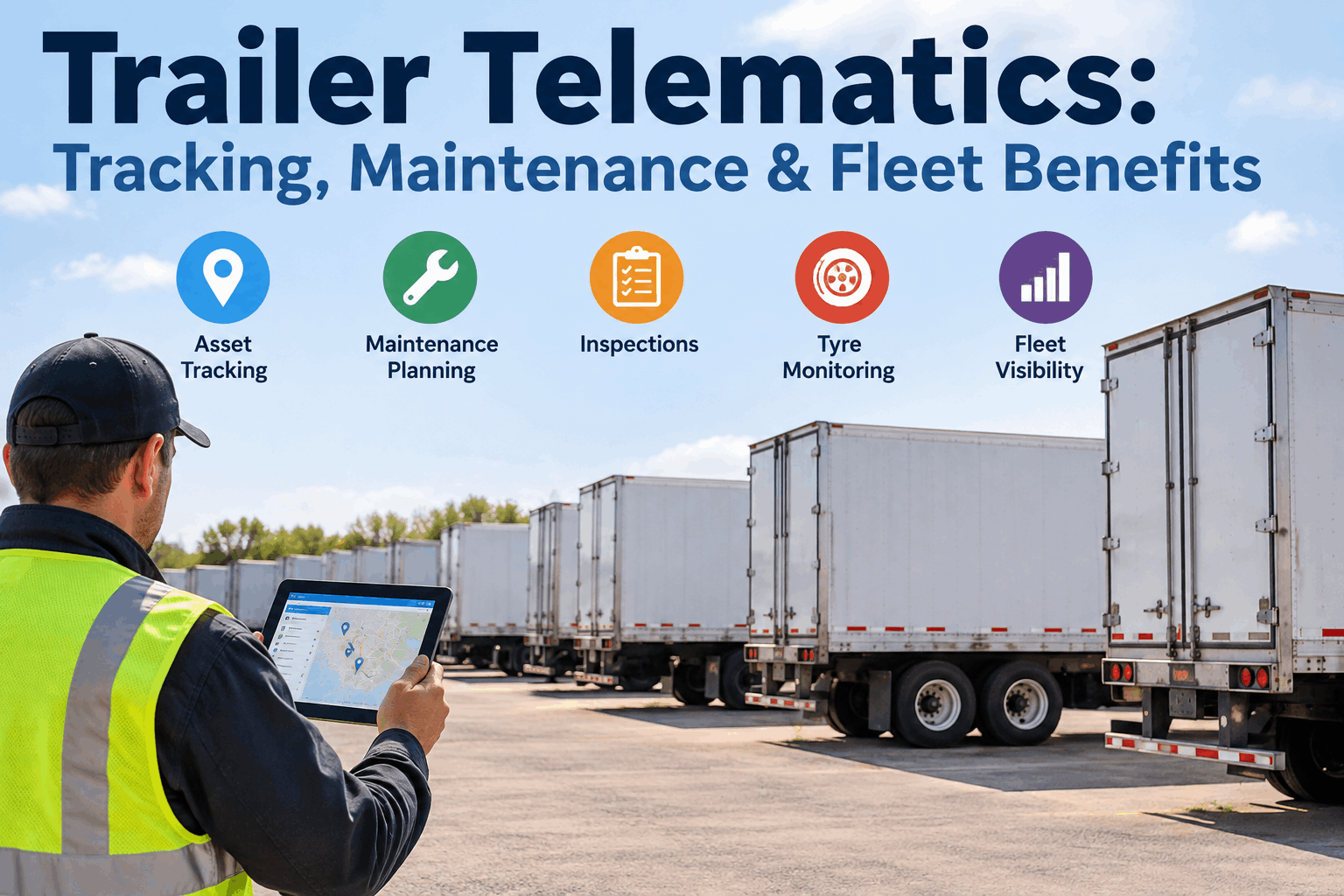
Trailer telematics turns your most invisible assets into ones you can actually see. A truck reports its location, mileage and fault codes all day — but the trailer behind it has no engine, no odometer and often no power, so once it is dropped it goes dark. Telematics closes that blind spot with GPS and onboard sensors, and the real payoff comes when that data feeds your maintenance and inspection workflow instead of just a map. Book a demo to see trailer data turned into action.
Your Trailers Go Dark the Moment They're Dropped
A trailer has no engine to report from — so location, usage and condition vanish once it leaves the truck. Telematics puts every trailer back on the map, and turns its sensor data into maintenance you can plan.
Here's the full picture — why trailers go dark, what each sensor actually tells you, how that raw data becomes maintenance and inspection action inside HVI, what utilisation and dwell data reveal, and what to weigh on installation, power and connectivity before you roll it out.
Why a trailer goes dark once it's droppedthe blind spot at the heart of trailer tracking
A truck is a powered, connected computer on wheels; a trailer is a steel box with no engine, no ECU and often no battery of its own. The moment it's uncoupled, its location, mileage and condition simply stop being reported — and with trailer-to-truck ratios often running two or three to one, most of your fleet is dark most of the time.
That darkness is why trailers are the assets fleets lose track of, over-buy, and under-maintain. Telematics is simply the power and the antenna the trailer never had — the same visibility gap that asset tracking across a mixed fleet is built to close. Book a demo to put every trailer back on the map
What each trailer sensor actually tells youthe data streams behind trailer telematics benefits
Trailer telematics isn't one signal — it's a stack of sensors, each answering a different operational question. Knowing what each one delivers is how you decide which package a given trailer type actually needs.
| Sensor | What it reports | What you do with it |
|---|---|---|
| GPS location | Live position and movement history | Find trailers in pools and yards; recover stolen units |
| Hub odometer | Actual distance travelled | Drive usage-based service on an asset with no engine odometer |
| TPMS | Tire pressure and temperature | Catch a slow leak before a blowout or a roadside |
| Door sensor | Open / closed and dwell while open | Confirm loads, flag security events, time dock stops |
| Temperature | Reefer setpoint and cargo temp | Protect cold-chain loads and prove the chain held |
| ABS / EBS | Brake fault codes and warnings | Route a brake defect to the shop before inspection day |
The pattern is that every stream is either a safety signal or a maintenance signal — which is exactly why telematics is only half the value until it connects to the system that acts on it, the way HVI already handles fleet tire pressure monitoring. Start free and turn sensor data into defects.
Which sensors matter for your trailer typea starting spec by the equipment you actually run
You don't need every sensor on every trailer. The right package follows the trailer type and the failure that hurts you most — here's a sensible starting point for the four most common classes.
Temperature and reefer-unit data lead — a cold-chain break is the costly failure. Add GPS and TPMS as the base layer.
Door sensors and location matter most — proving loads, flagging security events, and finding units in drop pools. Hub miles drive PM.
Location and TPMS carry the load — flatbeds range widely and blowouts are the frequent roadside. Add hub miles for wear-based service.
TPMS and ABS/EBS brake data come first for a heavy, high-consequence load, with GPS and temperature where the product needs it.
Whatever the mix, the sensors are only the input — the value is what your maintenance system does with them next. Book a demo to map the right feed for your trailer types
From raw signal to maintenance actionhow trailer telematics maintenance actually works
The gap most fleets hit is that telematics and maintenance live in separate tabs — the data sits in one dashboard while the service happens in another. Closing that gap is where the ROI is, and it comes down to four connections.
Hub-odometer mileage feeds usage-based PM alongside the calendar, so a heavily used trailer is serviced on wear, not just on date. A trailer running long lanes gets attention sooner; one that mostly sits doesn't get needless shop time — both save money the blind calendar wastes.
A TPMS or EBS alert becomes a routed defect with a work order, not a warning light nobody standing at the trailer ever sees. On an unmanned trailer parked at a yard, the sensor is often the only thing watching — so the alert has to reach a person who can act on it.
Annual-inspection alerts fire on schedule and can be timed to when location data shows the trailer is near a capable facility — so a unit gets its DOT inspection on a planned return, not pulled off a lane in a panic.
Inspection photos and defect records live on the same trailer record as the sensor history, so the full story is in one place.
Done right, the trailer's data and its service history stop being two systems and become one record — the same connected approach behind HVI's telematics integration for inspections and PM. Book a demo to see meter data drive a PM schedule
The number that pays for it: utilisationdwell-time data finds the trailers you don't need to buy
Around a fifth of trailers sit idle at any given moment, and most fleets can't say which ones. Utilisation and dwell data turn that from a guess into a list — the units parked at a customer site for weeks, the ones nobody's touched all quarter.
of trailers sit idle
At any given time, per fleet telematics data — capacity you're paying for and not using.
flags the stragglers
Units past a dwell threshold at a customer site surface automatically for redeployment.
right-size the pool
Real usage shows whether the fleet is actually short trailers or just tracking them poorly.
That utilisation view is often what pays back the hardware inside a year — one avoided trailer purchase covers a lot of tracking devices. It also feeds the responsibility side of a shared trailer pool, where knowing where each unit sits is half the battle. Start free and see utilisation per trailer.
What to weigh before you roll it outinstallation, power and connectivity for trailer telematics systems
Because a trailer has no power of its own, the practical questions are different from a truck install — and getting them right up front decides whether the data keeps flowing once the trailer is parked for weeks.
The last one is the one fleets underweight: a telematics contract that never connects to maintenance just adds another login. Plan the integration first, and the hardware choice gets easier. Book a demo to check the integration path for your provider
From a fleet operations manager
We put trackers on the trailers mostly to stop losing them at customer yards — and that alone paid off in the first month when we found nine units we'd have otherwise leased around. But the surprise was maintenance: once the hub miles fed our PM schedule, we stopped servicing lightly-used trailers on a blind calendar and caught two brake faults off EBS codes before they ever hit a roadside. The map was the hook; the service data was the real win.
How HVI turns trailer data into workintegrated telematics, PM schedules and inspection alerts
Trailer telematics earns its keep when the data lands in the system that maintains the trailer. HVI connects telematics and meter data to Calendar PM, annual-inspection alerts, defect records and photo evidence — one record per trailer, fed by its own sensors.
Connect the telematics feed
Location, hub miles and sensor data flow into HVI against each trailer as an asset.
Drive PM & inspection alerts
Miles trigger usage-based service; annual-inspection alerts fire on time, timed to location.
Keep one trailer record
Sensor history, defects, inspections and photos stay together on the unit.
See how telematics, PM and inspections share one screen inside HVI's inspection and maintenance platform. Line it up in a quick demo
Trailer telematics: quick answers
What is trailer telematics?
Trailer telematics is a system of GPS tracking and onboard sensors that monitors a trailer's location, usage and condition in real time — even when it's uncoupled from a truck. Because a trailer has no engine to report from, telematics adds the power, antenna and sensors it lacks, then sends that data to software where it can drive tracking, maintenance and inspections.
How do trailers track mileage without an odometer?
Trailers use a hub odometer or wheel-speed sensor that counts actual distance travelled, since there's no engine odometer. That mileage flows through the telematics feed and can drive usage-based maintenance — servicing a heavily used trailer on real wear rather than only on a calendar date.
What sensors are used in trailer telematics?
Common ones are GPS for location, a hub odometer for mileage, TPMS for tire pressure and temperature, door sensors for open/closed and security events, temperature sensors for reefer and cargo, and ABS/EBS integration for brake fault codes. Which package a trailer needs depends on its type — a reefer prioritises temperature, a dry van prioritises door and location, and a flatbed leans on location and TPMS. Start with the sensors that map to your biggest failure or loss, then expand.
What is the ROI of trailer telematics?
The fastest payback is usually utilisation: since roughly a fifth of trailers sit idle at any time, dwell-time data often surfaces enough underused units to avoid a purchase or a lease that covers the hardware cost. Added returns come from theft recovery, fewer roadside tire and brake failures, and usage-based maintenance that avoids both over- and under-servicing. The returns compound once the data drives maintenance rather than just sitting in a tracking dashboard.
How does HVI use trailer telematics data?
HVI integrates telematics and meter data alongside Calendar PM, annual-inspection alerts, defect records and photo capture. Hub miles drive usage-based PM, sensor faults become routed defects, inspection alerts can be timed to a trailer's location, and everything stays on one trailer record — so the data becomes scheduled work instead of a separate dashboard.
Stop watching trailer dots. Start acting on trailer data.
HVI connects your trailer telematics to Calendar PM, annual-inspection alerts, defects and photo evidence — so hub miles schedule service, sensor faults become work orders, and every trailer keeps one record. The data you're already collecting finally does something.
No credit card · Telematics-fed trailer records on day one
- Hub miles → usage-based PM
- Sensor faults → routed defects
- Location-timed inspection alerts
- Utilisation & dwell per trailer
- Sensor, defect & photo history in one record