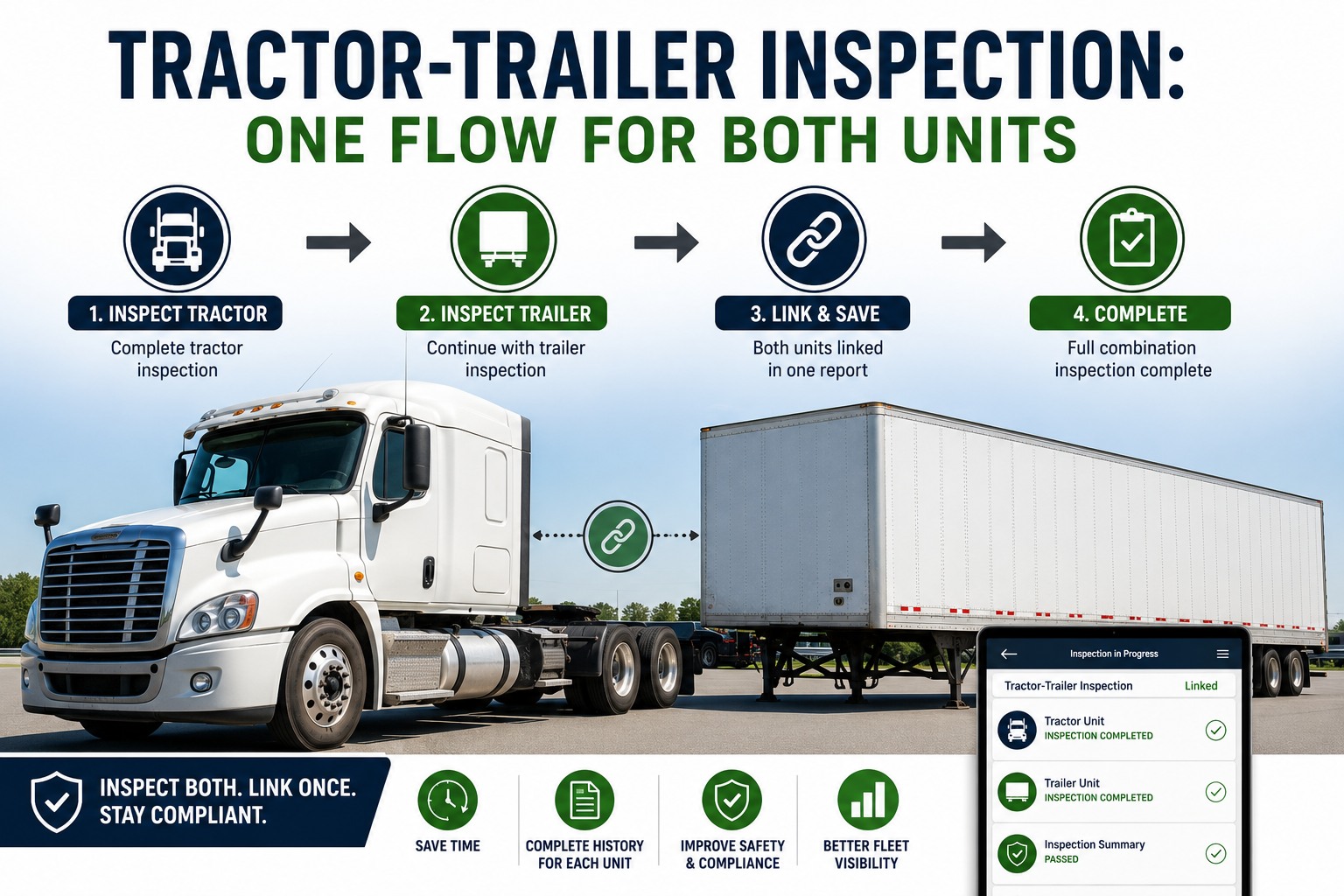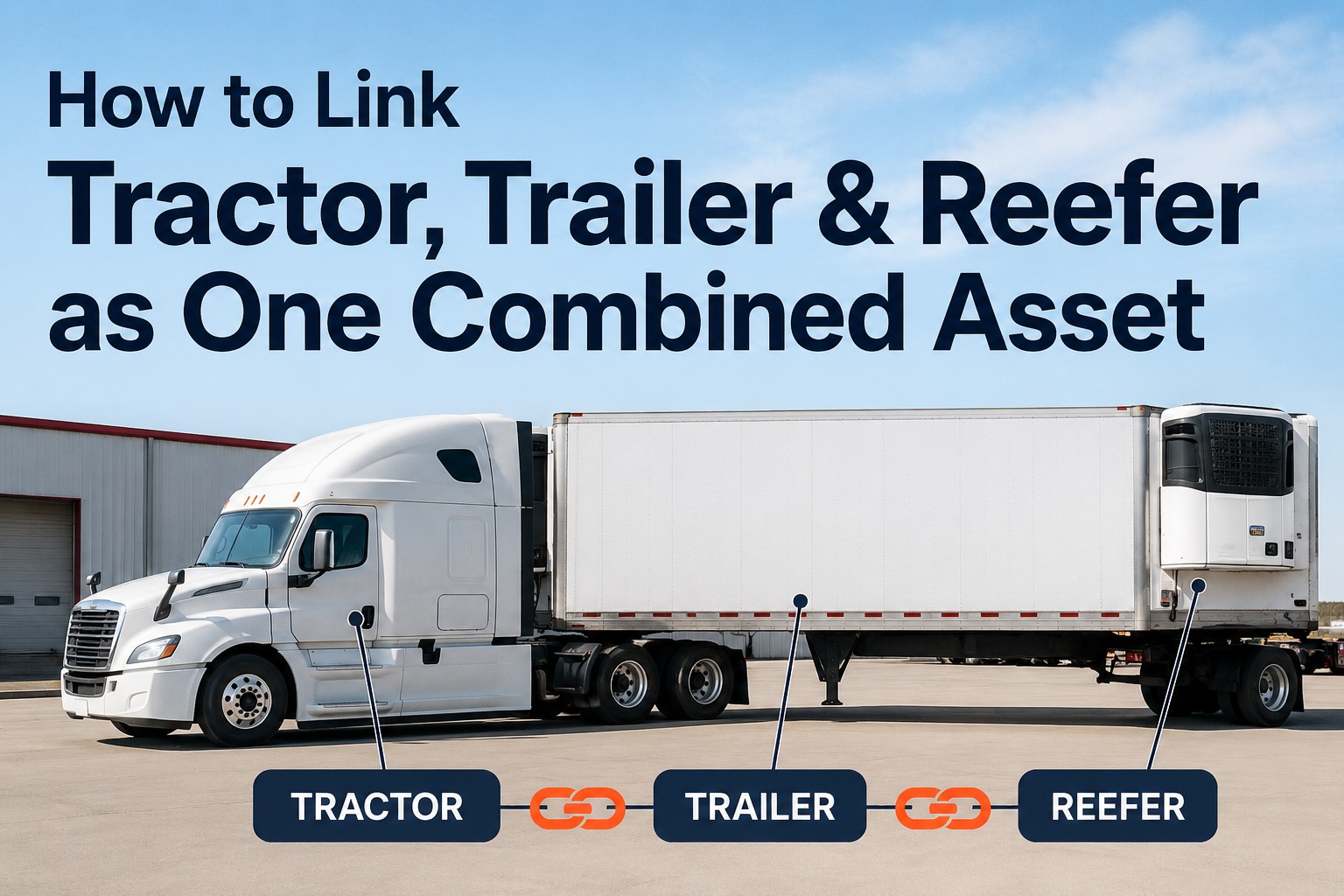
Ask any long-haul driver what changes most between Monday and Friday and the answer is the equipment. Tractor 217 hauled reefer 8022 yesterday; today it's dry van 4104. Each unit still needs its own DVIR and maintenance history — but the driver inspects them as one working combination. This guide shows how to set up a tractor trailer combined asset in HVI so linked DVIRs stay tied to the right equipment and per-asset records stay clean. Book a demo to see the linked workflow live.
Three Assets. One Inspection Workflow. Three Separate Histories.
Here's what a tractor + trailer + reefer looks like once they're linked as a combined asset in HVI.
- 37+ inspection points
- Engine, brakes, fifth wheel
- Own PM schedule
- 28+ inspection points
- Brakes, tires, landing gear
- Own PM schedule
- 15+ inspection points
- Temp, fuel, door seals
- Own PM schedule
FMCSA guidance under 49 CFR 396.11 explicitly allows one DVIR to cover a combination vehicle — provided any defects are identified for each unit separately and the driver signs it. That "separately" is the whole game. Get it right and one signed report protects three assets. Get it wrong and a defect on the reefer ends up in the tractor's maintenance file, and neither history is trustworthy at audit time.
Why paper DVIRs break combinationsThe scale problem you can see in one paragraph
A driver operating a tractor, trailer, and reefer completes three separate paper DVIRs every day. Across a year, that's roughly 780 handwritten forms per driver. On a 50-truck fleet, you're looking at nearly 39,000 paper forms — filled by hand, filed in folders, retained for 3+ months per FMCSA rules, and pulled manually every time DOT knocks. When today's tractor pulled yesterday's trailer, and someone paperclipped the wrong forms together, the audit trail is broken. That's the operational reality that makes a digital combined asset workflow a compliance question, not a nice-to-have. Book a demo to see the paperless chain end-to-end
What "combined asset" actually meansThe distinction that keeps records clean
The word "combined" trips people up. It doesn't mean one merged mega-asset with no distinction between the tractor and trailer. It means three individually tracked assets that are temporarily linked for the duration of a trip, an inspection, or a shift — then unlinked when the equipment gets reshuffled. Here's the three-layer model. Book a demo to see this modeled live in HVI
Individual Asset Records
Each tractor, trailer, and reefer keeps its own permanent identity in HVI: VIN, unit number, PM schedule, service history, cost per mile, warranty status. This never changes. When trailer 4104 gets a brake job, that record sits on the trailer — not on whichever tractor happened to be attached that day.
Temporary Coupling
At the start of a shift, the driver links the units in the app — scan the tractor QR, scan the trailer QR, scan the reefer QR. HVI now knows these three assets are working as one combined unit today. Tomorrow the tractor may pull a different trailer; the link is undone in seconds.
Linked DVIR Workflow
The driver runs one guided walkaround that surfaces the correct checkpoints for each asset in sequence: tractor first, trailer second, reefer third. One signature at the end. But behind the scenes, HVI files three separate DVIR records — each attached to its own asset.
The three-layer model is what lets the same reefer keep its full history intact even when it's coupled to a different tractor every week. Book a demo to walk through all three layers in a live account
The 5-step setupFrom asset creation to first linked DVIR
Here's the full workflow, in the order a fleet manager and driver will actually run it. Total setup time on a fresh account is roughly 15–20 minutes for the first combined asset; each subsequent linkage is under 60 seconds. Start a free trial and follow along step by step.
Create each asset individually first
In HVI's Assets module, add the tractor, trailer, and reefer as separate entries. Enter VIN, unit number, year/make/model, license plate, and initial odometer or engine hours. Assign the correct asset type — tractor, trailer, reefer — because that's what tells HVI which inspection template to load later.
Assign the right inspection template to each
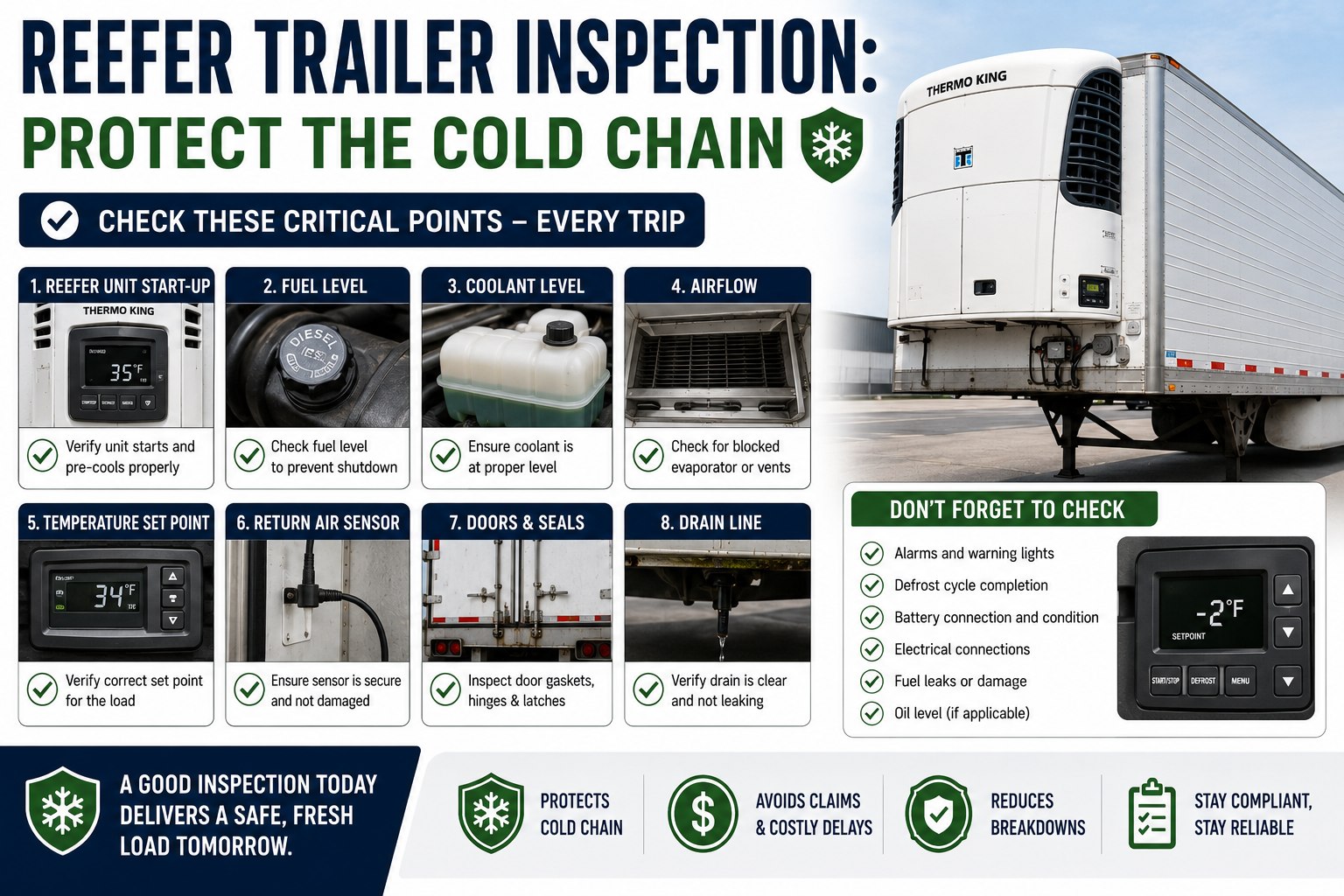
Tractors get the 37+ point walkaround template (engine, brakes, steering, lights, fifth wheel, cab, coupling). Trailers get the 28+ point template (brakes, tires, lights, reflective tape, landing gear, doors, cargo securement). Reefers get the 15+ point template (temp settings, fuel level, alarms, airflow, door seals, pre-cool verification). Templates load automatically once assigned.
Generate and print QR codes for each unit
From each asset's profile, generate a QR sticker (typically 3×3 inches). Weatherproof and mount somewhere the driver reaches naturally — driver-side door frame for tractors, front-left on the trailer nose, control panel for the reefer. This is what makes daily coupling take seconds, not minutes.
Link the combination at shift start
Open the HVI driver app, tap "Start Combined DVIR." Scan the tractor QR, then the trailer QR, then the reefer QR (order doesn't matter; HVI recognizes asset type automatically). The app now knows these three are today's working combination. This step takes 15–20 seconds and replaces the paperclip-and-hope method entirely.
Run one linked walkaround, submit one signed PDF
HVI walks the driver through the tractor checkpoints first, then trailer, then reefer — in the natural exterior-to-interior sequence, not alphabetical. Each defect gets a photo attached to the correct asset. At the end: one driver signature. Behind the scenes, HVI files three separate DVIR records — each on its own asset's timeline — and one signed combined PDF for compliance retention.
Once these five steps are done for one combined asset, every subsequent shift on that combination takes under a minute at yard exit. Book a demo to see the driver app in action
What links vs what stays separateThe rule that keeps audits clean
The whole reason combined assets work is that the linkage is deliberately shallow. Some things are shared across the combination. Most things stay on the individual asset, forever. Getting this line right is what separates a clean audit trail from a data mess. Book a demo to see the split in the actual dashboard
- Today's coupling — which tractor pulled which trailer with which reefer, on which shift
- Driver signature — one signature covers the linked DVIR
- Combined PDF — one downloadable report for roadside inspections and audit requests
- Trip context — route, dispatch number, timestamp, GPS location at inspection
- Shift-level workflow — one guided walkaround for the driver, one submission
- Defect records — every issue lands on the specific asset it belongs to, with photo evidence
- Maintenance history — full service log per unit, forever
- PM schedule — each asset triggers on its own odometer, engine hours, or calendar
- Cost per asset — labor, parts, fuel, tires tracked against the unit that incurred them
- Compliance retention — DVIR records stored for the FMCSA-required 3 months per asset
From a fleet ops manager running mixed reefer equipment
We're a 38-tractor operation running produce lanes out of the Central Valley. Our coupling changes 3–4 times a week — reefer 8022 might be on tractor 217 Monday, tractor 231 Wednesday, back to 217 Friday. Paper DVIRs meant maintenance history for that reefer was scattered across four different driver folders and nobody trusted the numbers.
Combined asset in HVI fixed it in a week. Drivers scan three QRs at yard exit, walk it once, submit. When reefer 8022 threw a low-fuel alarm three months in, we pulled its history in one click — every inspection, every defect, every service — regardless of which tractor it was linked to at the time. That's the number auditors ask for, and now we have it in seconds.
Frequently asked questions
Can one DVIR legally cover a tractor, trailer, and reefer together?
Yes. FMCSA guidance under 49 CFR 396.11 explicitly allows one DVIR to cover a combination vehicle, provided any defects are identified for each unit separately and the driver signs the report. The key requirement is separation of defects — a brake issue on the trailer must be documented as a trailer defect, not lumped into a generic combined-vehicle note. A digital combined asset DVIR in HVI meets this requirement by design: one driver walkaround and one signature at the shift level, but three separate DVIR records filed behind the scenes — each attached to its own asset with its own defect list, photo evidence, and maintenance routing. Operating two separate power units in one day still requires a separate report for each tractor, per FMCSA guidance.
What happens if the tractor pulls a different trailer tomorrow?
Nothing complicated. Combined asset linkage in HVI is deliberately temporary. At the start of each shift, the driver scans the QRs of whichever equipment they're actually pulling that day — the app re-establishes the combined asset for the shift. Yesterday's link is preserved for compliance and history, but doesn't carry forward. This is what makes the workflow realistic for fleets whose coupling changes daily: no admin overhead to "unlink" old combinations, no risk of yesterday's trailer defects following the tractor into today's inspection. Each shift starts clean, and every asset's individual history stays permanent regardless of what it was coupled with.
Does the driver have to inspect all three units to submit the combined DVIR?
Yes — HVI's guided workflow requires the driver to complete the checkpoint list for each linked asset before the combined DVIR can be submitted. The tractor's 37+ point walkaround, the trailer's 28+ point check, and the reefer's 15+ point inspection all appear in sequence. Any skipped mandatory item blocks submission until it's addressed. This structural enforcement is the point of digital DVIR — it makes "pencil-whipping" (checking off a paper form without actually inspecting) structurally difficult, which is exactly what FMCSA's electronic DVIR authorization was designed to encourage. If a driver only has authority to inspect the tractor (e.g., trailer arrived pre-inspected from a drop yard), the workflow can be configured for tractor-only, but combined asset mode requires all linked units.
What if we run third-party or interchange trailers we don't own?
Common scenario, and HVI handles it two ways. For repeat interchange partners, add their trailers as "external assets" with an ownership flag — you'll see their inspection history in your dashboard even though the unit doesn't belong to you. For one-off drops from unknown partners, drivers can create a temporary generic trailer DVIR by entering the trailer number manually or scanning a plate. The inspection still gets linked to your tractor for the shift, and the generic trailer record can be promoted to a permanent external asset if the trailer starts appearing regularly. Either way, your tractor's inspection chain stays intact and audit-ready even when the trailer isn't yours.
How does maintenance routing work when a defect is found on the reefer?
Every defect flagged in a combined asset DVIR auto-creates a work order routed to the shop, attached to the specific asset it belongs to — not to the combination. So a low-fuel alarm on reefer 8022 generates a work order on reefer 8022's timeline, which shows up in the maintenance team's queue with photo evidence, timestamp, GPS location, driver notes, and the reefer's full service history one click away. The technician can complete and close the work order, which triggers the acknowledgment chain: driver sees repair confirmation before next dispatch, meeting the FMCSA 3-signature accountability requirement (driver reports, mechanic repairs, next driver acknowledges). None of this requires the tractor or trailer to be present — the reefer's records travel with the reefer, wherever it goes next.
Set up your first tractor trailer combined asset in HVI this week
HVI's fleet inspection software is purpose-built for fleets whose coupling changes daily: QR-scan linkage in under 20 seconds, one guided walkaround, three separate DVIR records filed automatically, per-asset maintenance history that stays clean regardless of which tractor pulled which trailer today. FMCSA-aligned templates, offline-capable driver app, signed audit-ready PDFs on every submit.
No credit card · No hardware · Combined asset workflow ready on day one